A product demo can be lost before the meeting even starts. Last quarter I watched a rep paste “prepare me for my demo tomorrow” into an AI tool, skim the answer for thirty seconds, and walk into a call with a VP of Revenue Operations carrying nothing but a generic feature list and misplaced confidence. The demo ran nineteen minutes. The deal died in the follow-up.
The prompt was not the problem. The problem was that nobody had taught the rep what to feed the AI before asking it to think. A rep can know the product cold and still arrive without knowing who is attending, what the prospect actually cares about, which problems are worth raising, what questions to ask, which features are relevant, what objections are coming, or what still needs to be verified.
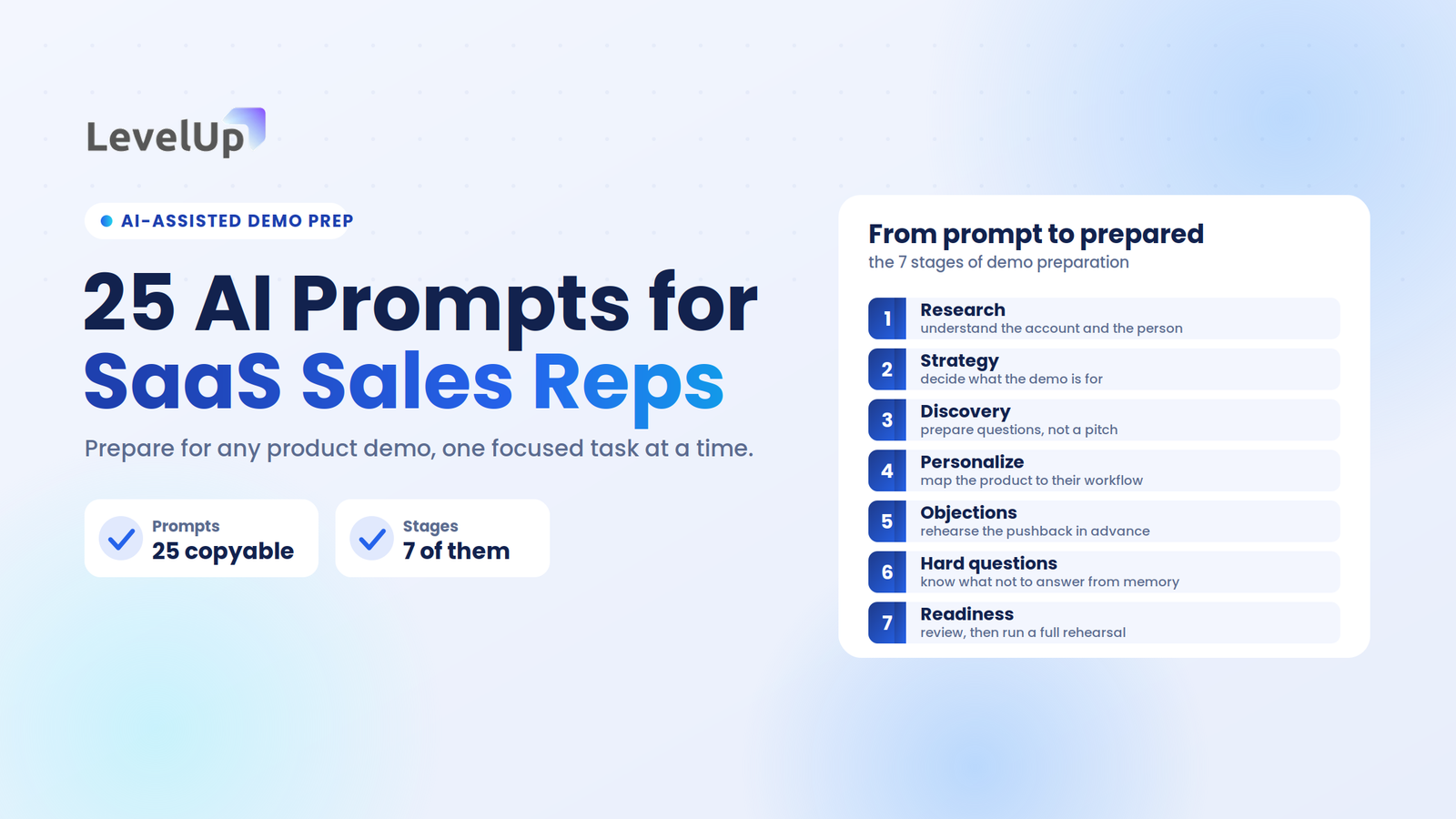
Used well, AI is a preparation assistant, not a replacement for sales judgment. Instead of asking it to “prepare me for this sales demo,” you give it focused prompts for individual preparation tasks. The 25 prompts below follow the real demo preparation workflow, from prospect research to final rehearsal. Each one is copyable, and each tells you what context to supply and what to do with the output.
AI prompts for SaaS sales reps are focused instructions that handle one demo-preparation task at a time, such as researching an account, generating discovery questions, or simulating objections. They work best when the rep supplies verified context and treats every output as a hypothesis to validate, not fact to recite.
The short version
The best use of AI before a SaaS demo is not asking it to prepare the demo. It is breaking preparation into small, specific tasks and feeding each one real context.
- Give AI four inputs: context, a specific objective, verified evidence, and a desired output format.
- Always ask it to separate confirmed facts from assumptions, and flag what it cannot know.
- Organize prompts across seven stages: research, strategy, discovery, personalization, objections, hard questions, and readiness.
- Treat every output as preparation material to verify, never as truth to present to a prospect.
Who this is for (and who should stop reading)
These prompts assume you already run product demos, understand discovery, and know what a qualification scorecard looks like. If you are an account executive, a founder running your own sales, or a sales engineer who preps the technical portion of the call, keep going.
If you are looking for a primer on what AI is or how a chat model works, this is not it. And if your demos are purely self-serve or product-led with no live component, your time is better spent on interactive demo tooling than on conversation prep.
How to use AI for SaaS demo preparation
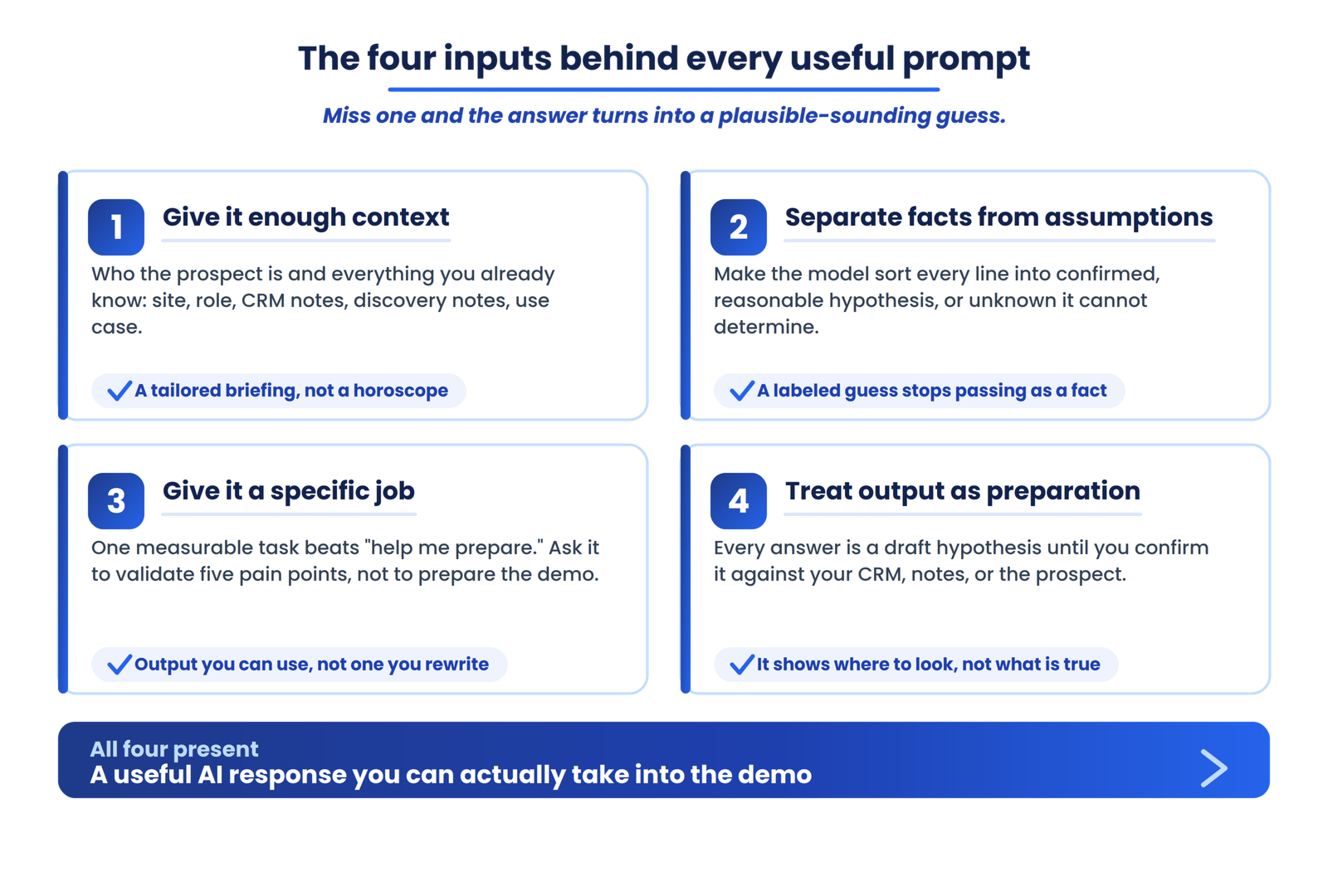
Before copying any prompt, understand the four inputs that separate a useful AI response from a plausible-sounding waste of time. Good preparation depends on all four being present.
1. Give AI enough context
Context is who the prospect is and what you already know. The more grounded, verified information you provide, the less the model has to invent. Feed it the company website, the prospect’s role and LinkedIn details, CRM notes, previous conversation notes, discovery notes, your product information, and the known use case. Context is the difference between a tailored briefing and a horoscope.
2. Separate facts from assumptions
This one input does more for output quality than any clever phrasing. Ask the model to sort everything it produces into three buckets: confirmed information drawn from what you supplied, reasonable hypotheses based on role or industry, and unknowns it cannot determine. When AI is forced to label its own certainty, you stop mistaking a guess for a fact.
3. Give AI a specific job
“Help me prepare” is not a job. “Identify five potential pain points I should validate during discovery, based only on the information below” is. A prompt with a single, measurable task produces something you can actually use. A vague prompt produces something you have to rewrite.
A weak prompt sounds like: “Tell me how to prepare for this demo.” A strong one sounds like: “I am an AE preparing for a demo with a VP of Sales at a 150-person B2B SaaS company. Based only on the company information below, identify likely operational challenges relevant to sales demo management. Separate confirmed facts from reasonable hypotheses, and give me five discovery questions to validate each hypothesis.” The difference is not cleverness. It is specificity.
4. Treat AI output as preparation, not truth
Every output is a draft hypothesis until you confirm it against your CRM, your discovery notes, or the prospect’s own words. AI will confidently produce company details, org structures, and pain points that are partly or entirely fabricated. The output tells you where to look, not what is true.
25 AI prompts for SaaS sales reps
The prompts are organized into seven stages that mirror how a demo actually gets prepared, from first research to final rehearsal. Work them roughly in order. Each stage builds on the context you gathered in the one before it.
Stage 1: Research the prospect before the demo
The goal of this stage is to understand the account and the person before you decide what to show. Research first, strategy second.
1. Build a prospect research brief
What it does: turns raw company information into a structured pre-demo research sheet.
〉_ Copy this prompt
Using only the company information I have pasted below, create a concise account briefing covering: business model, target customers, products or services, recent growth signals, and sales organization clues. Separate confirmed facts from inferences, and flag anything you are uncertain about. Do not add company details that are not in the text I provide.
Give it: Website copy, the LinkedIn About section, CRM notes, any press coverage
Then: Use the briefing as your research sheet and mark every inference as something to validate in discovery
2. Analyze the prospect’s role
What it does: clarifies what the specific person attending the demo actually cares about.
〉_ Copy this prompt
Based on the job title [title] at a [size] [industry] company, list likely responsibilities, KPIs, common frustrations, and the questions this person probably wants answered in a product demo. Organize into three categories: known from the information provided, likely based on role, and questions I should validate.
Give it: The LinkedIn profile, prior email threads, CRM contact notes
Watch for: Anything in the “likely” column that you start treating as confirmed
3. Identify potential business challenges
What it does: generates problem hypotheses your product could address, without inventing them.
〉_ Copy this prompt
Based on the company and role information below, identify potential business problems my product could address. Present them as a table with columns: potential challenge, evidence, confidence, and a question to validate. Do not invent company-specific problems. Label each as likely based on role or industry, or needs validation.
This prompt exists because AI will confidently fabricate pain points unless you explicitly tell it not to. The output is a list of hypotheses, not a list of facts.
4. Analyze the industry context
What it does: surfaces industry-specific pressures that could shape the conversation.
〉_ Copy this prompt
Identify industry trends and operational considerations affecting [industry] companies of [size] that could be relevant to a conversation about [product category]. Focus on workflow and operational challenges, not broad market commentary. Do not assume an industry-wide problem exists at this specific company.
The output should give you context for smarter questions, not talking points to recite. An industry trend is a reason to ask, not a fact to assert.
Stage 2: Define what the demo needs to accomplish
This stage moves you from research to strategy. Before you decide what to show, decide what the meeting is for.
5. Define the demo objective
What it does: turns “show them the product” into a measurable meeting objective.
〉_ Copy this prompt
I am preparing a demo for [role] at [company]. My current goal is “show the product.” Help me turn this into a specific demo objective. Options might include: validate a use case, demonstrate workflow fit, address a known pain point, establish business value, move to technical evaluation, or secure a defined next step. Based on the context below, recommend the most appropriate objective and explain why.
Most demos that go nowhere started with “show the product” as the plan. The rep still chooses the objective; the model just makes the options explicit. For more on framing the goal of a call, see the LevelUp Demo blog.
6. Map prospect problems to product capabilities
What it does: connects features to confirmed buyer pain instead of running a feature tour. This is one of the most useful prompts in the set.
〉_ Copy this prompt
Using the prospect challenges identified above and the product capabilities I have listed below, create a mapping table: prospect problem, product capability, relevant workflow, expected outcome, and a validation question. Only include mappings where there is evidence the prospect has the problem. Use only the capabilities I provide. Do not invent features.
Give it: Your verified product capability list and the validated challenges from Stage 1
Then: Demo only the rows where the problem is confirmed, and use the validation questions to open each section
7. Build a personalized demo agenda
What it does: produces a time-based agenda built around the prospect’s workflow, not your product’s navigation.
〉_ Copy this prompt
Create a demo agenda for a [duration]-minute call with [role] at [company]. The demo objective is [objective]. Known challenges are [list]. Structure the agenda around the prospect’s workflow, not around our product’s navigation. Include time estimates for each section.
Sharing the agenda a day before the call and reopening with it on the demo keeps the meeting on track and signals preparation. Avoid generic feature tours; a confirmed-goals, brief-discovery, relevant-workflow, questions, next-steps shape works for most calls.
8. Decide what NOT to demo
What it does: identifies the features and tangents to cut, and the ones to hold in reserve. A better demo is not a longer demo.
〉_ Copy this prompt
Based on the prospect’s role, use case, and known challenges, identify product features and areas I should skip in this demo. For each, explain why it is irrelevant or potentially distracting. Suggest features to keep in reserve for a follow-up if the prospect raises adjacent needs.
Relevance beats volume, and the data backs it. An analysis of sales demos by Kickscale found that demos showing one to three features closed at around 64 percent, while demos showing more than ten features closed at roughly 20 percent. Every feature you add past the relevant ones competes with the ones that matter.
Stage 3: Prepare better discovery questions
This stage makes the demo interactive instead of a presentation. Good questions turn a pitch into a conversation.
9. Generate personalized discovery questions
What it does: builds specific discovery questions tied to this prospect’s context.
〉_ Copy this prompt
Based on the prospect context below, generate discovery questions that uncover: current workflow, specific pain, business impact, urgency, stakeholders involved, existing tools, and desired outcomes. Avoid generic questions like “What are your biggest challenges?” unless there is a specific reason to include one.
Successful demo calls tend to run noticeably longer than unsuccessful ones, not because of longer feature tours but because of real two-way conversation. HubSpot’s demo data puts the gap at about 30 percent. Better questions are what create that conversation.
10. Prioritize discovery questions
What it does: keeps discovery from turning into an interrogation.
〉_ Copy this prompt
Categorize these discovery questions into: Must ask (critical to understanding the opportunity), Useful if time allows, and Follow-up (can be explored after the call). Limit “Must ask” to five questions maximum, and explain why each made the cut.
Reps who walk in with fifteen must-ask questions end up interrogating the prospect instead of having a conversation. Five is a conversation. Fifteen is a survey.
11. Identify missing information
What it does: finds the gaps that could materially change how you run the demo.
〉_ Copy this prompt
Here is everything I currently know about this prospect [paste all notes]. What do I still not know that could materially change how I run this demo? For each gap, give me: the missing information, why it matters, a question to uncover it, and when to ask it (pre-demo email, early discovery, or during the call).
This is one of the most practical prompts in the set. The gaps it surfaces, and the ones it misses, tell you how much preparation you have actually done.
Stage 4: Personalize the demo
This stage connects the product to the prospect’s actual situation, so the demo feels built for them rather than pulled off a shelf.
12. Create a personalized value proposition
What it does: frames value in the prospect’s terms, without unsupported claims.
〉_ Copy this prompt
Translate our product capabilities into a value proposition specific to this prospect, using the structure: their problem, our capability, their outcome. Do not include ROI figures or percentages unless I provide verified data. If a claim is not supported by the information I gave you, phrase it as a possibility, not a promise.
Instead of “you will save 40 percent,” this helps you formulate something defensible like “this workflow could reduce the manual steps in your current process,” when the information supports it.
13. Build a personalized demo story
What it does: turns a feature list into a narrative the prospect recognizes.
〉_ Copy this prompt
Build a demo story arc: the prospect’s current state, the problem they experience, the workflow where it surfaces, how our product addresses it, and the improved state. Frame the narrative around their workflow, not our product’s feature list.
The product should appear as the resolution to a problem, not as a collection of features arriving in menu order.
14. Identify the most relevant use cases
What it does: ranks your use cases by relevance to this specific prospect.
〉_ Copy this prompt
Given what we know about this prospect, rank our use cases from most to least relevant as a table: use case, why relevant, evidence, and a question to validate. Flag any ranking based on assumption rather than confirmed information. Do not present suggestions as established facts.
Lead the demo with the top one or two. The rest are reserve material for follow-up, not a checklist to march through.
15. Create persona-specific talking points
What it does: adjusts the message for each person in the room.
〉_ Copy this prompt
This demo will include [list attendees and roles]. Generate separate talking points for each persona. A practitioner cares about daily workflow and usability. A manager cares about visibility, efficiency, and team outcomes. An executive cares about business impact, risk, scale, and strategic value. A technical stakeholder cares about integrations, implementation, and security.
Stakeholder alignment matters. When only one contact is engaged, deals stall, so prepare to speak to every persona attending and plan to multi-thread immediately after the call.
Stage 5: Prepare for objections
This stage anticipates resistance before the call, so you are rehearsing responses instead of improvising them.
16. Predict likely objections
What it does: lists the objections this prospect is most likely to raise, labeled by likelihood.
〉_ Copy this prompt
Based on the persona, industry, product category, and buying stage, list potential objections this prospect might raise across these categories: price, implementation, switching, integration, security, adoption, existing tools, and internal resources. Label each as common for this persona, common for this industry, or speculative. Do not present speculative objections as certain.
17. Prepare objection-handling responses
What it does: drafts measured responses using a clarify-first framework.
〉_ Copy this prompt
For each objection above, draft a response using this structure: acknowledge the concern, ask a clarifying question, respond with relevant information, and validate whether the response addressed it. Avoid aggressive rebuttal language, and do not jump straight into a defensive product pitch.
The clarifying question matters most. Reps who answer the objection they assume they heard, rather than the one actually raised, lose the room.
18. Red-team the demo
What it does: turns AI into a skeptical prospect so you rehearse under pressure. One of the strongest prompts here.
〉_ Copy this prompt
Act as a skeptical prospect in [role] at [company type]. Challenge my demo on product fit, implementation complexity, integrations, pricing, security, migration effort, team adoption, ROI assumptions, and switching costs. Be adversarial and do not accept vague answers. At the end, tell me what I failed to answer convincingly.
It is uncomfortable, and that is the point. The questions you fumble in rehearsal are the ones that would have ended the real call.
19. Prepare for “Why you?”
What it does: readies you for competitive questions without fabricating competitor weaknesses.
〉_ Copy this prompt
Help me prepare for competitive comparison questions such as: why should we choose you, how are you different, why switch from our current solution, and what happens if we stay. Based only on the verified product and competitor information I provide below, identify our strongest differentiators for this specific use case. Do not fabricate competitor weaknesses.
Competitor claims have to be based on verified information. A confident but wrong claim about a rival is the fastest way to lose credibility with a buyer who knows that product well.
Stage 6: Prepare for difficult questions
This stage reduces surprises during the call by rehearsing the hard questions and deciding in advance which ones you should not answer from memory.
20. Generate difficult questions a prospect might ask
What it does: simulates the toughest questions a skeptical buyer could raise.
〉_ Copy this prompt
Simulate the toughest questions a skeptical [role] might ask during a SaaS demo. Include technical, commercial, operational, implementation, security, data, reporting, scalability, support, and procurement questions. Rank them by how likely they are to come up for this persona.
21. Identify questions you should not answer from memory
What it does: flags where guessing is a credibility risk. Another strong differentiator.
〉_ Copy this prompt
Review the preparation materials below and identify questions or topics where I should verify documentation first, involve a sales engineer, confirm pricing with my team, check security or compliance docs, or commit to following up after the demo rather than guessing.
This prompt is a safety mechanism. “I do not want to guess, let me confirm and get that to you today” protects a deal; a confident wrong answer that surfaces in the follow-up loses it.
22. Prepare an executive-level summary
What it does: compresses the pitch into a 60-second executive version.
〉_ Copy this prompt
Help me prepare a 60-second executive summary covering: the business problem, our solution approach, the relevant value, key implementation considerations, and the proposed next step. Keep it short enough for an executive conversation, with no unsupported financial claims.
When an executive drops into the last five minutes, this is what you deliver. Business problem, approach, value, next step, done.
Stage 7: Run the final demo readiness check
This stage turns all the preparation into a quality-control pass, then into live practice.
23. Build a pre-demo checklist
What it does: generates a checklist tailored to this specific demo.
〉_ Copy this prompt
Generate a pre-demo checklist for this specific demo covering: prospect research status, stakeholders identified, discovery questions prepared, unknowns identified, demo objective defined, relevant workflow selected, irrelevant features removed, likely objections and responses prepared, integrations and product capabilities verified, unknown technical questions flagged, and the desired next step defined.
24. Run a demo readiness review
What it does: has AI review your complete preparation as a critical reviewer. Treat this as the final QA pass.
〉_ Copy this prompt
I am pasting my complete demo preparation below. Act as a reviewer and identify: missing information, weak assumptions, unsupported claims, irrelevant demo content, unanswered questions, potential risks, and areas requiring verification. Present it as a table: area, finding, risk, and recommended action.
The review is what makes a strong follow-up possible, because you walk in knowing exactly which claims are solid and which still need confirming.
25. Simulate the entire demo
What it does: runs a full rehearsal with AI playing the prospect. The most comprehensive prompt, and the one that ties everything together.
〉_ Copy this prompt
Simulate a full demo conversation. You play the prospect: [role] at [company], [industry], [size]. Run it in order: opening, discovery, your answers, demo transition, product questions, at least one objection, a technical question, a pricing question, a competitive question, and a next-step discussion. I will respond naturally. At the end, evaluate me on discovery quality, question quality, listening, personalization, feature relevance, explanation clarity, objection handling, confidence, and next-step management. Give specific feedback and replacement suggestions, not generic praise like “good job.”
This moves from preparation into practice. It is the rehearsal most reps skip, and the one that most changes how the real call goes.
How to get better results from these AI prompts
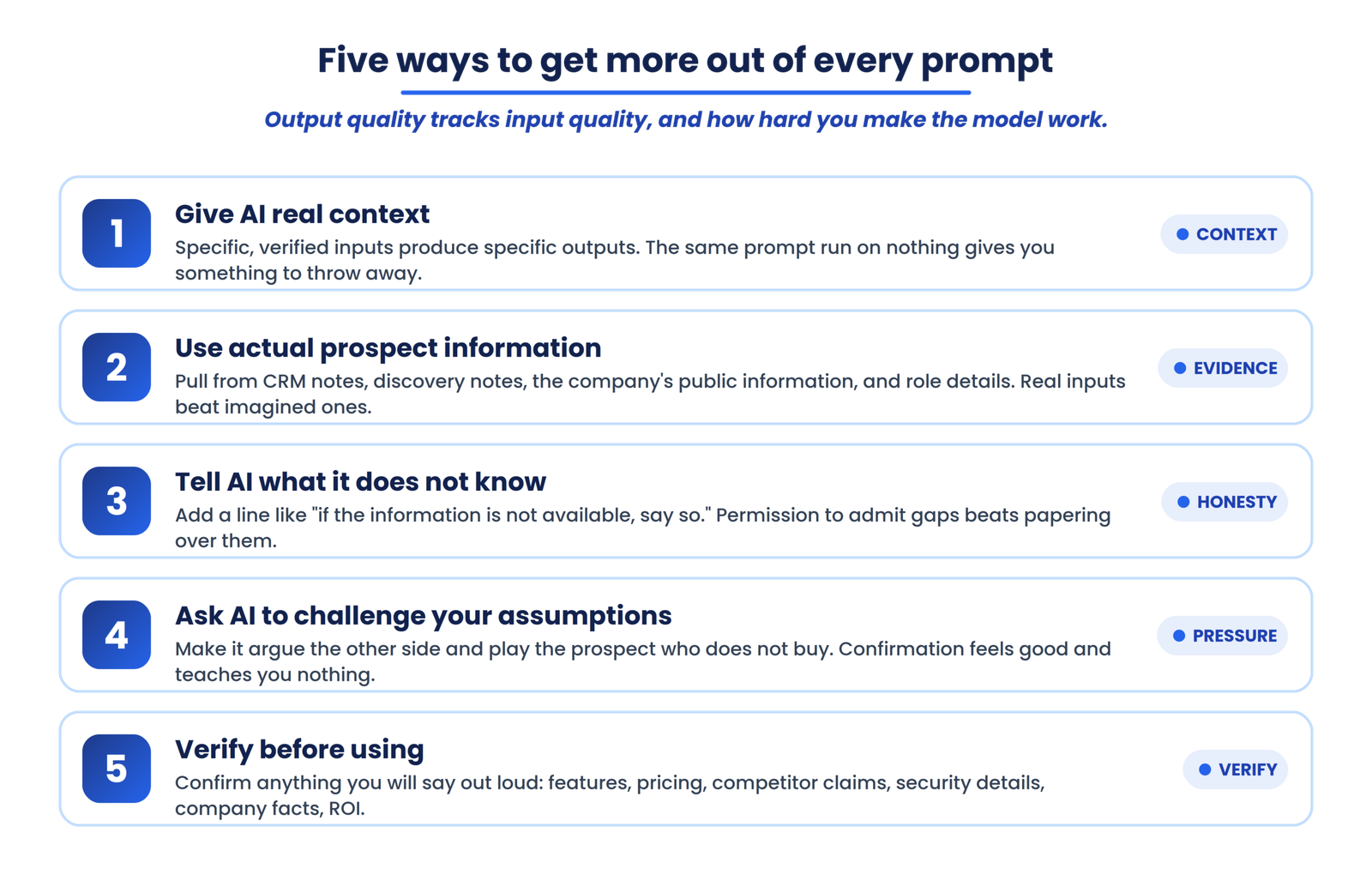
The prompts are only half of it. The quality of every output tracks the quality of what you feed in and how hard you make the model work.
Give AI real context
Specific, verified inputs produce specific, useful outputs. The same prompt run on a pasted LinkedIn profile and a set of CRM notes produces something you can use; run on nothing, it produces something you have to throw away.
Use actual prospect information
Pull from your CRM notes, discovery notes, the company’s own public information, and the prospect’s role details. Real inputs beat imagined ones every time, and they keep the model from filling gaps with invention.
Tell AI what it does not know
Add a line like “if the information is not available, say so” to any research prompt. It gives the model permission to admit gaps instead of papering over them, which is exactly what you want before a live call.
Ask AI to challenge your assumptions
Do not only ask the model to confirm your thinking. Ask it to argue the other side, to find the weakest part of your plan, to play the prospect who does not buy. Confirmation feels good and teaches you nothing.
Verify before using
Confirm anything you will say out loud, especially product features, pricing, competitor claims, technical and security details, company facts, and ROI. The model’s job is to prepare you faster, not to be the source of record.
What AI should and shouldn’t do in demo preparation
AI earns its place in the parts of preparation that are structural and repeatable. It does not replace the parts that require a human who has done the discovery and can read a room.
| AI can help with | AI should not replace |
|---|---|
| Research summaries | Human judgment |
| Question generation | Actual discovery |
| Objection simulation | Real prospect feedback |
| Demo personalization ideas | Verified prospect information |
| Rehearsal and practice | Live conversation skills |
| Preparation checklists | Product knowledge |
| Structuring information | Fact verification |
Read the table as a division of labor, not a limitation. The left column is where AI saves you hours. The right column is where your credibility with the buyer is actually built.
From AI-assisted preparation to a repeatable demo process
AI can make an individual rep’s preparation faster. A sales organization has a bigger problem than individual prep: consistency. Teams need a shared way to prepare demos, run them, review performance, capture feedback, and improve, so demo quality becomes repeatable instead of depending on which rep took good notes.
The real gap in most demo workflows is not preparation quality in isolation. It is that preparation, demo outcomes, unanswered-question capture, and follow-up cadence live in different places, owned by different people, with no shared visibility. That is also why follow-up speed quietly decides so many deals: widely cited speed-to-lead research finds that contacting a lead within the first hour makes them far more likely to qualify than a next-day reply, and the recap a rep forgets to send is a gap no prompt can close.
Turn individual prep into a repeatable demo process
AI speeds up one rep’s preparation. LevelUp Demo gives the whole team one connected workflow for preparing, running, and reviewing demos, so quality holds from lead capture through demo outcome and follow-up.
Frequently asked questions
Can AI help sales reps prepare for product demos?
Yes. AI can research prospects from supplied information, generate discovery questions, anticipate objections, personalize talking points, and run a full rehearsal before the meeting. The quality of the output depends entirely on the context and verified information the rep provides, and every output should be treated as a hypothesis to validate.
What should I include in an AI prompt for a sales demo?
Four things: prospect context (role, company, industry), your objective for this specific prompt, the evidence you have already gathered (CRM notes, discovery transcript, company information), and the output format you want (a table, a ranked list, a set of questions, a script).
Can ChatGPT research a prospect before a sales demo?
It can summarize and structure information you supply or that is publicly available, which is useful for building a research sheet quickly. It cannot reliably confirm company facts, org structures, or pain points on its own, so treat anything it produces as a starting hypothesis and verify the important details before the call.
Can AI predict sales objections?
AI can generate the objections most likely to come up based on persona, industry, product category, and buying stage, which is valuable for rehearsal. It cannot know exactly what an individual prospect will object to, so label its output as potential objections and confirm the real concerns during the conversation.
How can AI personalize a SaaS product demo?
Feed it verified prospect information and ask it to map your capabilities to the prospect’s workflow using the chain: prospect context, problem hypothesis, relevant use case, product workflow, value. The output is a draft narrative and agenda you refine, not a finished script.
Should sales reps trust AI-generated prospect research?
Not without verification. AI will present plausible-sounding company details and pain points that are partly or entirely fabricated. Treat AI research as preparation material, then confirm it against your CRM, the company’s website, or the prospect directly before presenting any of it as fact.
Can AI replace sales demo preparation?
No. AI accelerates specific preparation tasks, but it does not replace product knowledge, real discovery, judgment, listening, relationship building, or the live conversation itself. The demo preparation workflow still requires a human who has done the discovery work.
Final takeaway
The best use of AI before a SaaS demo is not asking it to “prepare the demo.” It is using the model to break preparation into smaller, specific tasks, each with real context and a clear job. The 25 prompts above follow the lifecycle of preparing for a demo, which is why they produce more than a generic list of ChatGPT prompts ever could.
The workflow is the whole point:
Pick your next demo. Run prompts 1 through 4 with real prospect data from your CRM, and compare what AI produces against what you already know. The gaps it surfaces, and the ones it misses, will tell you exactly how much preparation you have been skipping. That is where a repeatable demo process starts.
Make every demo prepared, not improvised
LevelUp Demo connects preparation, scheduling, demo outcomes, and follow-up into one workflow, so strong prep becomes the standard across your team instead of a lucky accident.