Your engineering lead just pinged the channel: “I could build this in a sprint.” A vendor rep just emailed: “You’ll be live by Friday.” You’re staring at both messages, and the honest answer is that neither one is telling you the full story.
The instinct is to compare developer hours against subscription fees. That comparison will mislead you. The real decision is not whether to build or buy demo software. It is which parts of your demo system your team should own, which parts you should purchase, and which parts you should wire together from infrastructure you already run.
THE QUICK VERDICT
If the capability you need is genuinely proprietary to your product, build it. If it is standardized operational infrastructure (routing, scheduling, analytics, CRM sync), buying or integrating almost always costs less over 36 months. Most SaaS teams at growth stage or beyond land on a hybrid model whether they plan to or not.
How we evaluate this decision
We score the build-vs-buy question across seven dimensions drawn from real demo operations work: scope definition, customization depth, engineering ownership, operational maintenance, integration surface, governance and security posture, and total ownership cost. Each dimension gets weighted differently depending on your stage, headcount, and product change rate. The audience lens here is a RevOps or Demo Operations leader at a growth-stage SaaS company running 80+ demos per month and feeling the friction of duct-taped workflows.
What are you actually deciding to build?
Before you compare vendors to sprints, decompose what “demo software” means inside your company. It is not one thing.
The demo experience
Layer 1 is what the buyer sees:
Live demo environments
Sandboxes
AI and agentic demo experiences
The demo operating workflow
Layer 2 is what your team runs:
Qualification
Routing
Scheduling
Preparation
Follow-up
Outcome tracking
Data, analytics, and intelligence
Layer 3 is how you learn from what happened:
Conversion
Attribution
Win/loss
Rep performance
Infrastructure and integrations
Layer 4 is what everything runs on and connects to:
Authentication
APIs
CRM
Calendar
Analytics
Communication tools
KEY TAKEAWAY
A SaaS company may need to make different build-vs-buy decisions for different layers. Treating them as one purchase order is how teams end up either over-engineering a scheduling widget or buying a platform that cannot replicate their proprietary product logic.
Why “build vs buy” is too simple for demo software
A binary choice hides the option most teams actually need. Instead of two doors, there are four.
| Approach | What it means |
|---|---|
| Build | Develop and maintain the capability internally |
| Buy | Use an external platform |
| Integrate | Connect an external capability to your existing stack |
| Hybrid | Build proprietary components while buying standardized infrastructure |
Treating everything as a binary decision leads to one of two failures: unnecessary engineering work when you build what you could have bought, or unnecessary vendor dependency when you buy what you could have owned. The four-way frame keeps both failures in view.
The demo system build boundary
What is the Build Boundary?
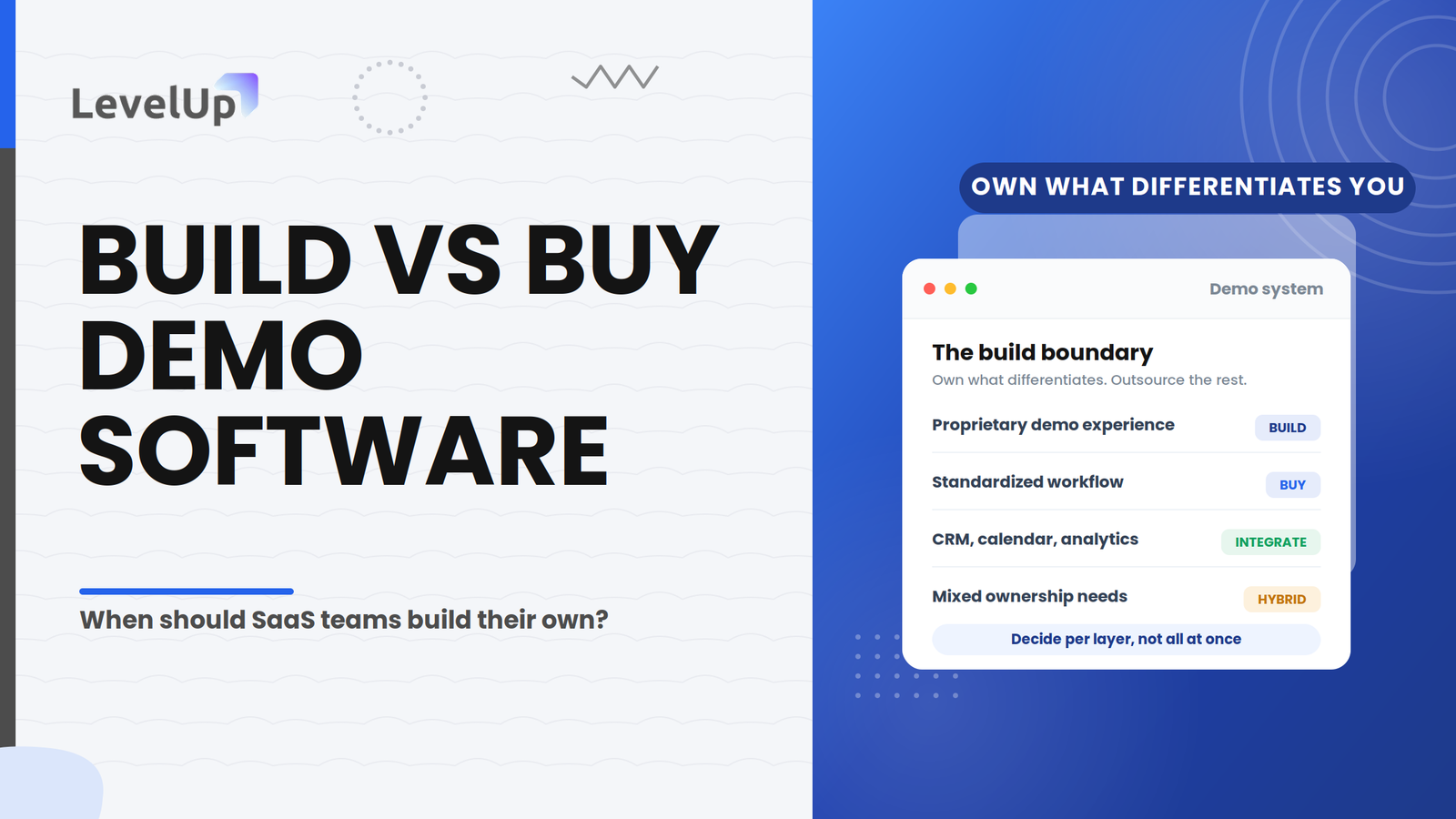
The Build Boundary is the point between capabilities that are strategically worth owning internally and capabilities that can reasonably be purchased or integrated. It is the line where proprietary requirements end and commodity infrastructure begins.
What belongs inside the Build Boundary?
Above the line sits everything unique to your product: custom data states, unusual security architecture, product-specific UX that no vendor can replicate without becoming a custom dev shop. In practice that means:
What can sit outside the Build Boundary?
Below the line sits everything that looks roughly the same at every SaaS company: calendar invites, CRM field updates, routing rules, analytics dashboards. That usually includes:
Important: being outside the Build Boundary does not mean a capability should automatically be bought. It means the case for owning it is weaker, and the burden of proof shifts to whoever wants to build it. The mistake teams make most often is drawing the line too high and rebuilding scheduling, notification, and reporting layers that already exist.
Here is how that boundary might resolve into concrete choices for a mid-market SaaS company running a SaaS demo workflow across three product lines:
| Capability | Likely approach |
|---|---|
| Proprietary product demo environment | Build |
| Lead qualification logic | Build or configure |
| Demo request routing | Buy or integrate |
| Scheduling | Buy or integrate |
| Interactive demo creation | Buy |
| CRM connection | Integrate |
| Follow-up automation | Buy or configure |
| Demo analytics | Buy or integrate |
One critical insight: a demo system can be technically custom without being strategically proprietary. The fact that your team built it does not mean your team should maintain it forever.
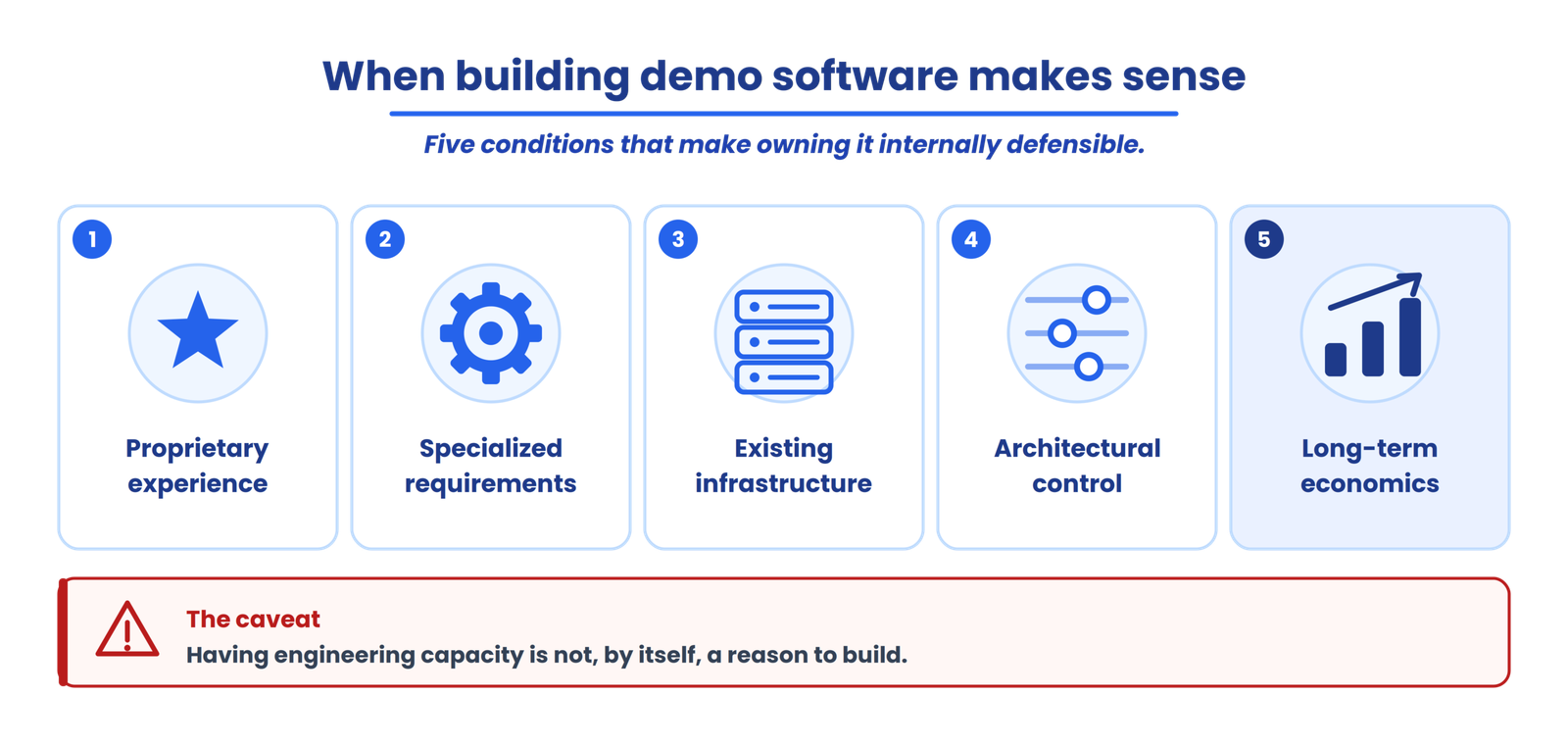
When does building demo software make sense?
The experience itself is strategically proprietary
If the interactive experience itself is core to how buyers evaluate your product, and no existing platform can faithfully reproduce the interaction model, building the experience layer is defensible.
Your technical requirements are highly specialized
Highly specialized data environments, proprietary security models, or deployment architectures would require a vendor to essentially build a custom integration anyway. When the specialization is that deep, internal ownership can be the more honest path.
You already have the required infrastructure
If the required capabilities overlap heavily with systems your engineering team already maintains, the incremental cost of adding demo functionality may be lower than onboarding an external platform.
You need unusually deep architectural control
Define what “control” actually means: control over code, deployment cadence, data residency, infrastructure, integration sequencing, or release timing. Each of those can be evaluated independently, and only some of them require building.
The long-term economics justify internal ownership
When the capability will be used heavily for years, is stable enough that maintenance stays predictable, and the loaded cost of building plus owning it lands clearly below the equivalent cost of buying over the same horizon, the economics can favor a build. That case has to be made with a real number, not a gut feeling.
A caveat: having engineering capacity is not, by itself, a reason to build. Free hands this quarter become an ownership liability every quarter after.
When does buying demo software make sense?
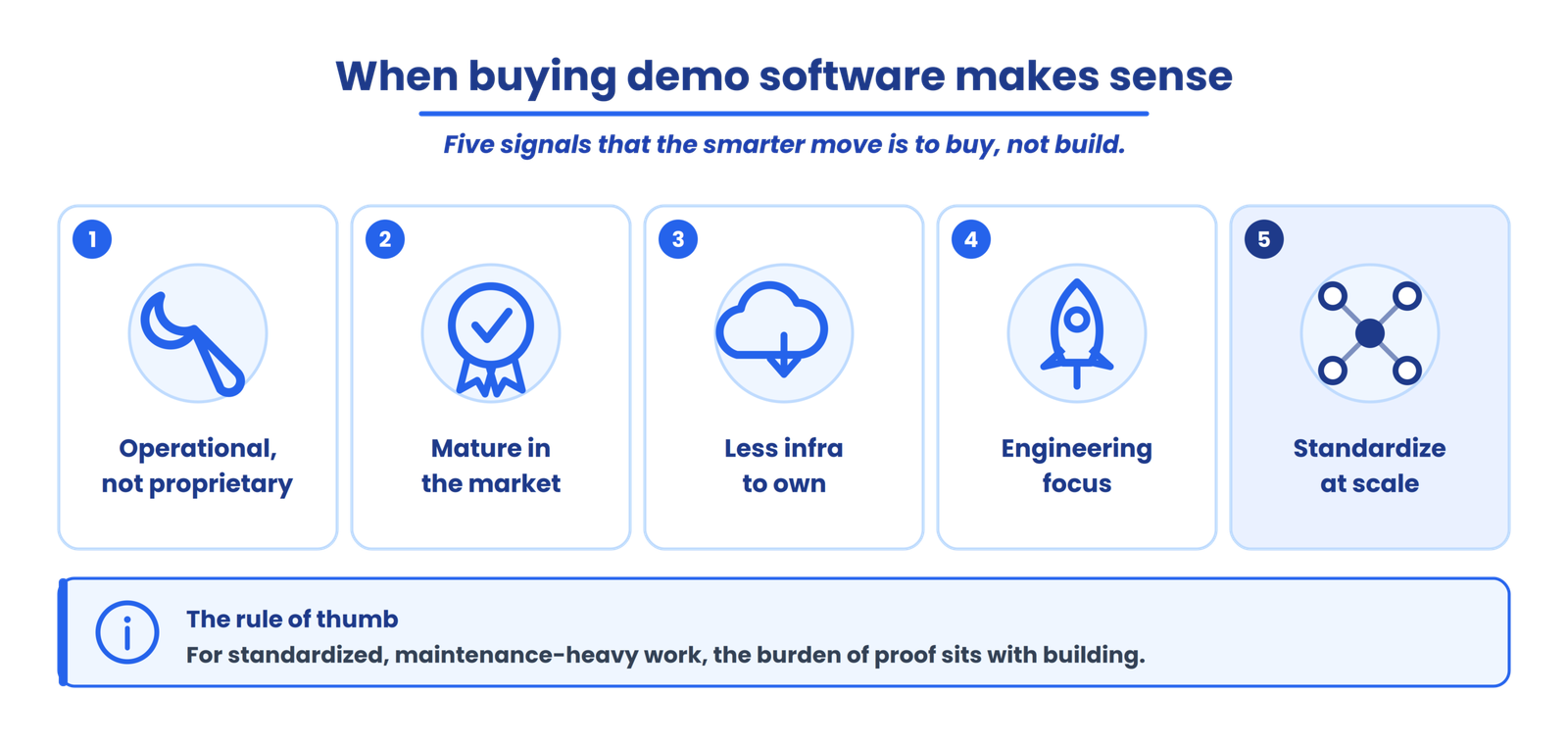
The problem is operational rather than proprietary
If you are trying to solve scheduling collisions, inconsistent follow-up, or manual CRM updates, those are demo operations problems. They are common across companies and expensive to maintain internally.
The capability is already mature in the market
When several established platforms already solve the capability well, building it means reinventing something the market has spent years refining. Maturity in the category is a signal that the differentiation you would gain from owning it is small.
You want to reduce infrastructure ownership
Every system you host is a system you monitor, patch, and secure. Buying moves hosting, uptime, and much of the maintenance surface to the vendor, which is often the point: fewer things for your team to keep running.
Engineering resources are better spent elsewhere
An engineer spending a quarter maintaining demo routing logic is an engineer not shipping core product features, not improving reliability, and not building integrations customers are requesting. That opportunity cost compounds.
You need to standardize a process across teams
When demo volume crosses roughly 100 per month, handcrafted workflows start breaking: missed follow-ups, inconsistent qualification, lost attribution data. A purpose-built platform can standardize those workflows across reps and regions faster than most internal builds.
None of this means buying is automatically better. It means that for standardized, operational, maintenance-heavy capabilities, the burden of proof sits with the argument to build.
When should you integrate instead of build or buy?
This is the option most generic articles skip. Integration is the right answer when the required capability already exists, your existing systems are valuable, you only need the systems to communicate, and rebuilding the functionality would duplicate infrastructure you already run.
In practice, that looks like connecting systems you already trust:
CRM + demo workflow
Calendar + scheduling
Analytics + demo engagement
Internal product data + demo environment
Sometimes the right answer isn’t another application. It’s a better connection between the systems you already have.
When does a hybrid demo system make sense?
Hybrid is the model most growth-stage teams arrive at, planned or not. You own the parts that differentiate you and outsource the parts that do not. A typical hybrid architecture looks like this:
Hybrid does not mean “use as many tools as possible.” It means keeping strategic ownership where it matters and outsourcing standardized infrastructure where doing so reduces unnecessary complexity.
The real cost of building demo software
The calculation most teams run looks like this: two engineers, eight weeks, loaded cost. That captures maybe 30% of the actual expense. The rest is spread across seven categories that rarely make it onto the original estimate.
Initial development
Architecture, implementation, UI, and the first round of integrations. This is the only line most estimates actually include.
Ongoing maintenance
Every product release can break demo environments. Browser and platform changes, dependency changes, feature updates, and security patches create ongoing work that never appears on a roadmap.
Infrastructure
Hosting, storage, monitoring, authentication, and environment management. These run whether or not anyone is actively using the system.
Integration maintenance
Your CRM changes its API. Your calendar provider deprecates an endpoint. Your analytics or marketing platform adds a required field. Each one generates unplanned work against your CRM, calendar, analytics, and other APIs.
Support and documentation
Documentation, onboarding new reps, and troubleshooting. Someone owns this even if nobody is assigned to it.
Security and governance
Access controls, permissions, and audit trails. These are invisible until a security review surfaces them, and then they are urgent.
Opportunity cost
What would those engineers have shipped instead? This is the cost that never shows up in a spreadsheet but shows up in every quarterly planning argument.
DEMO OWNERSHIP COST · A LEVELUP FRAMEWORK
The question worth asking is not “how much does it cost to build?” It is “how much organizational capacity does owning this system consume over its lifetime?” Demo Ownership Cost is our label for that lifetime total, and it is the number that should sit next to any vendor quote.
The cost of buying demo software
Buying has real costs too, and pretending otherwise makes the analysis dishonest. They fall into seven categories of their own.
Subscription costs
Recurring fees that scale with users, demos, or features. This is the number on the landing page, and it is rarely the whole bill.
Implementation
Standing the platform up takes longer than the sales deck suggests. Configuration, data setup, and workflow design all take real time before value appears.
Integration
Connecting the platform to your existing stack requires engineering time even when the vendor provides connectors.
Training and adoption
Getting your team fluent on a new platform has a ramp cost, and adoption is not guaranteed just because the tool was purchased.
Vendor dependency
Vendor dependency means renewal negotiations, potential price increases, and the risk that the vendor’s roadmap diverges from your needs.
Migration and switching costs
Switching costs accumulate the longer you stay. The more workflows and data live inside a platform, the harder it is to leave.
Customization limitations
A platform will do what it was built to do well and resist what it was not. Where your process sits outside those bounds, you adapt to the tool rather than the other way around.
Buying doesn’t eliminate ownership. It changes what you own.
Build vs buy: the 7 factors that should drive the decision
This is where the article becomes a decision tool rather than an opinion piece. For any capability you are evaluating, work through these seven factors and the question each one forces you to answer.
| Factor | Questions to ask |
|---|---|
| Strategic differentiation | Is this genuinely unique to our business? |
| Customization | How much customization do we actually need? |
| Change rate | How frequently will this system need to change? |
| Engineering capacity | Who will build and maintain it? |
| Integration | How deeply must it connect to our stack? |
| Security & governance | What level of control is required? |
| Total ownership cost | What will it cost over its useful life? |
As a quick reference, here is how those factors tend to break down across the two options. Neither column is inherently better; the right read depends on which factors matter most for your product’s change rate, your team’s capacity, and your security requirements.
| Factor | Build | Buy |
|---|---|---|
| Initial control | High | Vendor-dependent |
| Customization depth | Potentially high | Platform-dependent |
| Initial engineering effort | Usually higher | Usually lower |
| Maintenance ownership | Internal | Shared or vendor-led |
| Time to first usable version | Scope-dependent | Implementation-dependent |
| Integration control | Full | API-dependent |
| Long-term dependency | Internal team | Vendor |
The two-year test: who will own this after the build?
Before committing to a build, ask one question: who will still be responsible for this system two years after launch? Work through each part of that question honestly.
KEY TAKEAWAY
A successful build isn’t just something your team can launch. It’s something your organization can continue to own. If you cannot name those people today, the build is riskier than it looks on a sprint board.
The change-rate test
A second decision lens sits alongside the two-year test. Ask: how quickly will the underlying product, workflow, or requirements change?
Low-change environment
The maintenance burden of a custom build may be more manageable, because the surrounding system is stable.
High-change environment
Ongoing maintenance becomes a much larger consideration, because every change ripples into the demo system.
Change rate does not determine the answer by itself. It is one input into the build-vs-buy decision, weighed alongside differentiation, capacity, and cost.
The engineering tax of a custom demo system
ENGINEERING TAX · A LEVELUP FRAMEWORK
The recurring engineering effort required to keep a custom demo system functional as the surrounding product, infrastructure, integrations, and requirements change. It is not a one-time build cost. It is a standing line item, and it is the cost teams most consistently underestimate.
Every product release is a trigger. A single release can cascade into work across the demo system:
→
UI changes
Integrations
Dependencies
Security
Analytics
Support
The Engineering Tax is LevelUp’s analytical framework for making that recurring cost visible. It is not an established industry metric; it is a way to name the work that a build quietly commits your team to for as long as the system exists.
Build vs buy for different SaaS situations
Early-stage SaaS
Small team, low demo volume, limited engineering bandwidth, and a process that is still evolving. Keep the system simple and validate your demo process through experimentation before investing in custom infrastructure. A spreadsheet and a calendar might be the right v1.
Growth-stage SaaS
Rising demo volume, more reps, more routing complexity, and a real need for repeatability. Evaluate whether standardized demo management software can remove recurring operational friction.
Enterprise SaaS
Multiple products, regions, security and governance requirements, and complex architecture. Consider a hybrid architecture: proprietary demo environments stay internal while operational workflow capabilities get evaluated externally.
Highly technical SaaS
Complex backend, sensitive and proprietary data, specialized environments, and deployment constraints. Identify which components genuinely require internal control and which can sit outside the core infrastructure. Not everything touching a technical product needs to be built from scratch.
There is no single winner across these profiles; the point is which factors become more important in each. When none of them fit, and your demo motion is primarily async or self-serve, the right answer might be neither a custom build nor a workflow platform. An interactive product demo tool focused specifically on buyer-facing experiences could be the better investment.
A practical build, buy, integrate, or hybrid decision framework
Bring everything together into ten steps. This is the most actionable part of the article: run a capability through it and the answer usually becomes obvious.
Questions to ask before building demo software
Run this checklist before a single sprint gets scheduled.
Questions to ask a demo software vendor
If you lean toward buying, put these to the vendor before you sign.
Product
What exactly does the platform handle?
What requires customization?
Integration
What integrations are supported?
Are APIs and webhooks available?
Data
Where is data stored?
What data does the platform process?
Security
What controls and documentation are available?
Maintenance
What does the vendor maintain?
What remains the customer’s responsibility?
Ownership
Can data be exported?
What happens if you leave the platform?
Pricing
What actually drives pricing: usage, users, features, or integrations?
Where LevelUp Demo fits
There is a real distinction between the product and demo experience, which is what the buyer sees, and demo operations, which is the workflow your team runs around every demo. If the layer you are trying to solve is the operational workflow around demos rather than the proprietary product experience itself, LevelUp Demo is built around that exact problem.
→
Qualify
→
Route
→
Schedule
→
Prepare
→
Deliver
→
Follow-up
→
Analyze
The point isn’t that LevelUp means you shouldn’t build. It is that for teams whose friction lives in the operational layer below the build boundary, evaluating a purpose-built platform against an internal build is worth the conversation. Run a demo operations audit first to see where the gaps actually are.
Frequently asked questions
What does build vs buy mean for demo software?
It is the decision about which parts of your demo system your team develops and maintains internally versus which parts you purchase from a vendor or connect from tools you already run. For demo software the more useful framing is build, buy, integrate, or hybrid, applied separately across four layers: product experience, demo operations, data, and integrations.
Should SaaS companies build their own demo software?
Neither approach is universally better. The decision depends on which part of the demo system you need to control, how proprietary the requirement is, available engineering capacity, maintenance burden, integration surface, security posture, and total ownership cost over three years.
When should you buy demo software instead of building?
When the problem is operational rather than proprietary, when engineering capacity is limited, and when the capabilities you need are standardized across SaaS companies.
What are the hidden costs of building demo software?
Maintenance after product changes, infrastructure monitoring, integration upkeep, internal support, documentation, security patching, and the opportunity cost of engineering time diverted from core product work.
What is the Build Boundary?
The Build Boundary is the line where proprietary requirements end and commodity infrastructure begins. Capabilities above the line are unique to your product and worth owning; capabilities below the line look the same at every SaaS company and can usually be bought or integrated.
What is a hybrid demo system?
A hybrid demo system builds the proprietary product experience internally while buying or integrating the standardized operational infrastructure underneath it, such as routing, scheduling, analytics, and CRM sync. Most growth-stage companies end up hybrid whether they plan it or not.
How should SaaS teams calculate the cost of custom demo software?
Estimate total ownership cost over about three years, not just the initial build. Add development, infrastructure, ongoing maintenance, integration upkeep, QA, security, support, and the opportunity cost of engineering time, then compare that total against the equivalent total cost of buying.
What should you ask a demo software vendor before buying?
Ask what the platform actually handles and what needs customization, which integrations and APIs are supported, where data is stored and processed, what security controls and documentation exist, what the vendor maintains versus what stays your responsibility, whether data can be exported if you leave, and what actually drives pricing.
Conclusion
The right build-vs-buy decision starts by defining what you actually need to own. Once the layers are separated and the Build Boundary is drawn, the choice usually resolves itself into four clear moves:
Solve the operational layer without building it
LevelUp Demo runs the workflow around every demo, from capture and routing through scheduling, follow-up, and analysis, so the standardized layer below your build boundary has a home instead of a backlog.