Your product changed last week. The navigation moved, a feature got renamed, and the pricing page was updated. But somewhere in your sales organization, a rep is still presenting last quarter’s demo. The screenshots show a UI that no longer exists. The script references a feature that’s been folded into a different module. The interactive walkthrough dead-ends on a screen the product team removed in sprint 14.
That’s the hidden problem with demo assets. Creating them is only half the job. The harder part is keeping them accurate as the product, messaging, and buyer experience shift underneath them.
Demo asset management is the operating process that keeps every customer-facing demo asset accurate, approved, discoverable, and aligned with the current product. It covers the full lifecycle: from creation through approval, active use, review, update, validation, and eventual retirement.
This isn’t file storage. A Google Drive folder with 47 demo decks in it isn’t management. It’s archaeology.
By the end of this piece, you’ll understand the system that prevents content drift across your demo assets, and you’ll be able to decide which parts of that system your team needs to build first.
Who this is for (and who should stop reading)
If your team has more than a handful of demo assets spread across multiple owners, and your product ships regularly, this applies to you. Sales engineers, solutions consultants, presales leads, sales enablement, product marketing, RevOps, and founders at earlier-stage companies who are still running demos themselves will all find something operational here.
If you’re looking for how to build a reliable demo environment, that’s a different problem (infrastructure, demo data, reliability). If you need to organize a demo library for discoverability, that’s also adjacent but distinct. This article owns accuracy, lifecycle, and governance.
What counts as a demo asset
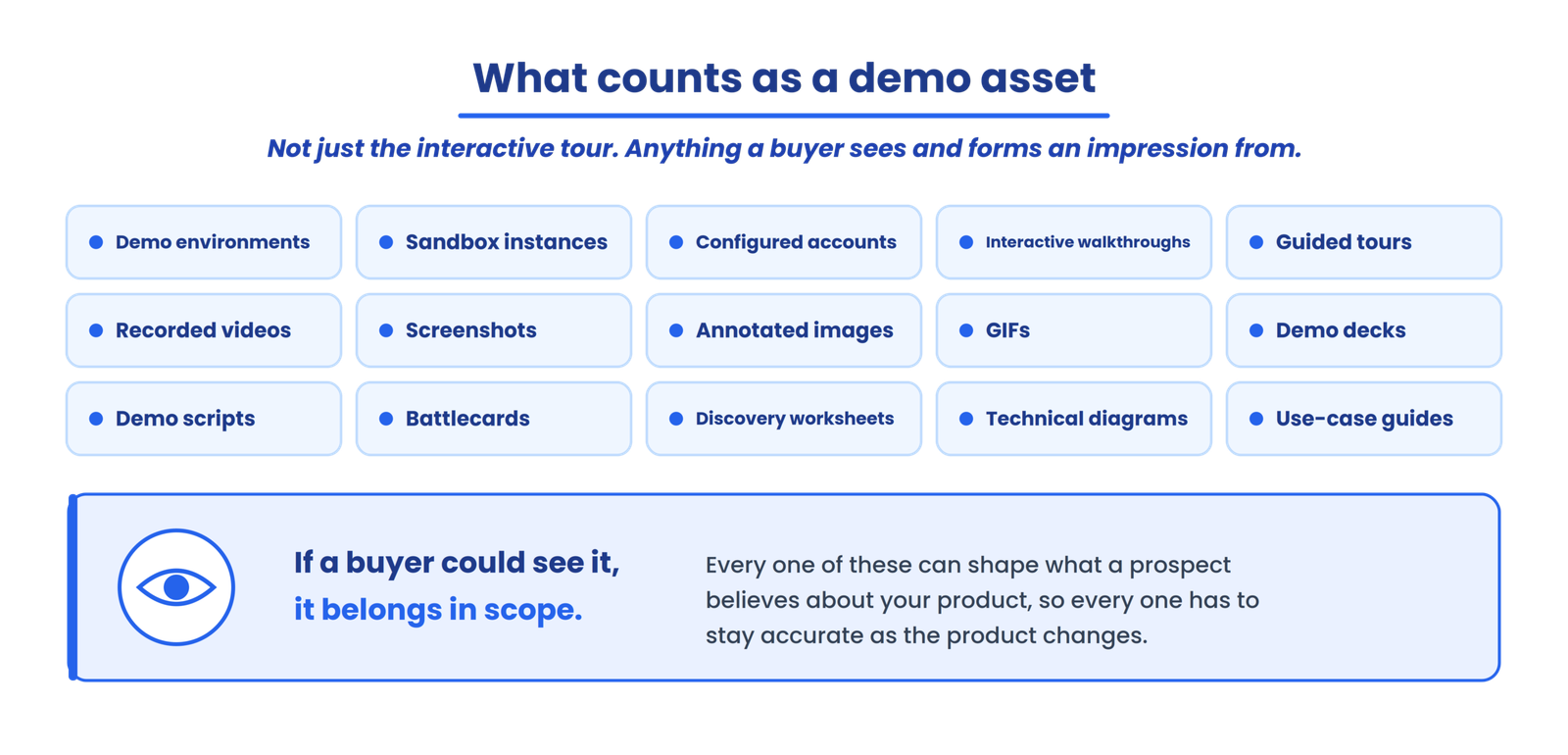
A demo asset isn’t only an interactive product tour. It’s anything that represents your product to a buyer. That includes demo environments, sandbox instances, configured accounts, interactive walkthroughs, guided tours, recorded product videos, screenshots, annotated product images, GIFs, demo decks, demo scripts, battlecards, discovery worksheets, technical diagrams, and use-case guides.
If a buyer could see it and form an impression of your product from it, it belongs in scope.
Why demo assets decay
Product and UI changes
A single UI redesign can invalidate dozens of assets simultaneously. Screenshots show old layouts. Recordings walk through flows that no longer exist. Interactive demos dead-end where buttons moved. The more assets you have, the larger the blast radius of any interface change.
Feature and workflow changes
Features get renamed, deprecated, moved between plans, or absorbed into other modules. A demo that highlights “Automated Reporting” is misleading if that capability is now called “AI-powered Reporting Workflows” and lives in a different part of the product.
Messaging changes
Product marketing repositions faster than demo assets follow. The website says one thing. The demo deck says another. The rep’s script says a third. Nobody’s wrong on purpose; the assets just weren’t updated in the same cycle.
Pricing and packaging changes
When feature availability shifts between plans, or pricing tiers change, assets that reference those details may need review. Not every pricing change affects every demo, but the ones it does affect tend to surface at exactly the wrong moment: mid-call with a prospect.
Rep-created variations
This is the one that compounds everything else. One rep creates “Enterprise Demo Final.” Another saves “Enterprise Demo Final v2.” A third, feeling inspired, contributes “Enterprise Demo FINAL UPDATED.” Nobody knows which is canonical. Everyone assumes theirs is current.
What happens when assets go stale
Stale demo assets create concrete operational problems. A buyer sees functionality that no longer exists, and you’ve misrepresented the product before the relationship even starts. Trust erodes when the prospect notices discrepancies between the demo and the actual product during evaluation. Internally, sales doesn’t know which version is approved, so reps waste time second-guessing or recreating assets that already exist somewhere. Different reps present the same product differently, and handoffs between marketing, sales, and SE break down because each team is working from a different version of reality.
STOP / GO TEST
Spot-check five random demo assets against your current UI. If two or more no longer match, your library isn’t reliable. That stop/go test, pulled from operational audit patterns, is the fastest way to know whether you have a problem.
The demo asset lifecycle
This is the sequence every demo asset moves through, whether your team tracks it explicitly or not.
Approve→
Publish→
Use→
Review→
Update→
Validate→
Republish→
Retire
Most teams are decent at the first four stages. The breakdown happens at “review.” Without a trigger to re-examine an asset, it sits in “published” status indefinitely, quietly drifting further from the current product with every release. The later stages (update, validate, republish, retire) almost never happen unless someone builds a deliberate process around them.
The demo asset control model
Six areas govern whether an asset stays accurate over time.
Ownership
answers who is accountable.
Source of truth
answers which version is canonical.
Change tracking
answers what changed in the product or messaging.
Validation
answers whether the asset still accurately represents the product.
Distribution
answers where the approved asset is being used.
Retirement
answers when the asset should be removed from circulation.
If three people can edit the enterprise demo but nobody is accountable for its accuracy, you don’t have ownership. You have access. That distinction matters.
Ownership and the one-owner rule
Every production demo asset should have one named owner. Not “the sales team.” A person. Priya owns the enterprise security demo. Marcus owns the onboarding walkthrough. The owner is responsible for review, update coordination, approval status, and retirement decisions.
Owner doesn’t mean creator. The person who built the asset six months ago may have moved to a different role. Ownership should follow the asset’s current operational context, not its git history.
Canonical vs. derivative assets
A canonical asset is the approved master. A derivative is a customized version created from it, like a vertical-specific or account-specific variation.
The hierarchy matters because customized versions should never silently become new sources of truth. When the canonical asset gets updated, derivatives inherit that update. When a derivative drifts on its own, nobody upstream knows it happened. I’ve seen teams where the “Fintech version” of a core demo had been maintained independently for months, and it no longer matched the canonical demo or the current product. Tracking that relationship explicitly prevents it.
Version control without the chaos
When multiple versions exist, sellers need to know which one is canonical before they can confidently use it. Naming conventions are the low-tech version of this. “Core-Demo-v2.3” or “Core-Demo-2025-09” communicates more than “Demo_final_USE_THIS_ONE.pptx.”
Review
Approved
Published
Needs Update
Deprecated
Archived
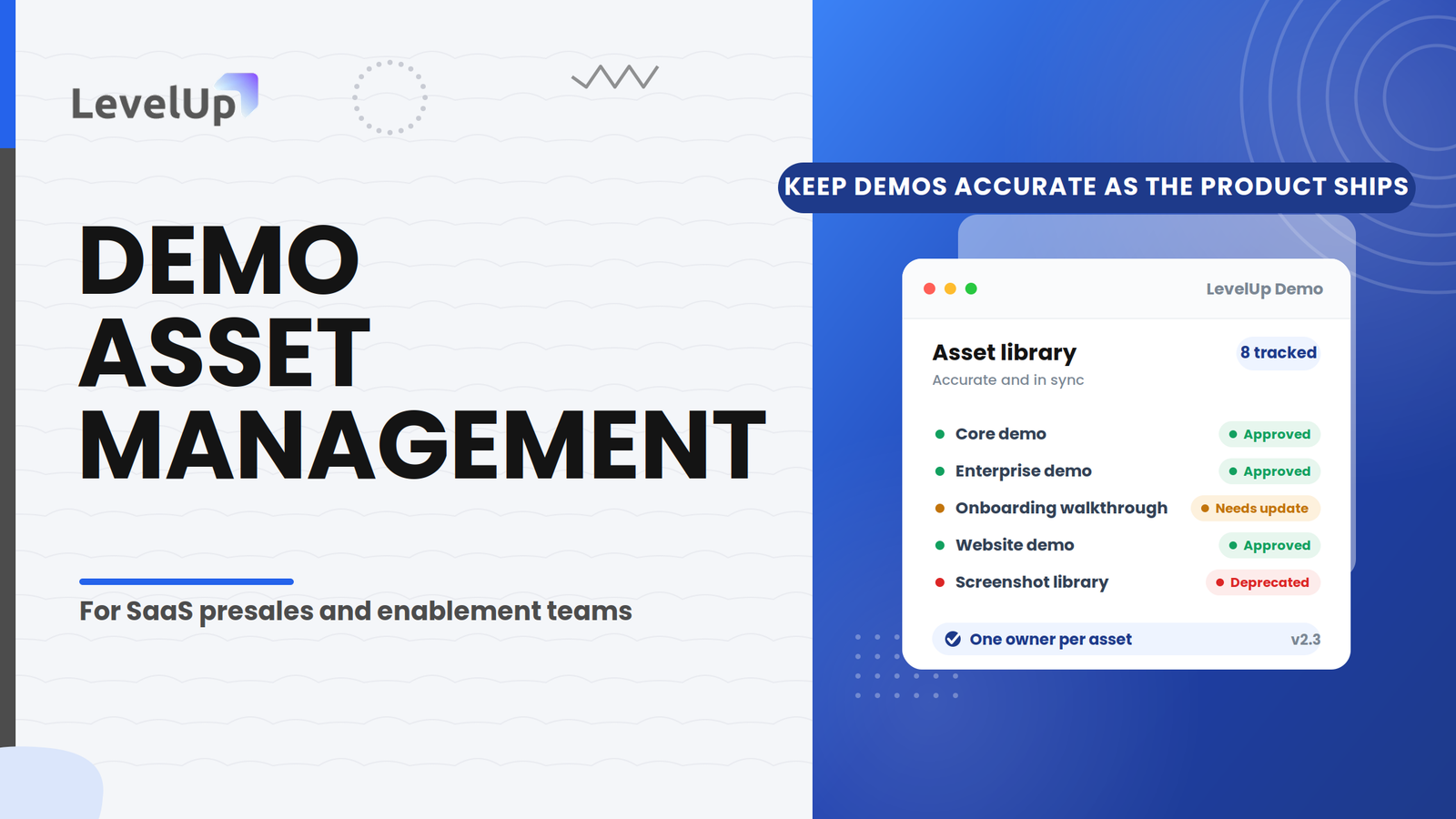
Pair naming with explicit statuses: Draft, Review, Approved, Published, Needs Update, Deprecated, Archived. Each status means something specific. “Needs Update” means the product or messaging changed and the asset requires review before further customer use. “Deprecated” means stop using it. “Archived” means it’s retained for reference but removed from active distribution.
The product-change-to-asset workflow
This is where asset management becomes genuinely operational. When a product change ships, the process should follow a clear path: identify the change, assess impact, map affected assets, update them, validate, approve, and republish. Old versions get archived.
The step that takes longer than anyone expects is the mapping. A single product area, like a reporting dashboard, can appear across your core demo, enterprise demo, industry-specific demos, onboarding walkthrough, website interactive demo, demo video, sales deck, and screenshot library. The question isn’t “which demo needs updating?” It’s “which assets depend on this product area?”
That dependency map is the piece most teams don’t build until they’ve been burned by a release that silently broke six assets at once. Building it proactively, even in a spreadsheet, changes the entire update workflow from reactive to traceable.
The QA checklist
Before any asset goes back into circulation after an update, validate against these areas:
If you want a step-by-step QA procedure, the demo readiness framework covers the execution side.
When to retire a demo asset
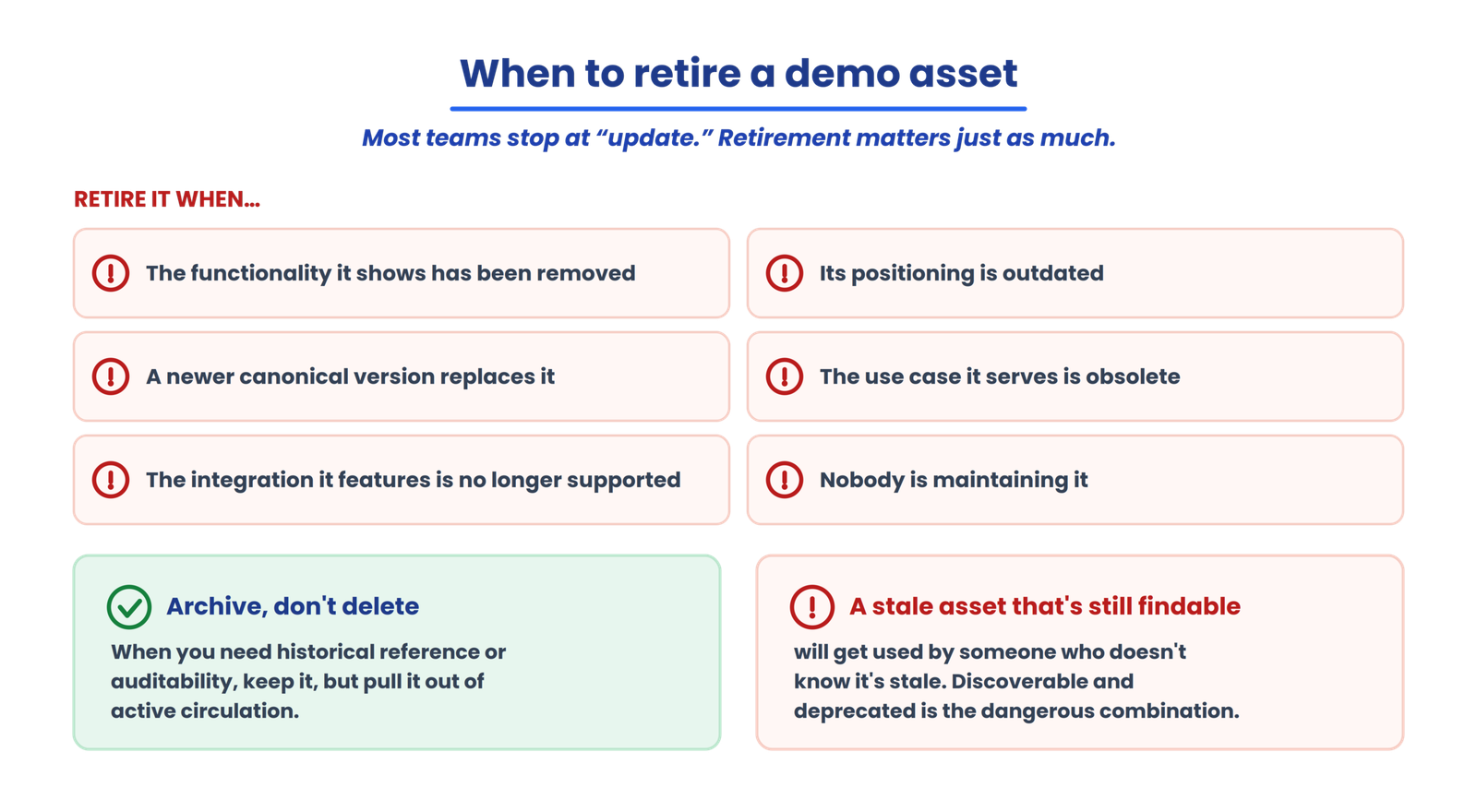
Most content about demo management stops at “update.” Retirement is equally important. An asset should be retired when the product functionality it demonstrates has been removed, when its positioning is outdated, when a newer canonical version replaces it, when the use case it serves is obsolete, when the integration it features is no longer supported, or when nobody is maintaining it.
Archive rather than delete when you need historical reference or auditability. But get deprecated assets out of active circulation. A stale asset that’s still discoverable will be used by someone who doesn’t know it’s stale.
Where practitioners disagree
There’s a live debate about whether demo asset review should be event-driven (triggered by product releases) or cadence-based (scheduled periodic audits). Navattic’s approach leans toward tooling that enables bulk updates tied to product changes. Other presales teams argue that scheduled monthly or quarterly reviews catch the drift that no single release triggers.
I land on event-driven as the primary mechanism, supplemented by a periodic sweep. Review frequency should reflect how quickly your product and messaging change, not an arbitrary calendar interval. But this isn’t settled, and teams with slower release cycles may find cadence-based review sufficient.
The reality nobody writes about
| Problem | The fix that actually works |
|---|---|
| Prospect says “that screen looks different” | Refresh only the affected module, not the whole demo. Modular walkthroughs limit blast radius. |
| Reps keep showing an outdated flow | Assign a named demo owner and tie refreshes to release milestones. No owner means no accountability. |
| Team can’t tell which demo version a prospect saw | Keep dated copies and a changelog. Version tags are cheap insurance. |
| CRM shows deals stuck in “demo done” limbo | Tie CRM stage updates to meeting completion with a daily review queue. |
| Demo content lags behind shipping speed | Add a staging-first review to the release checklist before the feature goes live. |
These patterns come from operational audit findings across presales teams. The fixes aren’t glamorous. They work because they’re systematic rather than heroic.
LevelUp’s demo asset management maturity model
Five levels describe where a team typically sits.
Most teams are somewhere between Level 1 and Level 2. Getting to Level 3 is where the operational pain drops significantly.
Where demo asset management fits into your demo workflow
Asset accuracy is one component of a broader demo operations process that includes qualification, scheduling, follow-up, and outcome tracking. LevelUp Demo handles the workflow around every demo, from request routing through follow-up and conversion tracking.
Frequently asked questions
What is demo asset management?
Demo asset management is the process of creating, organizing, approving, maintaining, updating, distributing, and retiring the assets used to demonstrate a SaaS product. It covers lifecycle governance, not just storage, ensuring every customer-facing asset stays accurate and aligned with the current product, messaging, and positioning.
What counts as a demo asset?
Anything that represents your product to a buyer. That spans demo environments, interactive walkthroughs, recorded videos, screenshots, GIFs, demo decks, scripts, battlecards, and technical diagrams. The scope is broader than most teams initially assume.
Who should own demo assets?
One named person per asset. The owner is accountable for accuracy, review coordination, and retirement decisions. Ownership follows the asset’s operational context, not who originally created it.
How often should demo assets be reviewed?
There’s no universal cadence. Review should be triggered by product changes, messaging updates, or feature deprecations. For assets that don’t hit obvious change triggers, periodic reviews at a frequency matching your release cycle fill the gaps.
What is the difference between a demo library and demo asset management?
A demo library solves discoverability: can people find the right demo? Demo asset management solves accuracy: is the demo still correct and properly governed? You need both, but they answer different questions.
When should a demo asset be retired?
When the functionality it demonstrates no longer exists, when its messaging is outdated, when a newer canonical version replaces it, or when nobody is actively maintaining it. Archive for reference when needed, but remove from active distribution.
What to build first
If your team is starting from zero, build the asset inventory. List what exists, who owns it, and when it was last validated against the current product. That single step, even in a spreadsheet, surfaces the gaps that matter most. The frameworks, dependency maps, and maturity levels come after. The inventory comes now.
The next problem you’ll hit is connecting that inventory to your release process so updates aren’t manual and reactive. That’s the dependency map, and it’s the piece that separates teams who stay current from teams who keep getting surprised by their own product changes.
Keep every demo accurate as your product ships
LevelUp Demo runs the workflow around every demo, from request routing through follow-up and conversion tracking, so asset accuracy has a process to live inside instead of a folder to rot in.