
It’s 10:42 AM. Your AE has a demo at 11:00. She opens the environment and finds that the pipeline data from last week’s demo is still sitting there, another rep renamed the primary account to match a different prospect’s vertical, and the Slack integration that’s supposed to show real-time notifications is returning a 401 error. She pings the SE. The SE is already on another call. Now she’s improvising a product walkthrough in a broken sandbox while the prospect watches a loading spinner.
The product didn’t fail. The SaaS demo environment underneath the sales process failed.
This is the part most SaaS teams don’t treat as infrastructure until it starts costing them deals. And by then, the fix is reactive: someone rebuilds the environment manually, things hold together for a few weeks, and the cycle repeats.
This article is about why that cycle exists and how to think about the environment layer differently. By the end, you’ll have a framework for evaluating whether your current setup can hold as demo volume grows, and a clear picture of what to change first if it can’t.
Who should keep reading (and who shouldn’t)
If your team runs fewer than five demos a month off a simple product with one or two reps, you probably don’t need a formal environment strategy yet. A clean account with good seed data and a quick pre-call check will carry you.
But if you’re running 20, 30, 50+ demos a month across multiple reps, or your product has complex workflows, integrations, and persona-specific paths, the environment question stops being optional. Sales engineers start spending hours on environment triage instead of deal strategy. Reps start building personal workarounds that nobody else can replicate. And the CRM shows “demo completed” while nobody follows up because the demo event was never mapped to an owner or task.
If that sounds familiar, this is for you.
What a SaaS demo environment actually is
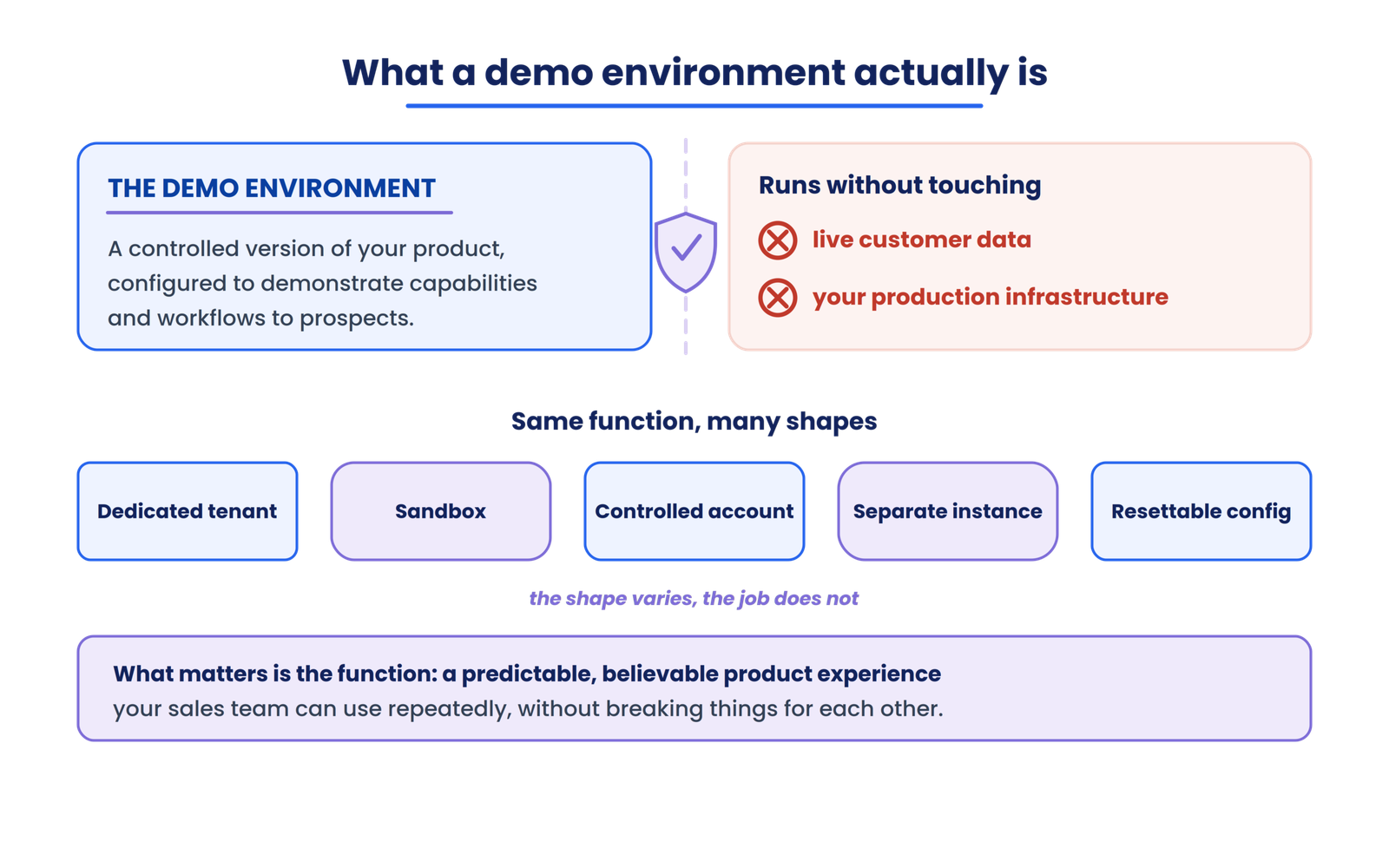
A SaaS demo environment is a controlled version of your product configured specifically for demonstrating capabilities and workflows to prospects, without relying on live customer data or production infrastructure.
That’s the clean definition. In practice, what it looks like varies enormously. It could be a dedicated tenant, a sandbox, a controlled account inside your existing app, a separate instance, or a resettable configuration. The architecture depends on your product, your team size, and how much operational effort you can absorb.
What matters more than the specific implementation is the function: giving your sales team a predictable, believable product experience they can use repeatedly without breaking things for each other.
Here’s where terminology gets confusing, because a SaaS demo environment is not the same thing as several other environments your company probably already runs.
| Environment | Primary purpose | Typical concern |
|---|---|---|
| Production | Serve real customers | Stability, customer data |
| Development | Build and experiment | Constant change |
| QA/Test | Find defects | Test coverage |
| Staging | Validate releases | Production-like fidelity |
| Demo | Demonstrate product | Reliability, repeatability |
| POC | Validate prospect-specific requirements | Custom configuration |
Not every company draws these lines identically. Some teams run demos out of staging. Some use production with a “demo account.” Those overlaps aren’t inherently wrong, but they introduce risks that compound as volume increases.
Why a dedicated SaaS demo environment matters
The operational case comes down to six things.
Reliability
The sales team needs something that works the same way at 9 AM on Monday as it did at 4 PM on Friday. Shared demo databases eventually rot because multiple reps edit the same objects and the narrative becomes unreliable.
Controlled data
Running demos on production means either showing real customer information (a compliance risk) or constantly creating and deleting fake records in a live system. Neither scales.
Repeatability
When one rep’s successful demo depends on a configuration that only exists in their head, you can’t onboard new reps or cover for someone who’s out sick.
Recovery
Things break. Integrations time out, someone deletes a key record, a product update changes a workflow. The team needs a known-good state they can restore without filing an engineering ticket.
Reduced dependency
Practical demo programs commonly recommend 3 to 5 core demo environments for different verticals or personas, which means one generic setup rarely scales. But building those environments shouldn’t require an SE every time. Complex evaluations and technical POCs still need SE involvement. Routine demos shouldn’t.
Scale
This is the one that sneaks up on teams. When you go from 10 demos a month to 40, every manual step in your environment setup multiplies. If preparation takes 45 minutes per demo (and that’s not unusual for teams without a golden master to rebuild from), 40 demos a month means 30 hours of environment prep alone.
What makes a good SaaS demo environment
We use five dimensions to evaluate this at LevelUp Demo. This is our framework for thinking about demo-environment reliability, not an industry-standard scoring model.
Reliability
Does the environment work consistently, or does the team run a smoke test 30 seconds before the call and hold their breath?
Repeatability
Can another team member reproduce the intended setup without tribal knowledge?
Relevance
Does it contain the workflows, data, and context the demonstration actually needs?
Recoverability
When something goes wrong (and it will), can the team restore a working state quickly? Teams that use an idempotent reset, a reset that can be run repeatedly without breaking state, recover faster than teams patching manually.
Scalability
Can the setup support increasing demo volume without proportional operational effort?
If you score poorly on any one of these, you’ll feel it in different ways. Low reliability shows up as last-minute scrambles. Low repeatability shows up as SE bottlenecks. Low recoverability shows up as cancelled or rescheduled demos.
Your demo environment doesn’t need to clone production
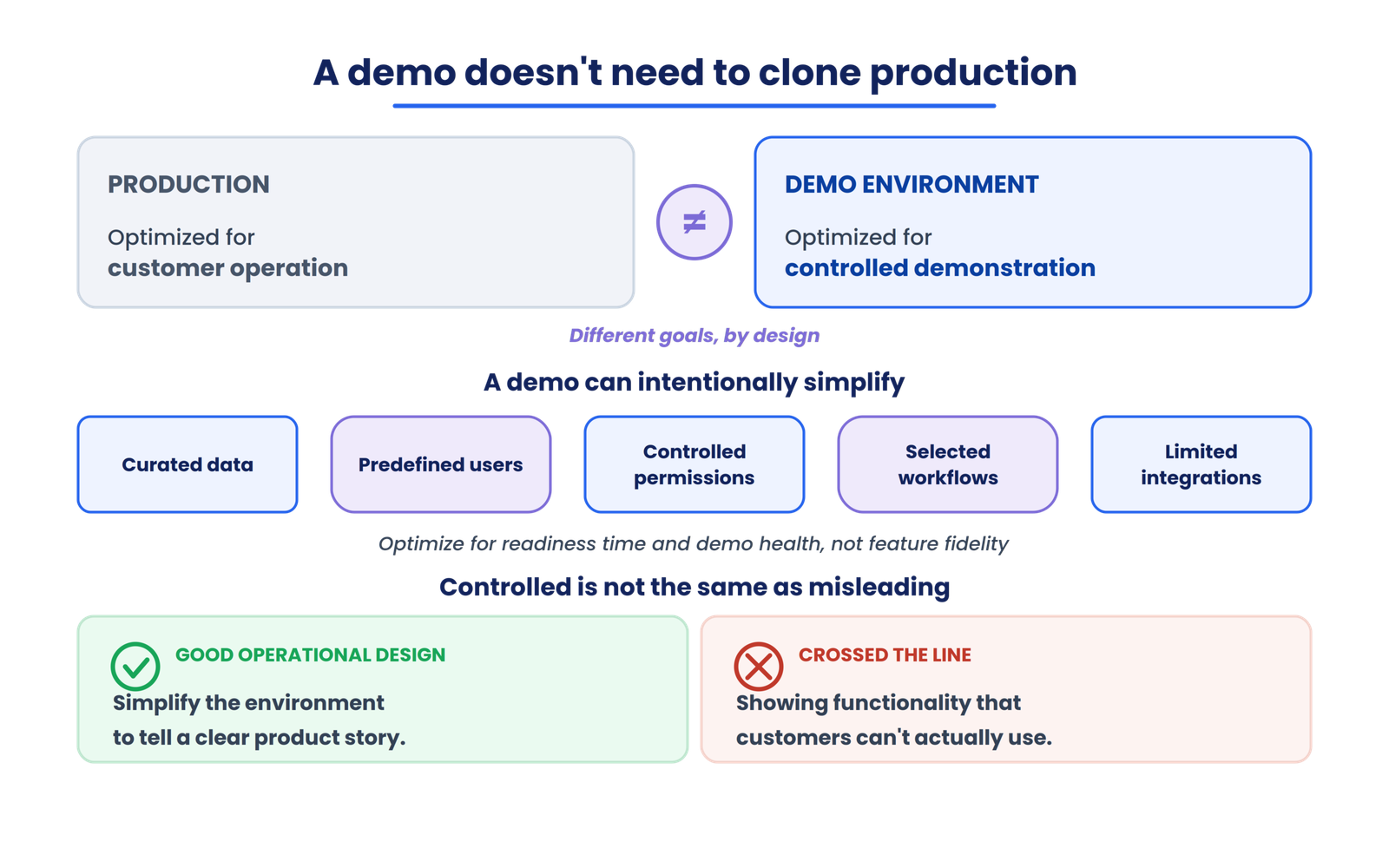
This is the misconception that causes the most wasted effort. A production environment is optimized for customer operation. A SaaS demo environment is optimized for controlled demonstration. Those are different goals.
Your demo environment can intentionally use curated data, predefined users, controlled permissions, selected workflows, and limited integrations. High-scale demo programs fail when they optimize for feature fidelity first instead of readiness time and demo health.
Controlled does not mean misleading. If you’re showing functionality that customers can’t actually use, you’ve crossed a line. But simplifying the environment to tell a clear product story? That’s good operational design.
Demo data that looks real without being real
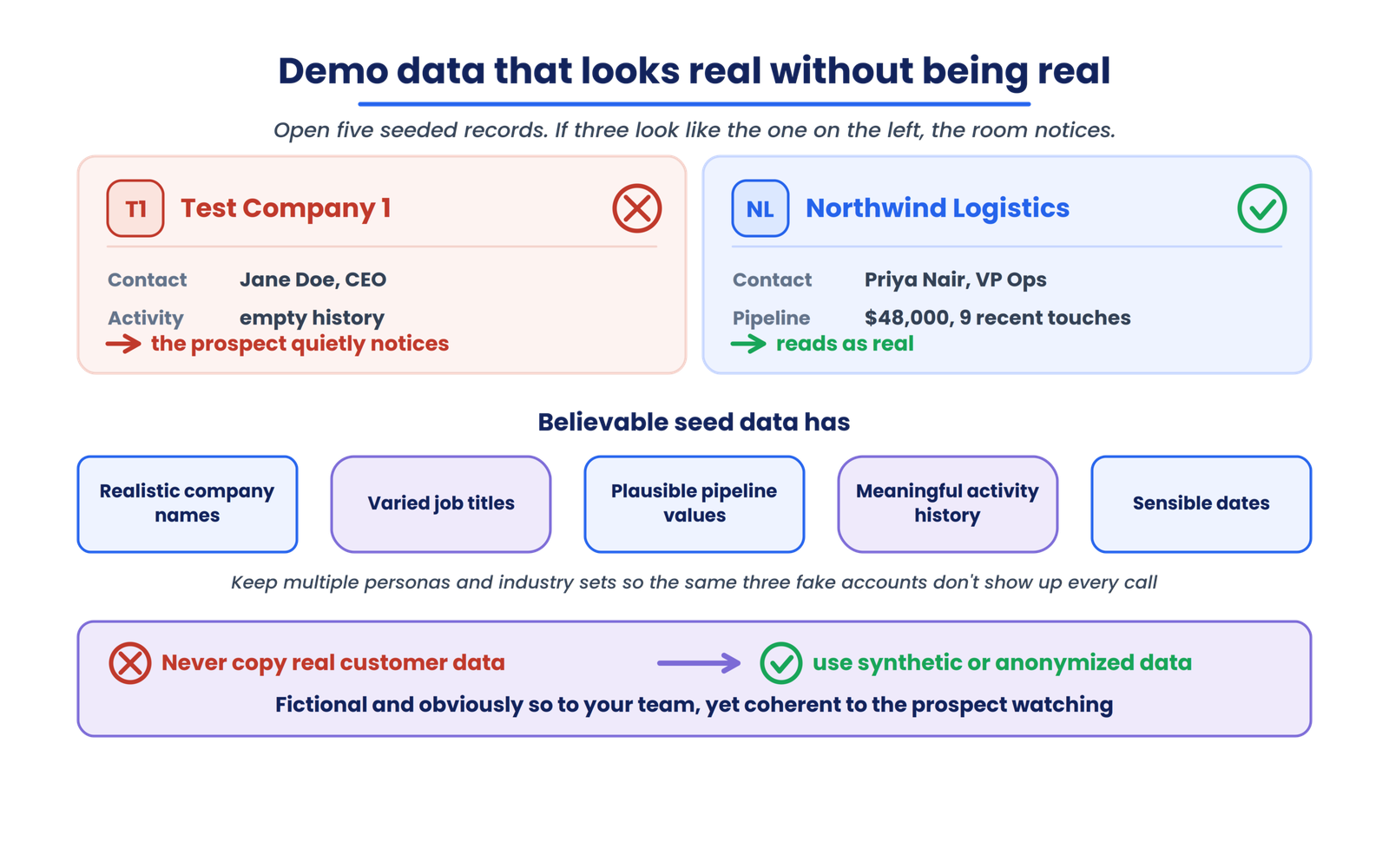
Data quality is where most SaaS demo environments silently degrade. Open five random seeded records in your demo environment right now. If three of them say “Test Company 1” or “Jane Doe, CEO” with an empty activity history, your prospects notice. Maybe they don’t say anything. But they notice.
Believable seed data means realistic company names, varied job titles, plausible pipeline values, meaningful activity histories, and sensible dates. It means maintaining multiple demo personas and industry-specific datasets so the same three fake accounts don’t appear in every call.
Never copy real customer data into a demo environment to make it feel authentic. Where you need realistic volume or patterns, use synthetic or anonymized data. I won’t make legal claims about specific regulations here, but the principle is straightforward: demo data should be fictional and obviously so to your internal team, while feeling coherent to the prospect watching the walkthrough.
Choosing an environment model
This is a decision, not a best practice.
A shared environment works when demo volume is low and the product is simple. But shared state is fragile. One rep’s edits become another rep’s broken demo.
Rep-specific environments give each person more control, but you’re now maintaining multiple configurations that can drift apart over time.
Prospect-specific environments offer the highest relevance for complex evaluations, at the cost of significant preparation and maintenance.
Template-driven environments, built from a golden master that can be spun up and torn down reliably, offer the best balance for teams scaling past the “one shared sandbox” stage. Ephemeral environments (disposable instances created per call and torn down afterward) are the pattern high-volume teams are increasingly moving toward.
The appropriate model depends on your demo volume, product complexity, team size, and how much operational overhead you can absorb. A two-person startup and a 40-rep enterprise sales team need fundamentally different approaches.
The problems that actually break SaaS demo environments
| Symptom | Root cause | The community fix |
|---|---|---|
| Demo link opens but key pages are blank | Environment drift or stale seed data | Rebuild from a golden master instead of patching manually |
| “It worked yesterday” | Shared state changed by another user | Move to ephemeral per-demo instances or strict reset primitives |
| Login or permission errors during live call | Demo uses real auth or integration assumptions | Mock or disable integrations that can fail unpredictably |
| CRM shows “demo completed” but nobody follows up | Demo event not mapped to owner or task workflow | Trigger CRM routing from demo events and require a named owner |
| Prospect notices fake data feels repetitive | Seed data not varied by persona | Maintain multiple industry-specific datasets |
That CRM handoff problem is a silent killer. Demo-environment guidance increasingly treats CRM handoff completeness (percentage of demos with owner, notes, and next-step task) as a primary operational metric. If your demo effectively never happened in the CRM, your follow-up latency balloons and deals slip.
Scaling: the maturity model
We think about SaaS demo environment maturity in five stages. This is LevelUp Demo
‘s conceptual model, not an industry benchmark.
Stage 1, Shared
One controlled environment. Everyone uses it. It works until it doesn’t.
Stage 2, Managed
Someone owns the environment. Data is standardized. Recovery is documented.
Stage 3, Segmented
Multiple environments exist for different teams, verticals, or use cases.
Stage 4, Template-driven
Reusable configurations reduce repeated setup. A golden master exists.
Stage 5, Automated
Provisioning, resetting, and related operational tasks are increasingly automated where technically appropriate. Demo readiness time and demo health become measurable SLIs.
Most teams I’ve seen are stuck between stages 1 and 2. They know the shared environment is fragile, but nobody has been assigned to own it, so it degrades incrementally until a high-stakes demo fails and someone finally gets budget to fix it.
The 2× demo volume test
Ask yourself one question: what happens if demo volume doubles next quarter?
Can two reps use the same environment safely at the same time? Does SE involvement double? Does environment maintenance double? Can environments be reset quickly enough to support back-to-back calls? Does demo quality stay consistent, or does it degrade as volume increases?
If doubling volume means doubling operational work, your environment strategy is a bottleneck. The goal is controlled repeatability, not heroic manual effort.
For a deeper look at how to evaluate your team’s overall readiness for that kind of growth, the overall readiness of your demo process framework covers the broader picture.
Where this fits in demo operations
The SaaS demo environment sits inside a larger lifecycle: lead capture, qualification, routing, scheduling, preparation, environment, demo, outcome, follow-up, intelligence.
→
Qualification
→
Routing
→
Scheduling
→
Preparation
→
Environment
→
Demo
→
Outcome
→
Follow-up
→
Intelligence
Your broader demo operations process covers the full system. Demo workflow management addresses how work moves through that system. This article is specifically about the environment layer inside preparation and execution, the infrastructure that makes the actual demonstration possible.
If that infrastructure is unreliable, everything downstream suffers. Your demo intelligence data gets polluted by environment failures that look like prospect disengagement. Your follow-up process stalls because the demo didn’t go as planned.
If your team is spending more time preparing and repairing demo environments than actually running demos, LevelUp Demo can help manage the workflow around the demo itself, from pre-demo preparation and buyer context through outcome tracking and follow-up, so the environment work doesn’t consume your entire sales operation.
Frequently asked questions
What is a SaaS demo environment?
A SaaS demo environment is a controlled version of a SaaS product configured for demonstrating capabilities, workflows, and use cases to prospects or other audiences. It uses curated data, predefined users, and controlled configurations rather than relying on live customer data or production infrastructure.
What is the difference between a demo environment and a sandbox?
Terminology varies across companies. Generally, a sandbox implies an isolated, resettable instance, while “demo environment” is a broader term that could describe a sandbox, a dedicated tenant, a controlled account, or another configuration. Some teams use the terms interchangeably.
Should SaaS companies use production for demos?
It depends on the product and the risk. Production demos expose real customer data, create cleanup overhead, and introduce instability risks. For simple products with careful access controls, it can work temporarily. For anything with complex data, integrations, or multiple reps, a separate environment reduces operational risk.
How do you keep a demo environment reliable?
Assign ownership. Define a known-good baseline. Control who can modify the environment permanently. Test critical workflows after product releases. Refresh data regularly. Document the recovery process so it doesn’t depend on one person’s memory.
How do you scale demo environments?
Move from shared to managed to template-driven configurations. Invest in a golden master that can be replicated. Measure demo readiness time and reset success rate. The goal is repeatability without proportional increases in manual effort.
What is the difference between a demo environment and a POC?
A demo environment demonstrates product capabilities and workflows. A POC validates whether the product can satisfy a specific prospect’s technical or business requirements. A sophisticated sales organization may use both at different stages of the buyer journey.
Where to go from here
Your SaaS demo environment should make the sales team’s job more repeatable, not create another operational project. The right setup isn’t the most sophisticated one. It’s the one that gives your team reliable product behavior, controlled data, predictable recovery, and enough flexibility to support how your sales process actually works.
As demo volume grows, the question changes. It stops being “can we run more demos?” and becomes “can the infrastructure underneath those demos support the volume without creating proportional operational work?”
If you haven’t run the 2× test yet, that’s the place to start. Open your environment, check five seeded records, run one core workflow, and see what breaks. The answer tells you exactly where you are on the maturity curve, and what to fix first.