.
A sales demo script is a structured framework used to guide product demos in a consistent and conversion-focused way. In SaaS, demo scripts help sales teams uncover pain points, personalize the walkthrough, handle objections, and move prospects toward the next step without sounding robotic.
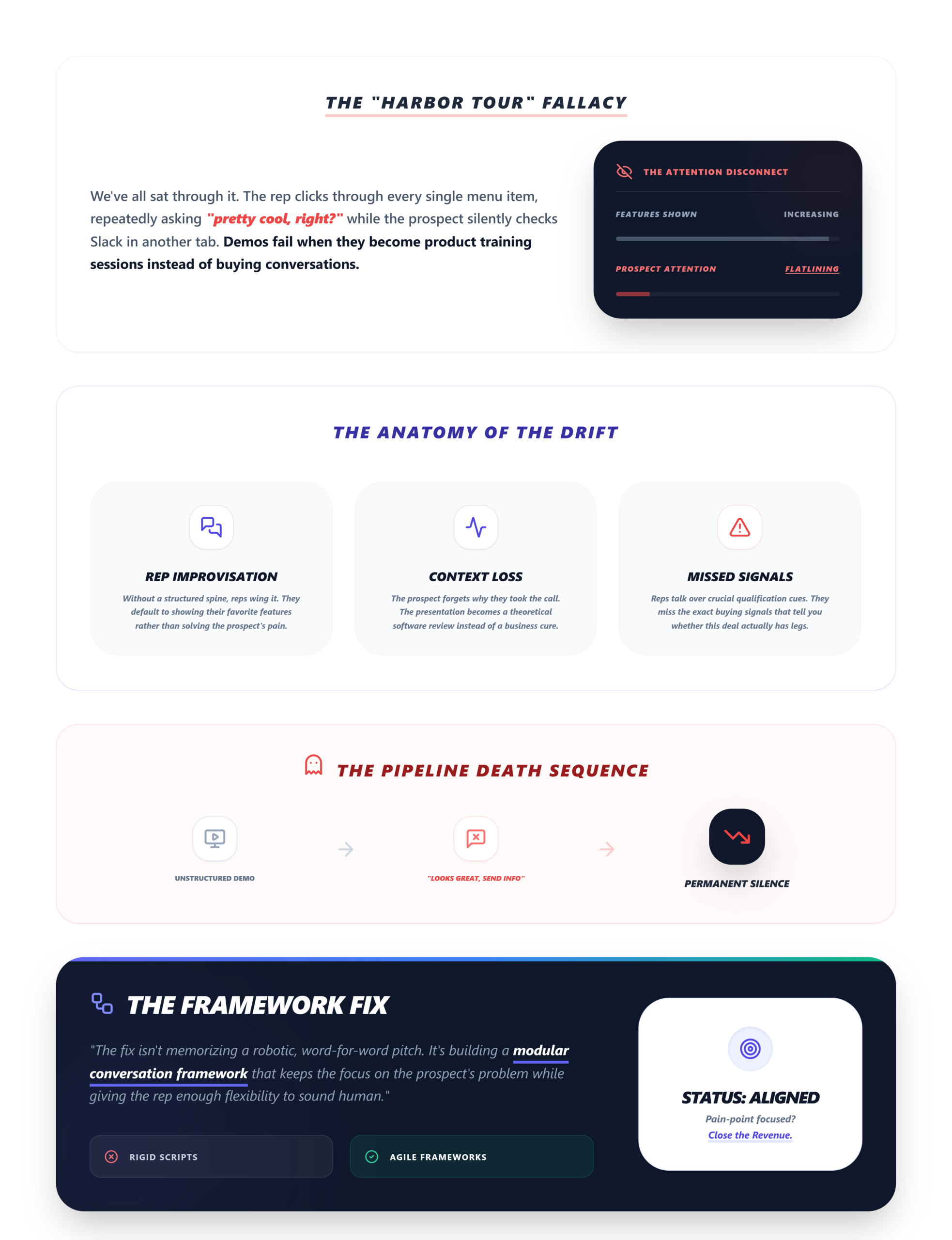
We’ve all sat through that demo. The one where the rep opens their product, clicks through every single menu item, and says “pretty cool, right?” fourteen times while the prospect silently checks Slack in another tab.
Most SaaS demos fail because they turn into feature tours instead of buying conversations.
And it’s not because reps are bad at selling. It’s because without structure, demos drift. Reps improvise too much. Buyers lose context. Qualification signals—the ones that actually tell you whether this deal has legs—get completely missed. The conversation ends with “looks great, send me some info,” and then… silence.
We’ve seen this pattern hundreds of times. The fix isn’t memorizing a word-for-word pitch. It’s building a conversation framework that keeps the demo focused on the prospect’s problem while giving the rep enough flexibility to sound human.
By the end of this guide, you’ll have a practical, modular sales demo script framework you can adapt to your team’s ICP, plus a full walkthrough example you can use on your next call.
What Is a Sales Demo Script?
A sales demo script is a conversation guide—not a teleprompter.
The distinction matters. A script in this context means a structured flow: what to open with, when to confirm pain points, how to transition into the product, where to check for engagement, and how to close with a concrete next step. It doesn’t mean reading sentences verbatim. That’s how you lose trust in the first 90 seconds.
The best scripts are modular. They have required checkpoints—moments where the rep must confirm something before moving on—but the exact words flex based on the prospect’s responses, their industry, and what surfaced during the discovery call. Think of it like a GPS. The destination is set (a clear next step), the route is mapped (your demo structure), but the rep can take a detour if the prospect brings up something unexpected. The script just makes sure they don’t end up in a ditch.
A sales demo script creates structure without removing authenticity.
Why SaaS Teams Need Demo Scripts
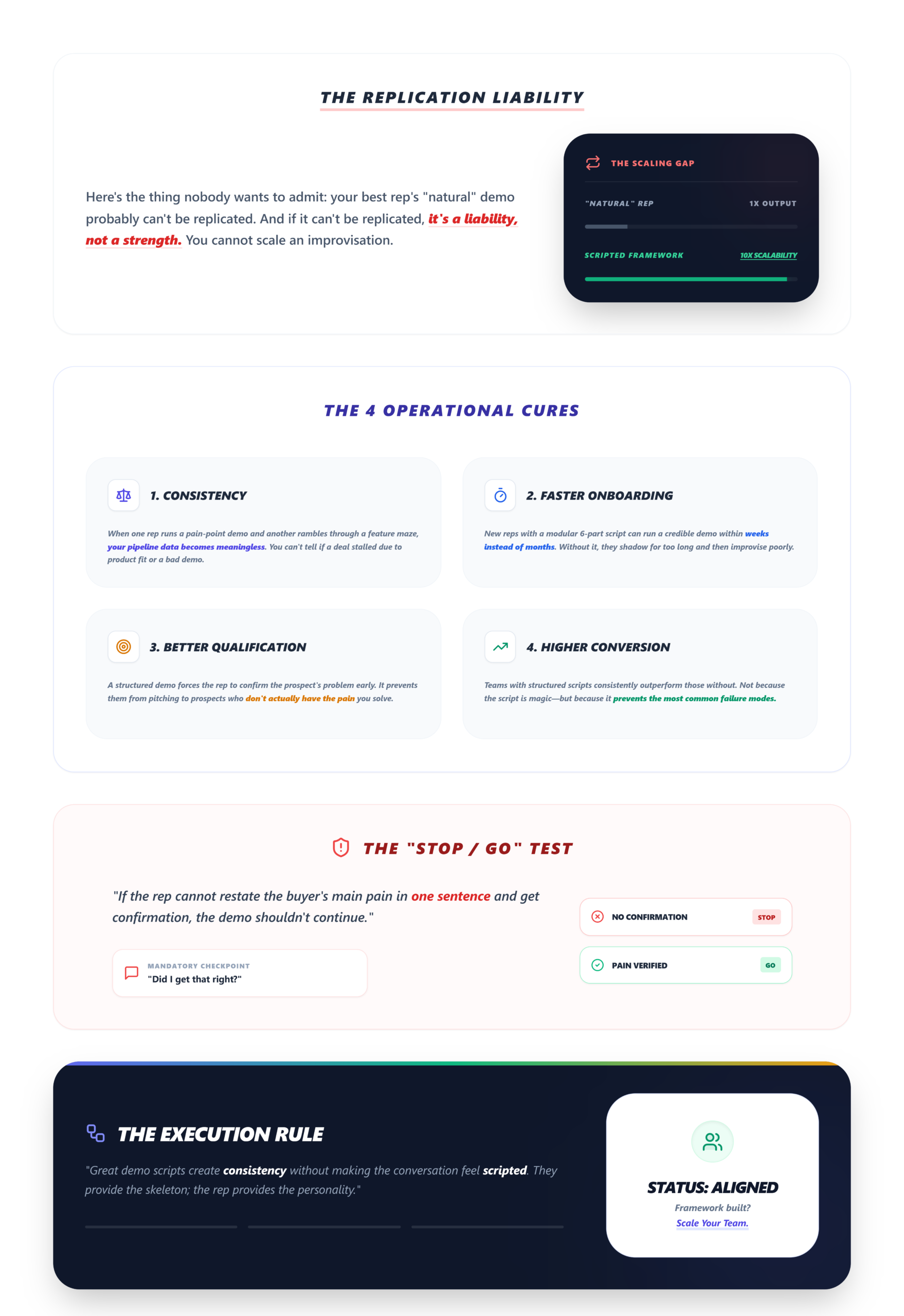
Here’s the thing nobody wants to admit: your best rep’s “natural” demo probably can’t be replicated. And if it can’t be replicated, it’s a liability, not a strength.
Demo scripts solve four operational problems at once:
- Consistency across the team. When one rep runs a tight, pain-point-led demo and another rambles through a feature maze, your pipeline data becomes meaningless. You can’t tell whether a deal stalled because the product didn’t fit or because the demo was bad.
- Faster onboarding. New reps with a modular 6-part script can run a credible demo within weeks instead of months. Without one, they shadow for too long and then improvise poorly.
- Better qualification. A structured demo forces the rep to confirm the prospect’s problem early. If they can’t restate the buyer’s main pain in one sentence and get confirmation, the demo shouldn’t continue. That’s a real stop/go test we use.
- Higher conversion. When you track your demo-to-close rate by rep and by segment, teams with structured scripts consistently outperform those without. Not because the script is magic—because it prevents the most common failure modes.
Great demo scripts create consistency without making the conversation feel scripted.
The 6-Part SaaS Demo Script Framework
This is the core framework. Each part has a specific job. Skip one and the whole thing wobbles.
Before you build yours, a quick readiness check: Can you describe your ICP’s top 3 pain points in one sentence each? If not, go back to your discovery call questions and tighten your qualification process first. The script won’t save a demo that’s built on shallow discovery.
1. Opening & Context Setting
Goal: Establish the agenda, confirm goals, and create alignment—before you touch the product.
Example opener: “Before we jump into the product, I’d love to understand what prompted the demo request. What’s happening on your end that made this a priority right now?”
Why this works: it immediately frames the conversation as buyer-led. The prospect tells you what matters to them, and you now have a north star for the entire demo. If you skip this and open with “Let me show you our platform,” you’re guessing. Use your SaaS demo checklist to make sure the agenda, attendee list, and pre-demo context are locked before the call even starts.
2. Discovery Confirmation
This is where you reference what you already know. If you ran a proper discovery call, you have pain points, timeline, and stakeholder context. Use it.
Example: “You mentioned your team is struggling with slow lead follow-up and that deals are stalling because nobody owns the next step. I’ll focus today on how teams automate and track that exact process.”
This does two things. First, it proves you listened. Second, it narrows the demo scope so you’re not showing 12 features when 3 will do. The best demos feel personalized because discovery shaped the conversation. If you haven’t done discovery, this section becomes awkward filler—and the prospect notices.
3. Problem-Led Product Walkthrough
This is where most demos go wrong. Reps open the product and start clicking. Screen after screen. Feature after feature. The prospect’s eyes glaze over.
High-converting demos focus on workflows and outcomes, not features alone. Instead of showing every capability, show only the few curated workflows that map directly to the pain points confirmed in step 2. Use-case mapping is everything here. Each screen you show should answer one question: “How does this solve the problem we just discussed?”
If you’re showing more than 3 core workflows without a clear reason tied to the buyer’s situation, you’ve lost the thread. That’s your feature restraint test. What good looks like: The prospect interrupts to ask a follow-up question. They nod. They say “oh, we need that.” These are signals, not noise.
4. Engagement & Buying Signal Checks
Don’t wait until the end to find out whether the prospect is engaged. Build checkpoints into the flow.
Examples:
“How does your team handle this today?”
“Is this the kind of visibility your VP has been asking for?”
“On a scale of ‘nice to have’ to ‘we need this yesterday,’ where does this land?”
These questions serve double duty. They keep the conversation two-way, and they surface buying signals you’d otherwise miss. A prospect who starts asking about implementation timelines or contract terms mid-demo is telling you something. Catch it. Most demo objections happen because the problem was never clarified early enough. If the prospect seems disengaged, don’t push forward. Stop and re-confirm relevance.
5. Objection Handling
Three objections come up in nearly every SaaS demo:
- Pricing: “This looks great but we need to check the budget.”
Response: “Totally fair. Can we map out the cost of the current process—time lost, deals slipping—so you have a business case to bring to your team?” - Implementation: “We don’t have bandwidth to set up another tool.”
Response: “Most teams are live within a week. I can walk you through what setup actually looks like—it’s lighter than you’d expect.” - Stakeholder buy-in: “I need to loop in my VP before we move forward.”
Response: “Makes sense. Want me to put together a one-page summary they can review in 5 minutes? I can tailor it to what they’d care about most.”
The script should include at least one objection-handling branch for price and one for missing features. Don’t wing these—prepare the language in advance.
6. Clear Next Steps
This is where deals die quietly. The demo ends, the rep says “I’ll follow up,” and then nobody does anything specific. Great demos are guided conversations, not feature presentations. And great closings are specific, not vague.
Example: “Here’s what I’d suggest as a next step: I’ll send over a short recap with the ROI folder by end of day. Can we get 20 minutes on Thursday with your VP to walk through the business case? I’ll send a calendar hold right now.”
A date, an action, and an owner. That’s the CTA specificity test. If your demo doesn’t end with all three, follow-up will stall. Consider building a mutual action plan so the buyer sees the full decision path—not just the next call.
Full SaaS Demo Script Example
Scenario: Inbound demo request from a 15-person B2B SaaS sales team. Discovery revealed slow lead follow-up, no demo outcome tracking, and scattered workflows across Slack, spreadsheets, and email.
Opening (2 min):
“Thanks for making time. Before I show you anything, I want to make sure this is relevant to what you’re dealing with. What’s pushed the demo request to the top of the list this week?”
Discovery Confirmation (2 min):
“Got it. So from our earlier conversation—your reps are losing track of follow-ups after demos, outcomes aren’t logged anywhere consistent, and your founder is asking for pipeline visibility they can’t get from spreadsheets. Sound right?”
Problem-Led Walkthrough (12–15 min):
“Let me show you exactly how teams solve this. First—lead capture. When someone requests a demo on your site, they hit a form that auto-logs into your dashboard. No copy-pasting into a spreadsheet.” (Show the workflow. Pause.)
“Second—demo scheduling and assignment. Your team lead sees every request, assigns the right rep, and the prospect gets a calendar invite. No Slack back-and-forth.” (Show the workflow. Check in: “Is this the kind of visibility your team’s been missing?”)
“Third—outcome tracking. After every demo, the rep logs the result: won, lost, in follow-up, pending. Your founder opens one dashboard and sees the full picture.”
Engagement Check (1 min):
“How close is this to what you’ve been trying to build manually?”
Objection Handling (as needed):
(If pricing comes up: “Let me send you a quick breakdown of what teams your size typically spend vs. what they save in rep time and deal recovery.”)
Next Steps (2 min):
“Here’s what I’d recommend. I’ll send a recap with a short case study from a team similar to yours. Can we get 15 minutes with your founder on Friday to walk through the business case? I’ll send the invite now.”
Sales Demo Mistakes to Avoid
- Feature overload
Prospect can’t tell what matters to them - No discovery before the demo
Demo targets the wrong pain - Generic walkthrough
Feels impersonal; prospect disengages - Weak next steps
Follow-up stalls; deal goes dark - Ignoring signs a prospect is ready to buy
Missed closing opportunity
How Discovery Improves Demo Scripts
The best demo scripts are built on strong discovery. Without it, you’re guessing which pain points to lead with, which features to show, and which objections to prepare for. If your team doesn’t have a solid discovery process, start with what is a discovery call and build from there. Strong discovery gives you the raw material—pain points, timeline, stakeholders, current tools—that turns a generic demo into a relevant one. Teams that invest in sales discovery questions before building demo scripts see faster ramp times and fewer “send me info” dead ends. You can also improve demo booking rate by aligning your pre-demo qualification with the script framework above. When the prospect arrives already expecting a problem-focused conversation, engagement starts higher.
Ready to stop losing deals after the demo?
LevelUp Demo helps SaaS teams manage scheduling, outcomes, and follow-ups in one place — so strong discovery calls turn into closed deals.
Frequently Asked Questions
What is a sales demo script?
A sales demo script is a structured conversation framework that guides SaaS reps through product demos. It covers opening, discovery confirmation, problem-led walkthroughs, engagement checks, objection handling, and next steps—without requiring memorized lines.
Should demos be scripted?
Yes, but not word-for-word. The best approach is a modular framework with required checkpoints and flexible language. This keeps demos consistent across the team while letting reps adapt to each prospect’s specific situation and responses.
How long should a SaaS demo be?
Most effective SaaS demos run 20–30 minutes. Showing more than 3 core workflows without a clear reason tied to the buyer’s pain usually means the demo is too long. Shorter, focused demos consistently outperform marathon walkthroughs.
What should a product demo include?
A strong product demo includes an agenda, discovery confirmation, a problem-led product walkthrough showing only relevant workflows, engagement checkpoints, objection handling, and a specific next step with a date, action, and owner.
How do you personalize a demo?
Personalization starts before the demo—during discovery. Reference the prospect’s specific pain points, industry, team size, and current tools. Show only the workflows that map to their use case. Use their language, not yours.
What are common demo mistakes?
The most damaging mistakes are skipping discovery, showing too many features, using a generic walkthrough, ending without a specific next step, and ignoring buying signals mid-conversation. Each one independently kills conversion.