A great demo script does not solve a broken demo process. Your sales team probably does not need another script. It needs the 20 pieces of structure that surround the script.
Sales demo templates are reusable structures that standardize the recurring work around a demo, from qualification and preparation through discovery, notes, handoffs, coaching, and process improvement. Unlike a demo script, which guides the conversation itself, a template structures the information and decisions that live before, during, and after the demo.
Different teams handle qualification, preparation, discovery, notes, handoffs, and follow-up differently, and important buyer context gets lost between the SDR, the AE, and the SE. Someone captures the request, qualifies it, routes it, researches the account, prepares the conversation, runs it, captures what happened, follows up, hands off technical requirements, and eventually learns from the outcome. If every one of those steps lives in a different document, Slack thread, CRM field, or someone’s memory, your demo process depends on individual reps rather than a repeatable system.
Templates create consistency across that lifecycle:
This guide covers 20 templates across that lifecycle, from the first demo request to the process improvements that happen after the demo.
The short version
The 20 templates below map to the full demo lifecycle. The point is not owning 20 documents, it is knowing which template supports which part of the process so buyer context stops getting lost between stages.
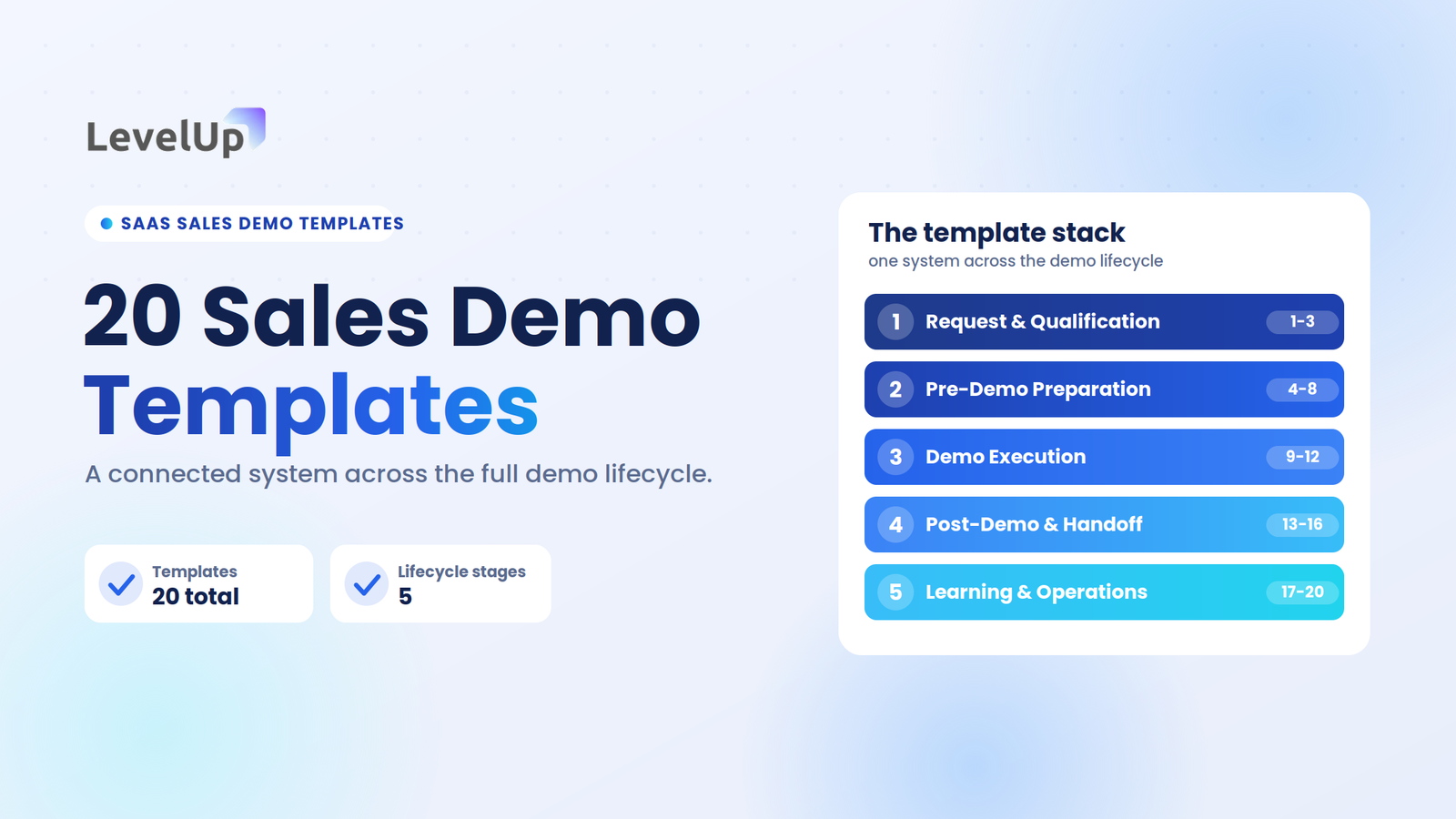
- Group the templates into five stages: request and qualification, pre-demo preparation, demo execution, post-demo and handoff, and learning and operations.
- Each template follows the same pattern: what it is, when to use it, the fields it captures, and why it matters.
- Adopt them by team maturity, not all at once. A small team starts with about five.
- Templates create consistency; a connected workflow keeps that structure from scattering across docs and spreadsheets.
The SaaS demo template stack
Before the individual templates, here is the mental model. A mature demo process uses reusable structure at the points where information, decisions, ownership, or buyer context can otherwise get lost. The 20 templates fall into five stages.
1
2
3
4
5
The important part is not having 20 documents. It is knowing which template supports which part of the demo process.
20 sales demo templates every SaaS team should have
Every template below uses the same mini-structure so the list stays easy to scan: what it is, when to use it, the fields or framework it captures, and why it matters.
Request and qualification templates
1. Demo Request Intake Template
What it is: A capture sheet for the essential context when a prospect requests a demo, so the team is not starting from zero.
When to use it: Immediately after a demo request enters the sales workflow.
Fields to capture
Why it matters: The goal is useful context, not collecting every possible field. Capture enough to make the next step relevant rather than generic.
2. Demo Qualification Scorecard
What it is: A structured, SaaS-specific framework for evaluating whether a demo request meets the team’s qualification criteria, rather than another BANT rehash.
When to use it: After intake, before a rep invests preparation time.
Rows to evaluate
Why it matters: Focus on consistency rather than an arbitrary universal scoring system. Teams assign their own rules based on ICP, deal size, and product complexity.
3. Demo Request Routing Template
What it is: A structure for deciding who should own a demo request, and recording why it went to that person.
When to use it: The moment a qualified request needs an owner.
Routing inputs, then rules
Why it matters: The right demo request needs to reach the right person with the right context. When form-to-meeting conversion sits nearer 30% than 60%, the friction is often in routing or scheduling, not demand. A structured SaaS demo checklist can catch the same gaps earlier.
Pre-demo preparation templates
4. Account & Buyer Research Brief
What it is: A one-page research sheet for understanding the account and buyer before the meeting, not a generic company summary.
When to use it: One to two days before the demo, while there is still time to act on it.
Fields to capture
Why it matters: Research should produce hypotheses to validate, not assumptions treated as facts.
5. Demo Preparation Brief
What it is: The document that turns research into a concrete demo plan. This is the template to adopt first if you can only pick one.
When to use it: After research, before building or rehearsing the demo.
Fields to capture
Why it matters: It connects buyer context to what the rep actually plans to show. Practitioner references put demo prep around 45 to 90 minutes; this template is where that time becomes structured rather than scattered.
6. Demo Storyline Template
What it is: A narrative structure that connects the buyer’s problem to the product experience. It is a storyline, not a script.
When to use it: While planning the demo, after the preparation brief is filled.
Framework
Why it matters: A demo should tell a relevant story rather than become a feature tour. If you need the actual words, sales demo scripts cover the conversation structure separately.
7. Show / Save / Skip Template
What it is: A simple table for deciding which product areas belong in the current demo.
When to use it: During demo planning, once you know the buyer’s priorities.
Three columns
Why it matters: Not every feature deserves screen time. The objective is relevance, not completeness. Protect the buyer’s attention for the workflows that matter to their decision.
8. Demo Opening Template
What it is: A flexible structure for the first few minutes of the demo, with example language rather than a rigid script.
When to use it: The opening minutes of every demo.
Structure
Why it matters: The opening establishes context and gives the buyer a chance to correct assumptions before the product walkthrough begins. Rigid openings break the moment a buyer says something unexpected.
During-the-demo templates
9. Discovery Question Map
What it is: Discovery questions organized by purpose instead of one giant question list.
When to use it: During the demo conversation, to steer what gets shown.
Categories
Why it matters: Discovery should influence what gets demonstrated. Six purposeful questions beat thirty generic ones, and each answer becomes a natural bridge: “Based on what you have shared, I would like to show you how…”
10. Demo Run-of-Show Template
What it is: A simple operational plan for how the meeting will flow.
When to use it: Prepared before the call, referenced during it.
Columns and segments
Why it matters: Any timing example is illustrative, not an industry benchmark. Your demos may run differently.
11. Buyer Signal Tracker
What it is: A structure for recording meaningful buyer behaviors and questions during the demo.
When to use it: Live, throughout the demo conversation.
Columns, then examples
Why it matters: Important qualification and buying context can emerge during the demo itself. A buyer signal provides context; it does not prove purchase intent on its own.
12. Objection Preparation Matrix
What it is: A pre-demo framework for preparing for likely objections.
When to use it: Before the demo, as part of preparation.
Columns, then common objections
Why it matters: Preparation should focus on understanding the underlying concern rather than memorizing responses. Do not fabricate timelines or claims you cannot support.
Post-demo and handoff templates
13. Demo Outcome Capture Template
What it is: A structured record of what happened after the demo, capturing a decision state rather than a meeting summary.
When to use it: Immediately after the demo ends.
Fields to capture
Why it matters: A completed demo should not become an unstructured note that nobody can use later. If your CRM cannot tell you which demos turned into opportunities, your stage definitions need work.
14. Demo Follow-Up Brief
What it is: A planning template for follow-up, the internal document that happens before the email. It is not another email-template section.
When to use it: Within the high-leverage window right after the demo.
Fields to capture
Why it matters: Follow-up should reflect what actually happened in the demo. The email is the communication layer; the brief is the operational layer that keeps the recap from going generic.
15. Technical Handoff Template
What it is: A structured handoff from an AE or SDR to an SE or technical specialist.
When to use it: When a demo advances to technical validation.
Fields to capture
Why it matters: Technical teams should not have to rediscover the buyer’s context. If the AE has to send three Slack messages before the SE can prepare, the process is missing this document.
16. Demo-to-Opportunity Handoff Template
What it is: A structured way to turn demo context into opportunity context, capturing commercial and deal continuity.
When to use it: When a demo becomes a live opportunity in the pipeline.
Fields to capture
Why it matters: The demo should contribute useful context to the sales process without assuming every completed demo is automatically a qualified opportunity.
Learning and demo operations templates
17. Win/Loss Demo Review
What it is: A structured review of the demo’s contribution to the eventual outcome.
When to use it: After the deal closes or is lost.
Fields to capture
Why it matters: Individual demos become useful learning inputs for the wider team. Do not automatically attribute a lost deal to the demo; the purpose is to investigate whether it contributed.
18. Demo Coaching Review
What it is: A manager or enablement template for reviewing how a rep handled the demo.
When to use it: During one-on-ones or enablement reviews.
Areas, then coaching
Why it matters: Keep coaching focused on observable behavior rather than arbitrary scores.
19. Demo Asset Review Template
What it is: A structured check for whether demo assets remain current.
When to use it: On a recurring review cycle, and whenever the product changes.
Fields and accuracy checks
Why it matters: Outdated assets quietly erode trust in the demo. The broader governance framework lives in the demo asset management guide.
20. Demo Process Improvement Template
What it is: A template for turning recurring demo problems into process improvements.
When to use it: Whenever the same problem shows up across multiple demos.
Fields, then framework
Why it matters: This moves the article beyond individual demos and into demo operations.
How these 20 templates fit together
The templates are not meant to become 20 disconnected documents. Each stage feeds the next, so context captured early is still usable at handoff and after the outcome.
The goal is a connected template system, where the output of one stage becomes the input to the next rather than a file nobody opens again.
Sales demo templates vs. checklists vs. scripts vs. frameworks
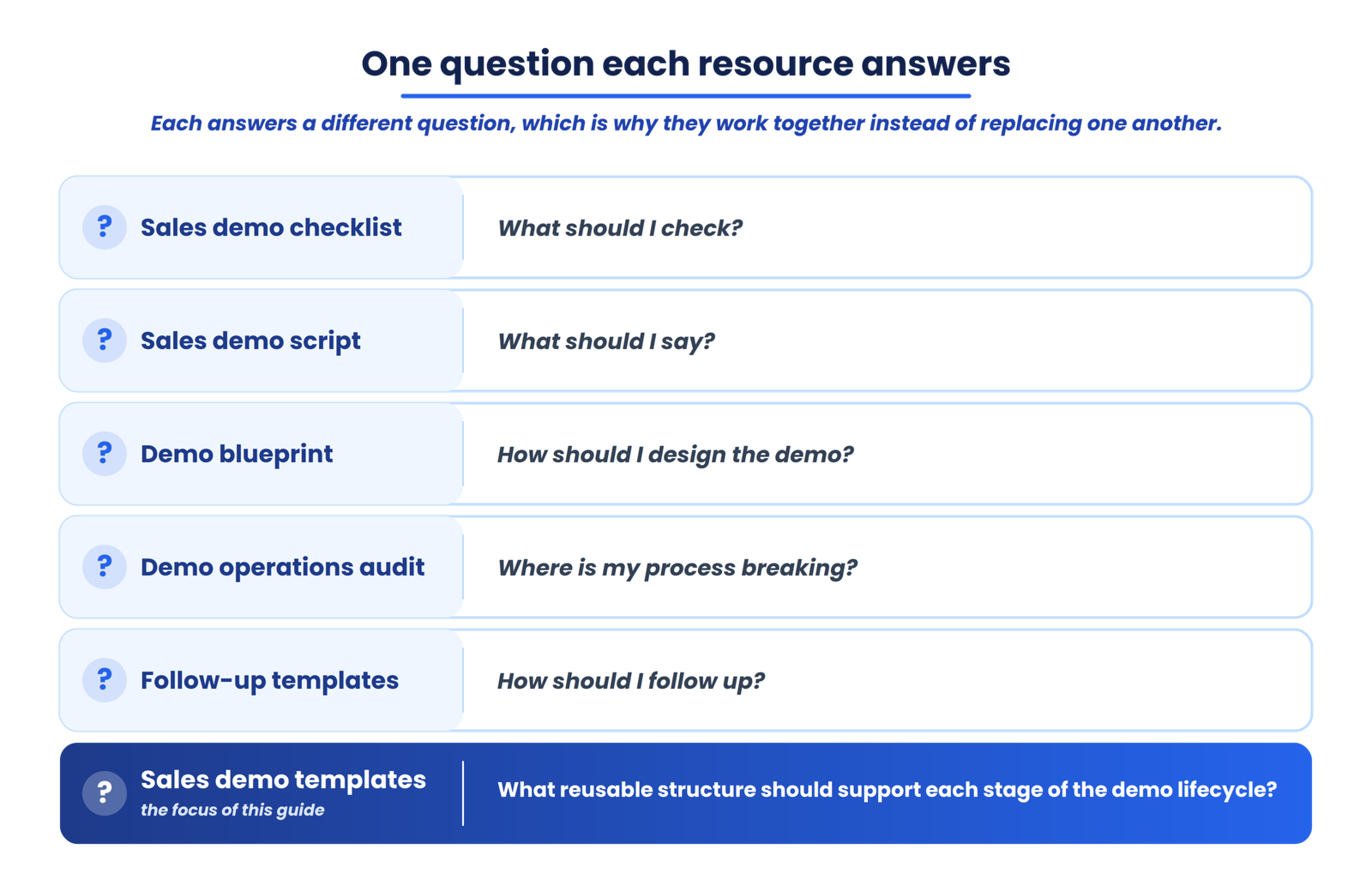
These resources are easy to confuse. Each answers a different question, which is why they work together rather than replacing one another.
| Resource | Main purpose |
|---|---|
| Sales demo checklist | What should I check? |
| Sales demo script | What should I say? |
| Demo blueprint | How should I design the demo? |
| Demo operations audit | Where is my process breaking? |
| Follow-up templates | How should I follow up? |
| Sales demo templates | What reusable structure should support each stage of the demo lifecycle? |
Which sales demo templates should you implement first?
Do not rank them in the abstract. Sequence them by team maturity, starting with the stages where context and leads most commonly get lost.
Small SaaS team: start with these
Growing team: add these
Scaling team: add these
Turn your demo templates into a connected workflow
Templates create consistency, but disconnected templates create another problem: information gets scattered across docs, spreadsheets, and CRM fields. As demo volume grows, keeping qualification, routing, scheduling, preparation, outcomes, and follow-up connected by hand gets harder. That is the gap between a template and a workflow.
LevelUp Demo connects that workflow around every SaaS demo, from request capture through routing, scheduling, outcomes, and follow-up management, so the structure your templates create stays in one place instead of scattering.
See how LevelUp Demo connects the workflow around every SaaS demo
If you are running enough demos that managing these templates across docs and spreadsheets is creating its own friction, see how the workflow connects from request capture to follow-up.
Frequently asked questions
What is a sales demo template?
A sales demo template is a reusable document that structures a specific piece of recurring work in the demo process, such as qualification, preparation, outcome capture, or handoff. It differs from a script, which guides the conversation, and a checklist, which verifies completion.
What should a SaaS sales demo template include?
It depends on the stage, but a good template captures information at the moment it matters, has a clear owner, produces something reusable, and connects to the next stage. A preparation brief, for example, captures the use case, the workflows to show, likely objections, and the desired next step.
What’s the difference between a sales demo template and a checklist?
A checklist verifies that steps were completed. A template gives you a reusable structure for capturing or organizing information. You might use a checklist to confirm the demo is ready and a preparation template to plan what the demo will actually show.
Should every sales rep use the same demo templates?
Templates should standardize information capture, not conversation. A shared preparation brief and outcome capture template keep context consistent across the team, while the storyline and the rep’s own delivery keep each demo natural rather than scripted.
Which sales demo templates should a new SaaS team create first?
Start with five: request intake, qualification scorecard, preparation brief, outcome capture, and follow-up brief. These cover the stages where leads and context most commonly get lost.
How do you keep sales demo templates up to date?
Use a demo asset review template with scheduled review dates, and check product accuracy, messaging, data, and buyer relevance on a regular cycle. Assign an owner to each template rather than to the team as a whole.
Can AI help create sales demo templates?
AI can draft template structures, suggest fields, and summarize demo notes into an outcome record, but the field lists still need to reflect your actual qualification criteria, product, and buyers. Treat AI output as a starting structure to validate, not a finished system.
How do sales demo templates fit into demo operations?
Templates are the building blocks of demo operations. On their own they create consistency; connected across the lifecycle and fed by shared data, they become the operating system around the demo, which is where the win/loss review and process improvement templates close the loop.
Templates as part of your demo operations
The goal is not to create 20 more documents for your sales team. It is to create a repeatable structure around the moments where demo context is most likely to get lost.
When the right information is captured before the demo, used during the conversation, transferred afterward, and fed back into the next demo, the template becomes more than a document. It becomes part of the operating system around the demo. The next problem you will hit after adopting these templates is keeping them connected as your team grows, and that is when individual documents become a workflow question.
Connect your demo templates into one workflow
Stop managing demo context across scattered docs and spreadsheets. See how LevelUp Demo connects request capture, routing, scheduling, outcomes, and follow-up around every demo.