I was on a call last quarter with a mid-market prospect—solid ICP fit, budget confirmed, champion identified. We’d scheduled a live demo three times. Three times it fell through. Scheduling conflicts, time zones, a last-minute board meeting. By the time we finally connected, the prospect had already shortlisted a competitor who’d sent them a self-guided product demo they could click through at 11 PM on a Tuesday.
We lost the deal. Not because our product was worse. Because our demo experience was worse.
That moment rewired how I think about the entire sales motion. And it’s the reason I went deep on interactive product demos—testing tools, breaking workflows, rebuilding our funnel around them.
Here’s what this guide gives you: a practitioner-level breakdown of what interactive product demos actually are, the specific frameworks that make them convert, the ghost errors that’ll silently kill your pipeline, and which software is worth your team’s time and money.
What Are Interactive Product Demos? (The Quick Answer)
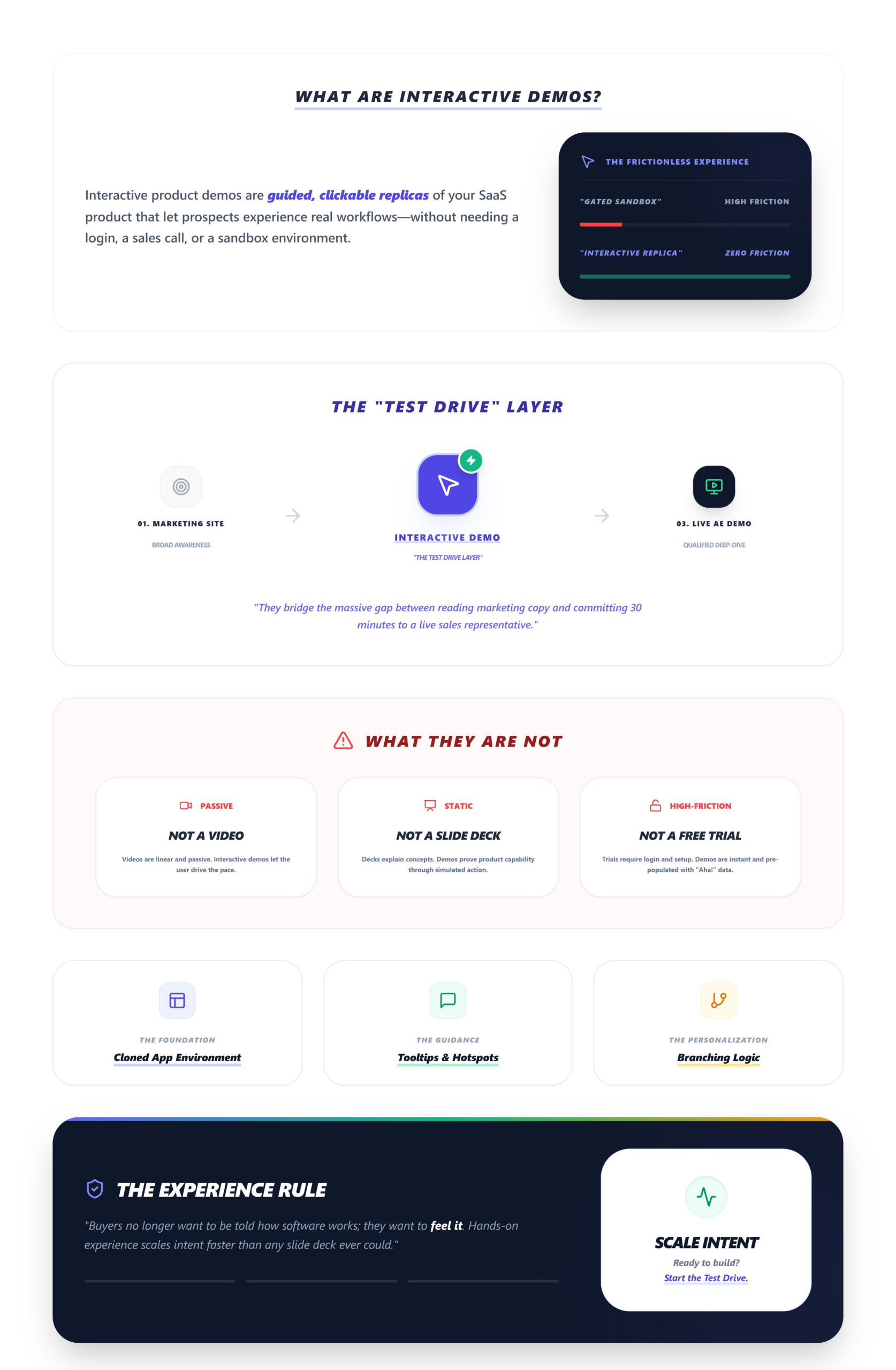
Interactive product demos are guided, clickable replicas of your SaaS product that let prospects experience real workflows—without needing a login, a sales call, or a sandbox environment. They use screen captures, HTML captures, or cloned environments to simulate your app, complete with hotspots, tooltips, and branching logic.
Think of them as the “test drive” layer between your marketing site and a live sales demo. They’re not videos. They’re not slide decks. They’re hands-on.
The Pre-Flight Check: Are You Actually Ready?
Before you pick a tool or build your first click-through, a few things need to be locked down. I’ve watched teams rush into demo software and waste weeks because they skipped this.
What you need:
- ICP clarity. Not “we sell to marketers.” I mean: which persona, which pain, which workflow are you demonstrating? If you can’t describe the demo’s goal in one sentence, stop here.
- A CRM with basic pipeline tracking. HubSpot, Salesforce—doesn’t matter. You need somewhere to push engagement analytics and track demo-to-SQL attribution. Without it, you’re flying blind.
- A CMS that supports embeds. Webflow, WordPress, whatever. If you can’t drop an iframe on your site and track events back to GA4, your TOFU demo strategy dies on arrival.
- At least 3 ICP-specific use cases mapped. Not features. Use cases. “How [persona] solves [pain] using [workflow].”
How Interactive Product Demos Actually Work
Phase 1: Capture Your Product
What to do: Use your tool’s Chrome extension or browser-based screen capture to record the exact workflow you want to showcase. Most tools (Navattic, Supademo, Walnut) let you capture page-by-page. Walnut and Demostack use HTML capture, which grabs the actual DOM—meaning you can edit text, swap logos, and change data after the fact.
Visual checkpoint: After capture, you should see a sequence of screens in your editor, each represented as an editable card or frame. If you’re using HTML capture, hovering over any text element should show an edit cursor.
Verification: Open the captured demo in an incognito browser tab. If it loads in under 3 seconds on both desktop and mobile, you’re good. 40% of demos fail mobile rendering—test this early or pay for it later.
The nuance: HTML captures look incredible but break on dynamic UIs. If your app relies heavily on real-time data, animations, or JavaScript-heavy components, expect ghost errors. Screenshot-based tools like Supademo are more stable for complex interfaces, even if they’re less editable.
Phase 2: Build the Flow and Add a Personalization Layer
What to do: Arrange your captured screens into a logical guided walkthrough. Add hotspots (clickable areas), tooltips, and—this is where it gets interesting—branching logic. Don’t build one linear path. Build at least two branches based on your ICP segments.
For personalization, swap in prospect-specific data. Company name, logo, relevant metrics. Navattic lets you do this via CSV upload. Demostack’s cloned environment approach handles it natively.
Visual checkpoint: In preview mode, clicking a hotspot should advance to the next screen with a visible transition. Your progress indicator (numbered steps or a progress bar) should update. If you’ve added branching, test each path—you should see distinct screen sequences for each.
Verification: Have a teammate click through without instructions. If they complete 70%+ of steps without asking “what do I do here?”—you’ve built it right. Below 50% completion? Add branches or shorten the flow. 70% demo drop-off before completion is the industry norm when demos are irrelevant or too long.
Friction warning: Personalization is where teams burn hours. Manual edits per prospect don’t scale. The hack I’ve seen work on r/SaaS: duplicate a base demo template and swap data fields via CSV or API. If your tool doesn’t support this, you’ll hit a wall at about 10 demos per week.
Phase 3: Embed, Distribute, and Track
What to do: Embed your TOFU demo on your website (pricing page, homepage, or a dedicated “See it in action” page). For MOFU, generate shareable links to use as leave-behinds after sales calls. Connect your engagement analytics to your CRM—UTM parameters plus CRM pixels are the minimum.
Visual checkpoint: Your embedded demo should display a branded thumbnail with your logo (Walnut’s player does this cleanly). In your analytics dashboard, you should see a heatmap of click density—Navattic shows green “hot zones” where prospects engage most.
Verification: Send the demo link to yourself. Open it on your phone. If it loads, plays, and tracks the session in your dashboard, go. If your mobile prospects see a blank screen, enable responsive mode or use a screenshot fallback sequence.
The nuance: Analytics are where most teams fool themselves. “Views” are vanity. What you need: step completion rate, CTA click-through, and demo-to-book conversion. Only 15% of leave-behinds generate SQLs without proper analytics tagging. Tag your CTAs as goals in GA4 and integrate with your CRM for real funnel scoring.
Phase 4: Optimize Your Demo Funnel
What to do: Review engagement analytics weekly. Look for drop-off points. If prospects bail at a specific step, that screen isn’t earning its place—cut it, rewrite the tooltip, or add a branch. A/B test demo length. I’ve found that TOFU demos under 5 steps outperform longer ones for initial engagement. MOFU demos can go deeper (8-12 steps) because the prospect is already warm.
Visual checkpoint: Your dashboard should show a funnel visualization: impressions → opens → completions → CTA clicks → booked meetings. A healthy demo funnel looks like: 40% open rate, 15% completion, 8% SQL from leave-behinds.
Verification: If your demo-to-book rate is above 20%, you’re in strong territory. Below 10%? The demo itself isn’t the problem—check your CTA placement and what your SaaS demo next step should actually look like.
The Ugly Truth: Ghost Errors That Kill Demos Silently
Official docs won’t tell you this stuff. Forums will.
- Problem: Demos lag or crash mid-flow on low-end devices
The Weird Fix: Compress HTML captures via FFmpeg CLI before upload; use Supademo’s mobile screenshot fallback
Source: r/SaaS, Supademo docs - Problem: 0% completion on leave-behinds—prospects just… stop
The Weird Fix: Linear paths bore people. Add conditional branching gates; test 3 paths per ICP segment
Source: G2 reviews, Demostack community - Problem: Analytics show “views” but zero SQLs
The Weird Fix: You’re tracking vanity metrics. Tag CTAs as micro-conversion goals in GA4; use CRM integration for funnel scoring
Source: Reddit r/sales, Walnut integration guide - Problem: Personalization edits take 45+ minutes per prospect
The Weird Fix: Duplicate base demo in Navattic, swap variable fields via CSV upload—not manual editing
Source: r/SaaS community hack - Problem: Mobile prospects see blank screens or broken layouts
The Weird Fix: Desktop-only capture tech doesn’t export responsively. Use screenshot sequences + mobile emulator testing
Source: Community forums, Supademo
The biggest ghost error, though? Over-investing in “wow factor” without ICP alignment. I’ve seen teams build gorgeous, cinematic demos that impress internally—and completely miss the prospect’s actual pain. The sandbox demo looks amazing. But if it doesn’t mirror a workflow the buyer recognizes, it’s just a pretty toy.
Best Interactive Demo Software for SaaS Teams
Here’s how I’d break it down based on team size, budget, and use case:
- Navattic
Best For: PLG teams, TOFU embeds
Capture Method: Browser-based screen capture
Standout Feature: Engagement analytics with drop-off heatmaps
Watch Out For: Limited branching on lower tiers - Walnut
Best For: Sales-led orgs, enterprise
Capture Method: HTML capture (StoryCapture AI)
Standout Feature: Deep personalization, logo/data swaps in seconds
Watch Out For: $750/mo entry—kills startup budgets - Demostack
Best For: Mid-market, sandbox needs
Capture Method: Cloned environment
Standout Feature: Full no-code demo builder, hides sensitive backend
Watch Out For: Setup complexity for dynamic apps - Storylane
Best For: Fast, lightweight demos
Capture Method: Screenshot + HTML hybrid
Standout Feature: Quick time-to-first-demo
Watch Out For: Less depth for complex workflows - Supademo
Best For: Startups, free tier needs
Capture Method: Screenshot-based click-throughs
Standout Feature: Free tier, mobile-friendly fallbacks
Watch Out For: Less polished for enterprise use
For teams where the real bottleneck isn’t just the demo itself but everything around it—lead capture, qualification, scheduling, follow-up tracking—the tooling gap is real. You build a great interactive demo, but then the post-demo workflow falls apart.
If your interactive demos are generating interest but leads are slipping through scheduling gaps and messy follow-ups, LevelUp Demo handles the workflow layer—from smart demo forms and lead qualification to outcome tracking and follow-up management. It sits alongside your demo tools and CRM without adding complexity. See how it works.
How to Create High-Converting Interactive Demos: The 4-Step Framework
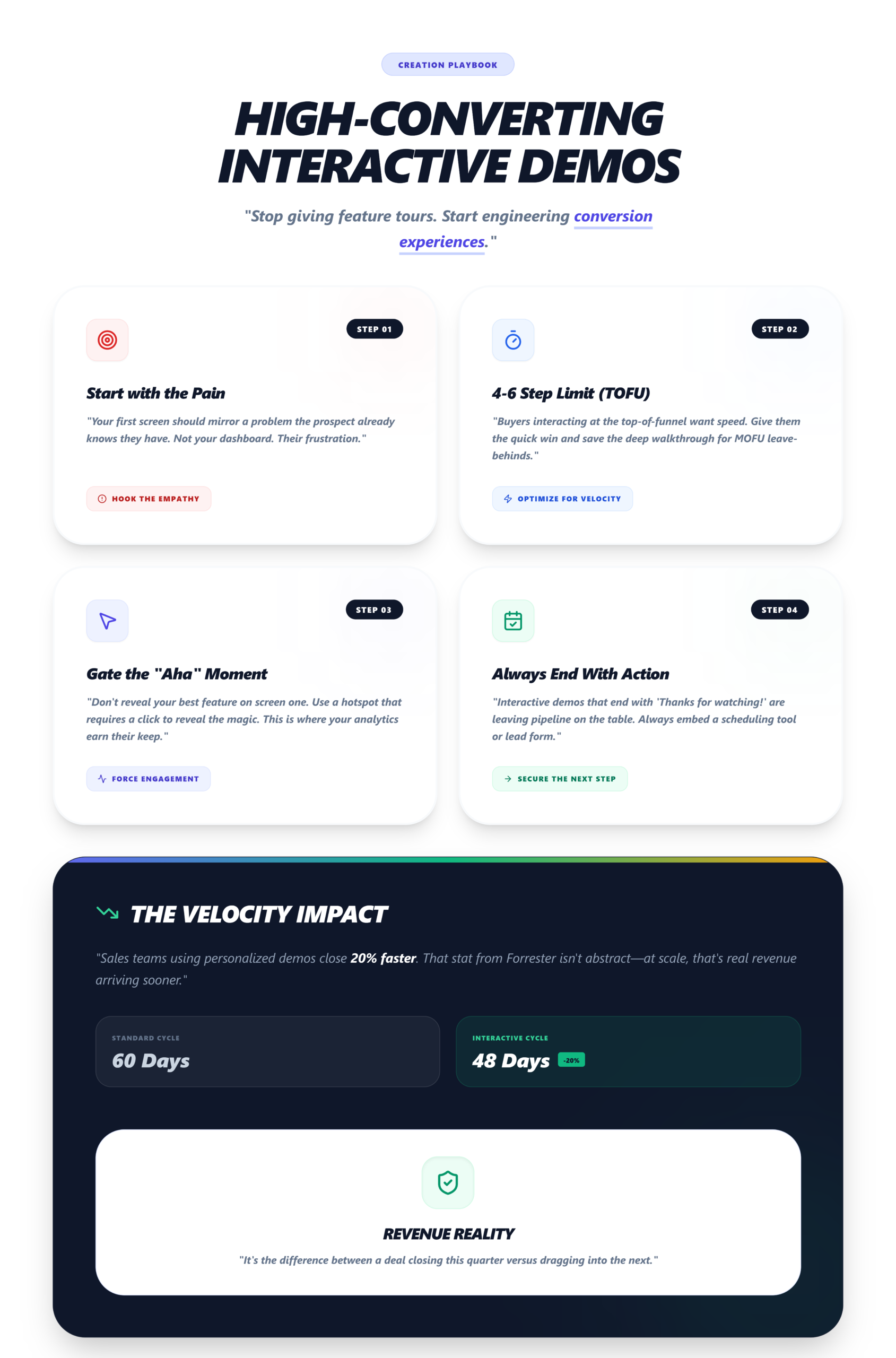
- Start with the pain, not the product. Your first screen should mirror a problem the prospect already knows they have. Not your dashboard. Their frustration.
- Limit TOFU demos to 4-6 steps. Buyers who interact with interactive product demos at top-of-funnel want speed. Save the deep walkthrough for MOFU leave-behinds.
- Gate the “aha moment” behind one click. Don’t reveal your best feature on screen one. Use a hotspot that requires engagement—this is where your engagement analytics earn their keep.
- Always end with a next step. A Calendly link, a demo scheduling tool, or a form. Interactive demos that end with “Thanks for watching!” are leaving pipeline on the table.
Sales teams using personalized demos close 20% faster. That stat from Forrester isn’t abstract—it’s the difference between a 60-day and a 48-day sales cycle. At scale, that’s real revenue.
Common Mistakes (That Smart Teams Still Make)
- Building one demo for all personas. Your CSO and your end-user care about completely different things. Build separate paths.
- Ignoring the real reason users abandon SaaS products in the first 10 minutes. If your onboarding product tour doesn’t mirror the interactive demo experience, you’re creating cognitive dissonance.
- Skipping the SaaS demo checklist. Even with self-guided demos, preparation matters. The checklist isn’t just for live calls.
- Not connecting demos to demo management software. Tracking who saw what, when, and what happened next is how you improve your demo conversion rates.
The Bottom Line
The teams winning right now aren’t the ones with the best product. They’re the ones removing every friction point between “that looks interesting” and “I get it.”
Interactive product demos are how you close that gap—if you build them around your buyer’s workflow, not your feature list.
Ready to fix the post-demo chaos?
LevelUp Demo keeps your demo pipeline organized from first click to closed deal.
FAQ
How long does it take to build a first interactive product demo?
Most teams ship a first demo in 1-2 days using tools like Supademo or Storylane. Expect 2-4 weeks to see measurable conversion lift and 3-6 months for clear ROI from scaled leave-behinds—especially if you’re producing fewer than 10 demos per week.
Do interactive demos replace live sales demos?
No. They complement them. Interactive demos handle TOFU qualification and async engagement. Live demos handle objection-handling, complex Q&A, and relationship-building. The best SaaS teams use both—47% of B2B buyers now prefer self-guided exploration before any live call.
What’s the minimum budget for interactive demo software?
Supademo and Storylane offer free tiers that work for startups. Paid plans start around $30-50/month. Enterprise tools like Walnut start at $750/month. Small teams under 5 reps consistently abandon tools above $300/month according to G2 data.
How do I track whether interactive demos generate real pipeline?
Add UTM parameters to every demo link. Integrate your demo tool with HubSpot or Salesforce via native connectors or Zapier. Track micro-conversions—not just “views” but specific CTA clicks, step completions, and demo-to-meeting booked rates.
Can interactive demos work for onboarding, not just sales?
Absolutely. Embedded product tours on activation screens reduce early churn—65% of freemium users churn before completing onboarding when no in-app guidance exists. Tools like Userpilot and ProductFruit specialize in this use case.