I. The Hook & Quick Verdict
I watched a $48K deal die last quarter because a qualified lead filled out a demo form, got routed to the wrong rep, waited 11 hours for a confirmation email, and booked with a competitor before lunch.
The form worked. The calendar worked. The system didn’t.
That’s the conversation most “Chili Piper vs HubSpot Meetings” comparisons completely miss. They’ll walk you through feature grids and pricing tiers while your pipeline bleeds out between the cracks of disconnected tools.
Quick Summary & Verdict, upfront and unvarnished:
Chili Piper wins if you need instant inbound routing and concierge-level scheduling on high-traffic websites.
HubSpot Meetings wins if you’re already deep in the HubSpot ecosystem and need a free, native calendar link.
Neither wins if your actual problem is converting booked demos into closed revenue — because neither was built to own that full lifecycle.
For that, you need a system designed around demo-to-deal conversion, not just calendar logistics.
II. Comparison Framework: The Lens We’re Using
I’m not evaluating these tools the way a product marketer would. I’m evaluating them the way a SaaS revenue team at 20–150 employees actually experiences them — week after week, pipeline review after pipeline review.
Here’s what matters at that stage:
- Speed-to-demo: How fast does a qualified lead get on a rep’s calendar?
- Routing intelligence: Can the system match leads to the right rep without manual triage?
- Post-booking workflow: What happens after the meeting is scheduled? Follow-ups, context, no-show recovery.
- Conversion visibility: Can you see which demo sources, reps, or workflows actually produce revenue?
- Total cost of ownership at scale: Not just the sticker price — the real cost across 36 months as your team grows.
These are the criteria that separate tools that look good in a demo from tools that actually move your win rate.
III. The Feature-by-Feature Showdown
Speed-to-Demo: Inbound Routing & Instant Booking
The Task: A prospect fills out a “Request a Demo” form on your website. How fast do they land on a rep’s calendar?
Chili Piper dominates here. Its Concierge product intercepts the form submission in real-time, qualifies the lead against your routing rules, and surfaces available time slots on the same page — no redirect, no email delay.
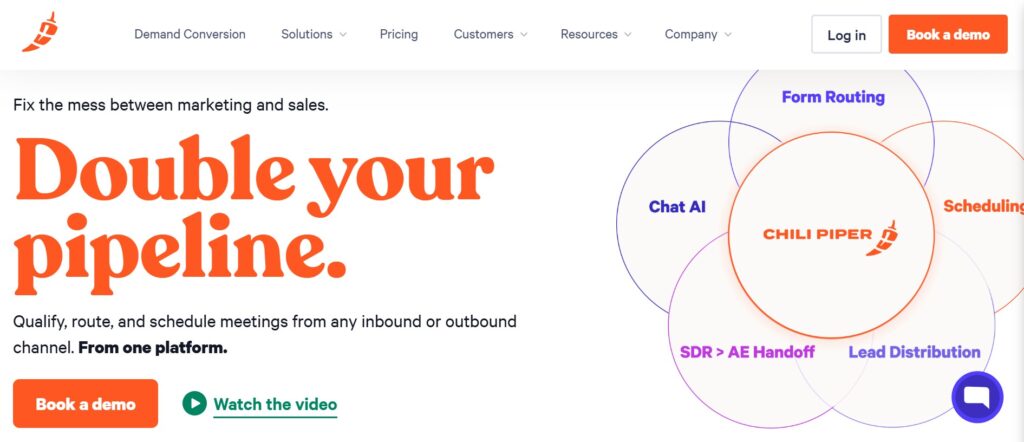
The experience feels like the calendar just appears, embedded right below the “Submit” button. It’s tactile. Immediate. The green confirmation checkmark loads in under two seconds.
HubSpot Meetings takes a different path. You generate a scheduling link, embed it on a page or email, and the prospect self-selects a time.
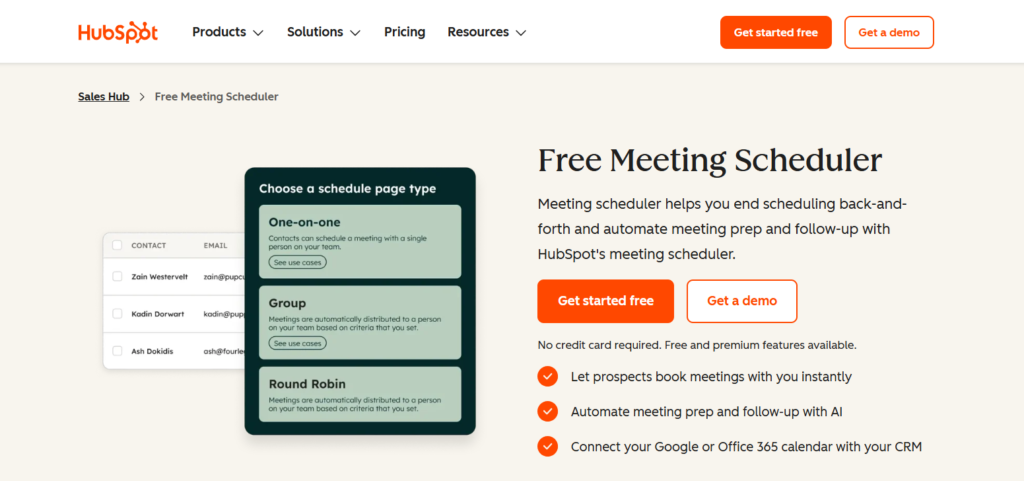
There’s no real-time routing logic baked in. If you have five reps and territory-based assignment, you’re either building workarounds in HubSpot workflows or manually triaging leads.
Friction Point — Chili Piper: The routing rules editor feels powerful but dense. Setting up round-robin with weighted distribution across multiple segments requires careful QA.
I’ve seen teams accidentally route enterprise leads to SDRs because one filter was out of order.
Friction Point — HubSpot Meetings: No native lead-to-rep matching on form submission. You’ll need a workflow to assign the contact, then send a booking link.
That gap — even if it’s only 30 minutes — kills conversion on high-intent inbound.
Mini-Scenario: It’s 2:14 PM. A VP of Sales at a Series B company submits your demo form.
With Chili Piper, she’s booked with your mid-market AE by 2:15.
With HubSpot Meetings, she gets an email at 2:47 with a generic link — and she’s already in a meeting.
Winner: Chili Piper.
Lead Qualification & Context Before the Demo
The Task: Your AE opens the calendar invite 10 minutes before a demo. What do they know about the prospect?
HubSpot Meetings benefits from living inside HubSpot CRM. If your team diligently logs data, the contact record is one click away — company size, lifecycle stage, page views.
But the meeting invite itself? It’s a calendar event. Bare. Your rep has to go find the context.
Chili Piper passes form field data into the calendar invite and CRM record automatically. You see what they submitted.
But enrichment beyond form fields? That’s on you — you’re integrating Clearbit or ZoomInfo separately.
Friction Point — HubSpot: Context lives in the CRM, not in the meeting workflow.
Reps who live in Google Calendar (most of them) won’t see it unless they actively navigate to HubSpot before every call.
Friction Point — Chili Piper: No native enrichment. The data you get is the data the prospect typed.
If they wrote “Manager” instead of “VP of Revenue Operations,” your routing might misfire.
Mini-Scenario: Your AE opens a demo call. With HubSpot, she scrambles to pull up the contact record in another tab.
With Chili Piper, the form answers are in the invite — but she still doesn’t know the prospect’s tech stack or team size beyond what was submitted.
Winner: Draw — both leave gaps. This is exactly where AI-powered lead enrichment changes the game, giving reps real context without relying on form fields alone.
Post-Booking Workflow: Follow-Ups, No-Shows, and Deal Progression
The Task: The demo is booked. Now what?
This is where both tools start to thin out — because neither was built to own the post-booking lifecycle.
HubSpot Meetings leans on HubSpot’s broader workflow engine. You can build reminder sequences, follow-up emails, and deal stage automations.
But you’re assembling it yourself — connecting meetings to workflows to sequences to deal pipelines. It works. It’s also fragile.
One broken workflow enrollment trigger and your follow-ups go silent for a week before anyone notices.
Chili Piper offers reminder emails and basic no-show handling. It integrates with Salesforce and HubSpot to update records.
But the tool’s focus ends, functionally, once the meeting is booked. Post-demo follow-up? That’s your CRM’s job. Or your rep’s memory. Good luck with that.
Friction Point — HubSpot: You’re the architect. Every automation is a custom build.
The workflow editor’s branching logic is powerful, but the if/then tree for “demo completed → follow-up sent → no response → re-engage” can sprawl into dozens of nodes.
I’ve audited HubSpot portals where nobody on the team fully understood their own follow-up logic.
Friction Point — Chili Piper: The tool essentially hands off after booking.
If your rep forgets to log the demo outcome, your pipeline data goes stale.
There’s no structured post-demo status tracking native to the platform.
Mini-Scenario: A prospect no-shows. With HubSpot, your workflow might trigger a re-engagement email — if it was built correctly.
With Chili Piper, the rep gets a notification. What happens next depends entirely on that rep’s discipline.
Winner: HubSpot — barely. It has the infrastructure for post-booking automation, even if assembly is manual. But neither tool treats demo follow-up as a first-class workflow.
Conversion Visibility & Demo Performance Tracking
The Task: Your VP of Sales asks, “Which demo source converts best? Which rep has the highest demo-to-close rate?”
HubSpot Meetings gives you reporting through HubSpot’s native dashboards.
You can correlate meetings with deal outcomes — if your data hygiene is pristine and your attribution model is set up correctly.
Most teams I work with? Their meeting-to-deal attribution is held together with custom properties and prayers.
Chili Piper offers booking analytics — volume, conversion from form to booking, routing distribution.
It tells you what happened at the scheduling layer. But demo-to-revenue attribution? That lives downstream in your CRM, and Chili Piper doesn’t own that view.
Friction Point — HubSpot: Attribution requires clean data across multiple objects (contacts, deals, meetings, campaigns).
One misaligned lifecycle stage and your conversion funnel report is fiction.
Friction Point — Chili Piper: Analytics stop at the booking.
You’re flying blind on what happens between “demo completed” and “deal closed.”
Winner: Neither. Both tools give you fragments. Neither gives you a single view of request → qualification → scheduling → demo → follow-up → conversion.
That end-to-end visibility is what outcome tracking with AI-driven insights was designed to solve.
IV. Financial Deep Dive: 36-Month Total Cost of Ownership
Pricing as of June 2025.
- Scenario: 1 user
Chili Piper (36 mo.): ~$1,080 (Concierge, $30/mo)
HubSpot Meetings (36 mo.): $0 (Free with HubSpot CRM) - Scenario: 5 users
Chili Piper (36 mo.): ~$5,400 ($30/user/mo)
HubSpot Meetings (36 mo.): $0–$2,700 (Free tier or Starter at $15/user/mo for added features) - Scenario: 15 users
Chili Piper (36 mo.): ~$16,200+ ($30/user/mo, plus potential platform fee)
HubSpot Meetings (36 mo.): $8,100–$27,000+ (Starter to Pro tier for workflow automation)
The Scaling Penalty — Chili Piper: Cost scales linearly per seat. At 15 reps, you’re spending $16K+ just on scheduling and routing before you’ve paid for CRM, enrichment, or follow-up tools.
The Scaling Penalty — HubSpot: Meetings is free, but the automation features you need to make it work (workflows, sequences, custom reporting) are locked behind Sales Hub Professional at $90+/user/month. That “free meetings tool” becomes a $48K+ line item fast.
Price-to-Value Verdict: For teams under 5, HubSpot’s free tier is hard to argue with — if you’re already in the ecosystem.
For teams focused on inbound speed, Chili Piper justifies its cost through measurable conversion lift at the top of funnel.
But both accumulate serious cost when you factor in the adjacent tools needed to cover the gaps they leave in post-demo workflow.
V. Situational Recommendations: The Hard Verdict
- Team Profile: Solo founder, early-stage SaaS
Best Pick: HubSpot Meetings
Why: Free, simple, gets the job done when volume is low - Team Profile: 5-person SDR/AE team, high inbound volume
Best Pick: Chili Piper
Why: Real-time routing and instant booking directly impact speed-to-lead - Team Profile: Mid-market team (10–30 reps) needing full-cycle visibility
Best Pick: Neither alone
Why: You’ll need to stack tools — or find a system that covers request to conversion - Team Profile: Team struggling with demo no-shows and post-demo drop-off
Best Pick: LevelUp Demo
Why: Built specifically for the workflow after booking — where most revenue is lost - Team Profile: Enterprise with complex Salesforce workflows
Best Pick: Chili Piper
Why: Stronger Salesforce integration and advanced routing rules
The Gap Neither Tool Fills
Here’s what I keep coming back to after years of optimizing SaaS demo funnels: the booking is never the bottleneck.
The conversion is.
Most teams I audit have decent form-to-booking rates. What they don’t have is a structured system for what happens next — qualification context surfaced before the call, automated follow-ups that actually adapt, and clear visibility into which demos convert and why.
LevelUp Demo was built for exactly this gap. It’s not competing with Chili Piper on routing speed or HubSpot on CRM depth.
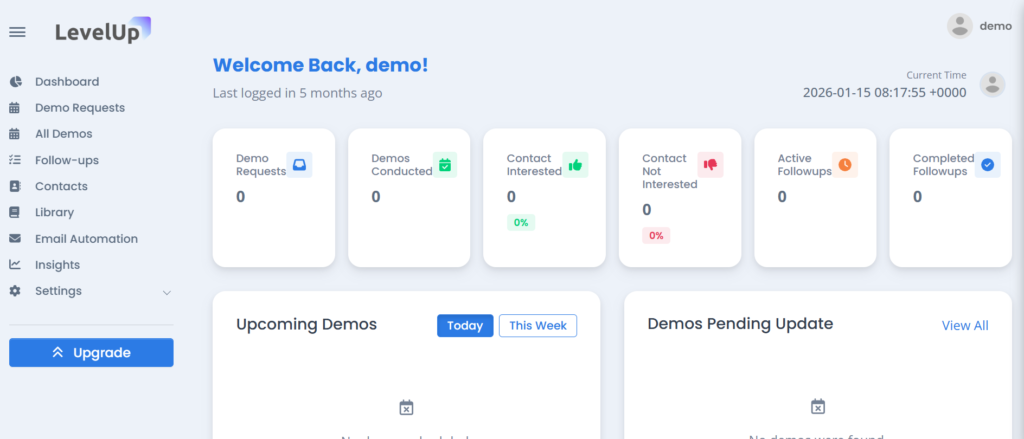
It captures and qualifies demo requests in a single inbox, layers in AI-powered enrichment so reps walk in prepared, handles scheduling with Google Calendar integration, automates follow-ups to reduce no-shows, and tracks outcomes with clear conversion insights.
The workflow is linear and intentional: request → qualification → scheduling → demo → follow-up → conversion. No Frankenstein stack.
No broken workflow enrollments.
Trade-offs? The integration ecosystem is smaller than HubSpot’s or Salesforce’s, and it’s not built for highly customized enterprise routing.
But for small to mid-sized SaaS teams, that constraint is a feature — it removes the complexity that causes pipeline leaks in the first place.
See how LevelUp Demo streamlines your entire demo workflow →
VI. FAQ & SEO Layer
Can Chili Piper replace HubSpot Meetings entirely?
Not quite. Chili Piper excels at real-time inbound routing and concierge booking, but it doesn’t replace HubSpot’s CRM-native scheduling links for outbound sequences or one-off meeting shares. Most teams running both use Chili Piper for inbound forms and HubSpot Meetings for rep-generated links.
Is HubSpot Meetings really free?
The basic meeting scheduler is free with HubSpot CRM. But the automation, custom routing, and reporting features that make it functional for a growing SaaS team require Sales Hub Starter or Professional — which starts at $15/user/month and scales to $90+/user/month.
Which tool reduces demo no-shows more effectively?
Neither has robust native no-show prevention. Chili Piper sends reminders; HubSpot lets you build reminder workflows manually. If no-show rates are your core problem, you need a system with automated follow-up sequences built into the demo workflow — not bolted on.
Do I need both Chili Piper and HubSpot?
Many teams run both. Chili Piper handles the inbound booking experience; HubSpot manages the CRM and downstream automation. The cost and complexity of maintaining both is the real question — especially when integrated demo workflow platforms can consolidate that stack.
What’s the biggest mistake SaaS teams make with demo scheduling?
Treating scheduling as the end of the funnel instead of the beginning. Booking rates mean nothing if your post-demo conversion is broken. The teams that win focus on the full lifecycle — from first request to closed deal — not just calendar logistics.
The Bottom Line
The best demo workflow isn’t the one with the most features.
It’s the one where no qualified lead falls through the cracks between booking and buying.
Convert Booked Demos Into Closed Revenue
Stop losing qualified leads between booking and buying. You need a system designed around demo-to-deal conversion, not just calendar logistics.
See how LevelUp Demo streamlines your entire demo workflow →