Quick Answer for 2026:
Demo management software centralizes a SaaS team’s entire demo lifecycle—from lead capture and qualification to scheduling, delivery, and follow-up. Without it, teams lose deals to manual handoffs, generic forms, and missed follow-ups. The best tools include LevelUp Demo (best for full workflow & AI qualification), Chili Piper (best for inbound routing), and Demodesk (best for live demo delivery coaching).
Your rep just finished a solid demo. The prospect was engaged, asked sharp questions, even nodded at the pricing slide. Then… nothing. No follow-up was sent. No outcome was logged. Three weeks later, your founder asks, “Whatever happened with that lead from Acme?” and everyone just stares at each other.
I’ve watched this exact scene play out at SaaS companies more times than I can count. The demo itself went fine—the process around it is what killed the deal. Demo requests living in a Google Form. Scheduling handled through six back-and-forth emails. Follow-ups tracked in someone’s head. CRM notes that say “went well” with zero context.
If your demo workflow is stitched together with forms, calendars, Slack pings, and hope, you don’t have a process. You have a liability.
This guide breaks down what demo management software actually is, why scattered tools are costing you pipeline, and which platforms are worth evaluating—so you can stop losing deals to your own internal chaos.
Best Demo Management Software (Quick Summary)
- LevelUp Demo: Best for full demo workflow + AI qualification (Free tier available)
- Chili Piper: Best for inbound routing & instant scheduling (~$150/user/mo)
- Demodesk: Best for live demo delivery & coaching (~$29/user/mo)
- Walnut: Best for interactive product demo creation (Custom pricing)
- Calendly: Best for basic scheduling, not demo-specific (Free–$16/user/mo)
What Is Demo Management Software?
Demo management software is a category of SaaS tools that centralizes the entire demo lifecycle—from request capture and lead qualification through scheduling, delivery, outcome tracking, and follow-up—into a single workflow.
It replaces the patchwork of forms, calendars, CRMs, and spreadsheets that most small sales teams default to. Think of it as the connective tissue between “someone clicked Request a Demo” and “we closed the deal (or didn’t).”
Without it, every stage of your demo funnel is a manual handoff waiting to break.
Why SaaS Teams Need Demo Management Software
Here’s what I keep seeing with early-stage SaaS teams: they invest heavily in getting traffic, writing content, running ads—and then the demo request hits a generic form that dumps into a shared inbox. The demo pipeline has zero structure.
The problems compound fast:
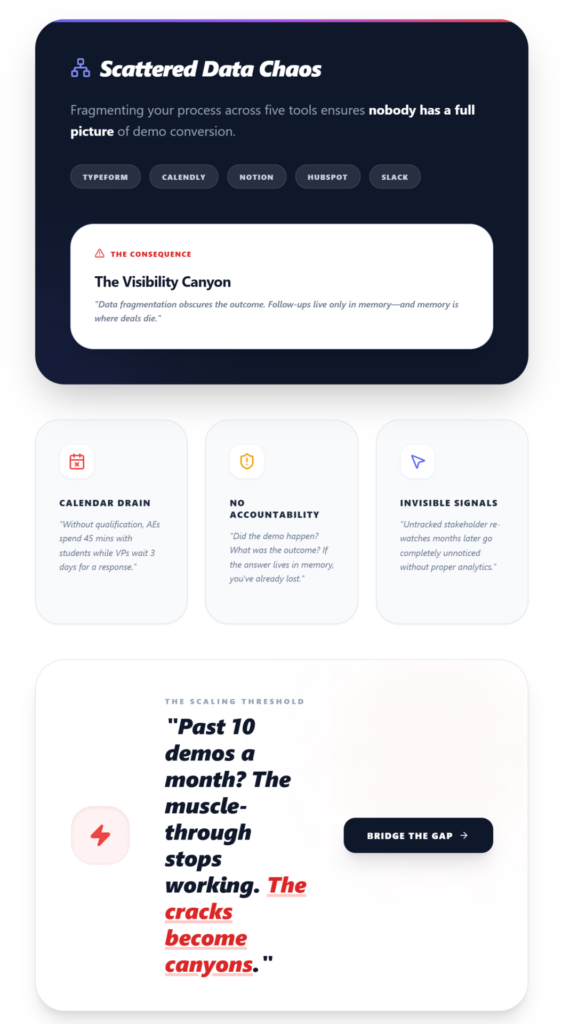
- Unqualified requests eat your calendar. Without demo qualification, your AE is spending 45 minutes with a student doing “market research.” Meanwhile, a VP of Engineering at a 200-person company waits three days for a response.
- No tracking means no accountability. Did the demo happen? What was the outcome? Who’s handling follow-up? If the answer lives in someone’s memory, you’ve already lost.
- Missed follow-ups are silent deal killers. Practitioners report that untracked stakeholder re-watches—sometimes happening months after the initial demo—go completely unnoticed without proper demo analytics. That’s pipeline left on the table.
- Scattered tools create scattered data. When your form is in Typeform, scheduling in Calendly, notes in Notion, and contacts in HubSpot, nobody has a full picture of demo conversion. You can’t optimize what you can’t see.
If you’re running fewer than 10 demos a month, maybe you can muscle through it. Once you’re past that? The cracks become canyons.
Common Problems Without Demo Management Software
Let me be specific, because “messy process” is vague. Here’s what actually happens:
- Leads get lost between request and scheduling. Someone submits a form on Friday afternoon. Monday rolls around, nobody picks it up. By Wednesday, they’ve booked a demo with your competitor.
- No visibility into demo outcomes. Your team ran 40 demos last month. How many converted? What was the average time-to-close? Most teams genuinely cannot answer this.
- Follow-up is inconsistent (or nonexistent). Some reps follow up religiously. Others don’t. There’s no system enforcing it, so demo conversion rates stay low across the board.
- SEs waste 10+ hours per week on manual work. Repetitive demo setups, manual scheduling, re-entering data across tools—solutions engineers lose enormous time that should go toward personalized demo experiences.
- Drop-off points go unidentified. Without analytics, you can’t tell that 40% of prospects disengage at the pricing screen—or that your integration section is too long.
Key Features to Look For in Demo Management Software
Not every tool covers all of these. But this is the checklist I’d use when evaluating demo tracking software:
Demo Request Capture
Replace your generic contact form with a smart demo form that auto-logs leads into a dashboard. Look for tools that capture high-intent demo fields like company size, use case, and timeline.
AI-Powered Lead Qualification
Automatically categorize incoming requests by priority. This is the difference between your AE spending time on a qualified prospect versus a tire-kicker. Demo qualification at the intake level saves hours weekly.
Scheduling
Calendar integration (Google Calendar, at minimum) with the ability to assign demos to specific team members. Bonus: round-robin assignment for teams.
Outcome Tracking
Simple status updates—Won, Lost, In Follow-up, Pending—attached to every demo record. This is the data layer most teams are completely missing.
Follow-Up Management
Dedicated views, filters, and reminders for follow-ups. Because the real revenue is in the demo follow-up process, not the demo itself.
Analytics Dashboard
Track demo volume, conversion rates, follow-up rates, and demo-to-close timelines. Correlate view time with outcomes. Identify drop-off points.
Best Demo Management Software for SaaS Teams
1. LevelUp Demo
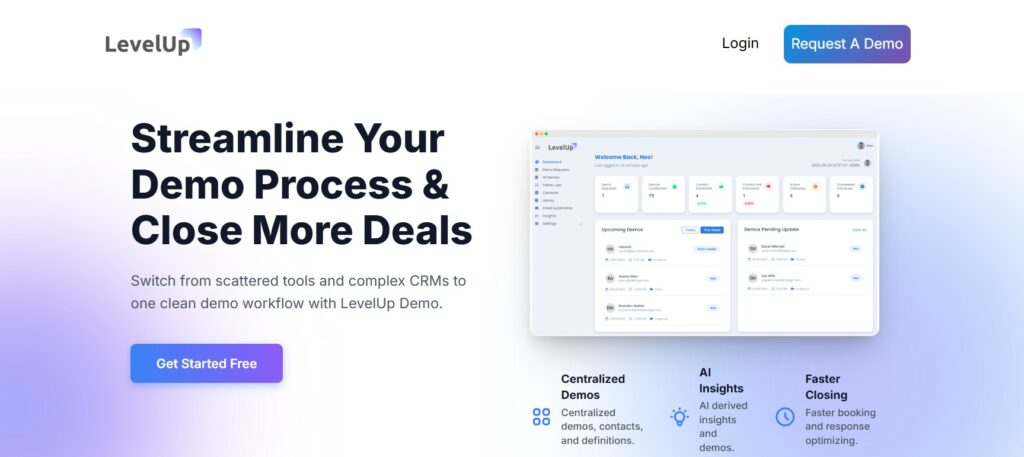
LevelUp Demo sits in a sweet spot that most tools miss: it manages the workflow around demos, not just the scheduling or the delivery. It replaces your demo request form, qualifies leads with AI scoring, handles scheduling and team assignment, tracks outcomes, and gives you a follow-up view with reminders—all in one lightweight dashboard. It’s essentially a purpose-built demo CRM without the bloat of Salesforce.
- Where it shines: Teams that need full demo funnel visibility—from capture to conversion—without stitching together four different tools. The analytics dashboard tracks demo requests, outcomes, and follow-up rates in one clean view.
- Worth noting: It’s built for SaaS founders and small sales teams. If you’re an enterprise with 50 AEs, this probably isn’t the fit. But for teams running 10–100 demos a month who need a structured demo pipeline? It’s exactly the right weight class.
2. Chili Piper
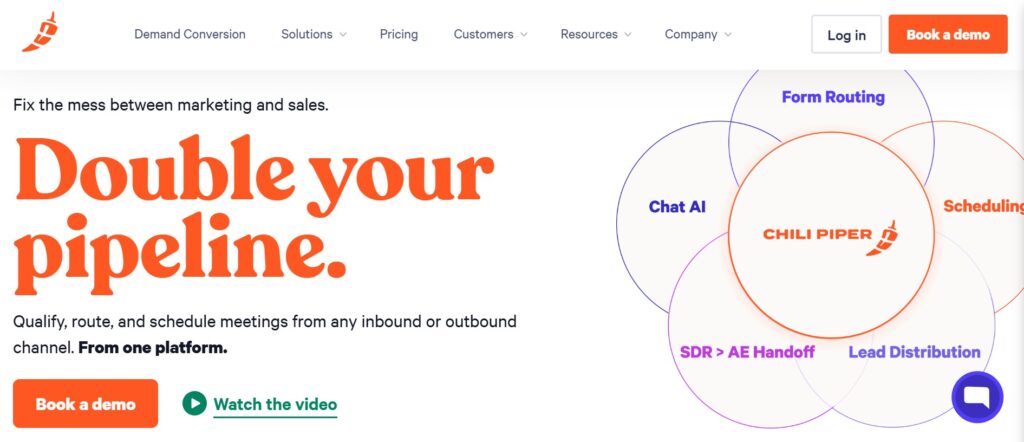
Chili Piper is strong on the inbound routing side. When a lead fills out a form, it instantly qualifies and routes them to the right rep with real-time booking. It’s fast, and for high-volume inbound teams, that speed matters.
- Where it shines: Instant scheduling from form submission. Tight Salesforce integration. Great for teams where speed-to-lead is the primary metric.
- Limitation: It’s primarily a routing and scheduling tool. You’ll still need separate systems for outcome tracking, follow-ups, and demo analytics. Pricing is also steep for small teams.
3. Demodesk
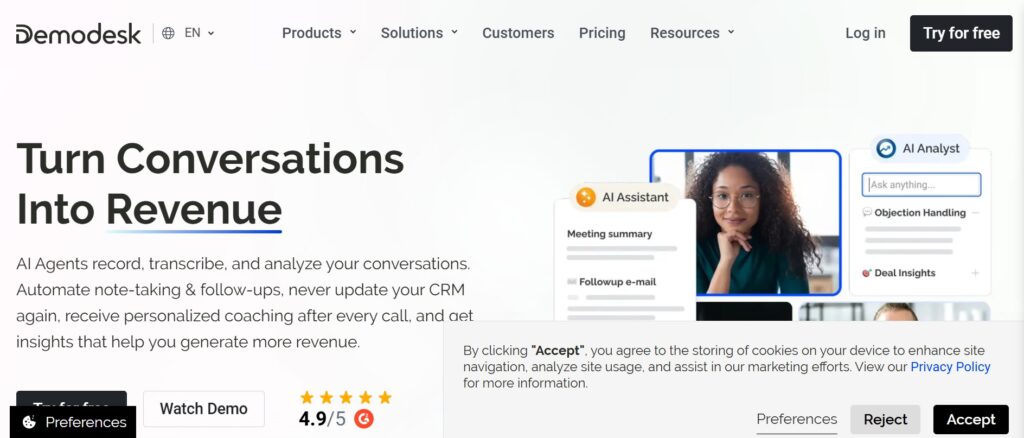
Demodesk focuses on the live demo experience. It provides virtual meeting rooms with built-in screen sharing, interactive features, and real-time coaching prompts for reps.
- Where it shines: If your bottleneck is demo delivery quality rather than workflow, Demodesk is strong. The coaching features help newer reps stay on script.
- Limitation: It’s a live demo software tool, not a full demo workflow platform. Scheduling, qualification, and post-demo tracking are lighter.
4. Walnut
Walnut lets you build interactive product demos—clickable, guided experiences that prospects can explore on their own. Think of it as a product demo maker for self-service use cases.
- Where it shines: Product-led growth teams that want to offer self-service demos before (or instead of) live calls. The demo builder includes analytics on engagement and drop-off points.
- Limitation: It’s about demo creation, not demo management. You’ll need other tools for scheduling, qualification, and follow-up workflows.
5. Calendly
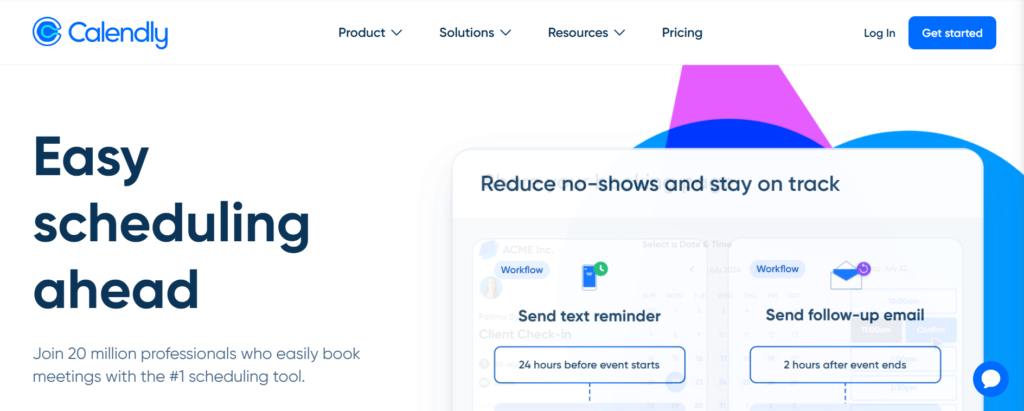
I’m including Calendly because many teams start here. It handles scheduling well—that’s it.
- Where it shines: Dead simple. Everyone knows it. Works for basic one-on-one booking.
- Limitation: No lead qualification. No outcome tracking. No follow-ups. No demo analytics. It’s a scheduling tool being asked to do demo management, and it shows. If your SaaS demos are failing, Calendly alone won’t fix it.
Tool Comparison Breakdown
- LevelUp Demo
Best For: Full demo workflow management (capture → qualify → schedule → track → follow up)
Limitation: Built for small-to-mid teams, not enterprise - Chili Piper
Best For: High-volume inbound routing and instant lead-to-rep booking
Limitation: Expensive; limited post-demo tracking - Demodesk
Best For: Live demo delivery & coaching (Real-time meeting tools)
Limitation: Lighter on workflow/funnel management - Walnut
Best For: Interactive self-service demos and clickable builders
Limitation: Not a workflow or scheduling tool
How to Choose the Right Demo Management Software
There’s no universal answer. But here’s a framework that works:
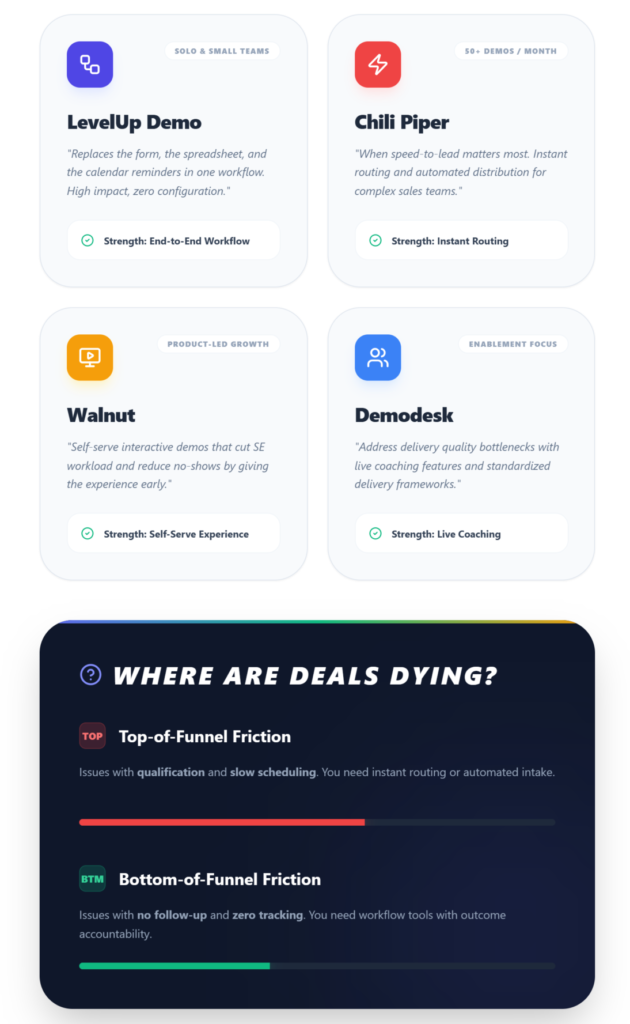
- If you’re a solo founder or team of 1–2: You need something lightweight that covers the full demo funnel without requiring configuration. LevelUp Demo’s workflow approach makes sense here—it replaces the form, the spreadsheet, and the calendar reminders in one tool.
- If you’re running 50+ inbound demos/month with a sales team: Speed-to-lead matters most. Chili Piper’s instant routing becomes worth the price.
- If your demos are the product experience: Walnut or similar interactive product demos let prospects self-serve, which cuts SE workload and reduces demo no-shows.
- If demo delivery quality is your bottleneck: Demodesk’s coaching and live demo features address that directly.
The real question is: Where are deals dying in your funnel? If it’s before the demo (bad qualification, slow scheduling), fix the top. If it’s after (no follow-up, no tracking), fix the bottom. Most small SaaS teams? It’s both—which is why full-workflow tools exist.
The Ugly Truth About Demo Processes
Here’s what most “best tools” articles won’t tell you: the tool doesn’t fix a broken process. It exposes it. I’ve seen teams adopt demo scheduling software and realize they had zero follow-up discipline. The software showed them every lead that went cold—and it was uncomfortable.
Problem 1: Prospects ghost weeks after a great demo
Context: Late-stage stakeholders often review independently
The Weird Fix: Set perpetual demo access links with real-time alerts—stakeholder re-watches months later trigger revival calls
Problem 2: Demos feel generic despite “personalization”
Context: Manual personalization doesn’t scale past 15 demos/week
The Weird Fix: Use URL parameters to auto-inject prospect data (logo, company name) into demo builders
Problem 3: High mid-demo drop-off
Context: Analytics flagged 40% drop-off at pricing when shown too early
The Weird Fix: Add branching paths triggered by initial pain-point selection—stop showing irrelevant features first
Problem 4: Team members overwrite each other’s demo updates
Context: Common in teams sharing a single demo builder account
The Weird Fix: Centralized demo environment with auto-versioning
FAQ
What is demo management software?
Demo management software centralizes the full demo lifecycle—lead capture, qualification, scheduling, delivery, outcome tracking, and follow-up—into one platform. It replaces scattered tools like forms, calendars, and spreadsheets with a structured demo workflow that gives sales teams visibility and accountability across the entire demo funnel.
How is demo management software different from a CRM?
A CRM tracks the overall customer relationship across the entire sales cycle. Demo management software focuses specifically on the demo stage—capturing requests, qualifying leads for demos, tracking demo outcomes, and managing follow-ups. Tools like LevelUp Demo function as a lightweight demo-specific CRM that works alongside your existing system without requiring migration.
Do startups and small SaaS teams actually need demo tools?
Yes—arguably more than large teams. Small teams can’t afford to lose leads to manual processes. When you’re running 15–30 demos a month with 1–2 reps, every missed follow-up or unqualified call directly impacts revenue. A structured demo pipeline pays for itself quickly through improved demo conversion rates.
What is the best demo software for SaaS companies?
It depends on your primary pain point. For full demo workflow management (capture through conversion), LevelUp Demo covers the most ground for small teams. For instant inbound routing, Chili Piper leads. For interactive self-service demos, Walnut is strong. The best choice maps to where deals are stalling in your specific funnel.
How long does it take to set up demo management software?
Most modern tools are operational within days. Lightweight platforms like LevelUp Demo can replace your demo form and start logging leads within hours. Full ROI—through engagement insights and follow-up discipline—typically shows within 4–8 weeks as your team builds consistent demo tracking habits.
Conclusion: Fix the Process, Close the Deal
Your demo isn’t just a meeting. It’s the highest-leverage moment in your sales cycle. If the process around it is held together by manual effort, spreadsheets, and good intentions, you’re leaving revenue on the table every single week. Demo management software forces discipline into your pipeline by ensuring every request is qualified, every outcome is logged, and every follow-up is sent. Pick a tool that matches your team size and demo volume, and stop losing deals to internal chaos.
Ready to Fix Your Demo Pipeline?
If your team is losing deals between “request submitted” and “deal closed,” see how a structured demo workflow changes your conversion math with LevelUp Demo.
✅ Capture & Qualify Leads
✅ Track Demo Outcomes
✅ Automate Follow-Ups