Quick Answer: How to Increase Demo Booking Rates?
To increase demo booking rate in SaaS, reduce friction in the demo request process, respond faster, qualify leads effectively, and simplify scheduling. High-performing teams focus on speed, clarity, and follow-up instead of increasing traffic. A typical SaaS demo booking rate ranges between 20%–40%, depending on traffic quality and process efficiency.
Your Traffic Isn’t the Problem. Your Booking Process Is.
I spent six weeks helping a B2B SaaS team diagnose why their pipeline was drying up. They’d already doubled their ad spend. Traffic was up 40%. Leads were flowing in.
But demos booked? Flat. Actually, down 3% month-over-month.
The CEO kept saying “we need more top-of-funnel.” I kept staring at their booking page—a seven-field form, no calendar embed, confirmation emails landing in spam, and a sales rep who responded “within a business day.”
That’s where the revenue was bleeding out.
Most SaaS teams lose demo bookings before a sales conversation even begins. More traffic doesn’t fix a broken booking system. This post breaks down exactly where bookings die and how to fix each failure point—without spending another dollar on acquisition.
What Is Demo Booking Rate in SaaS?
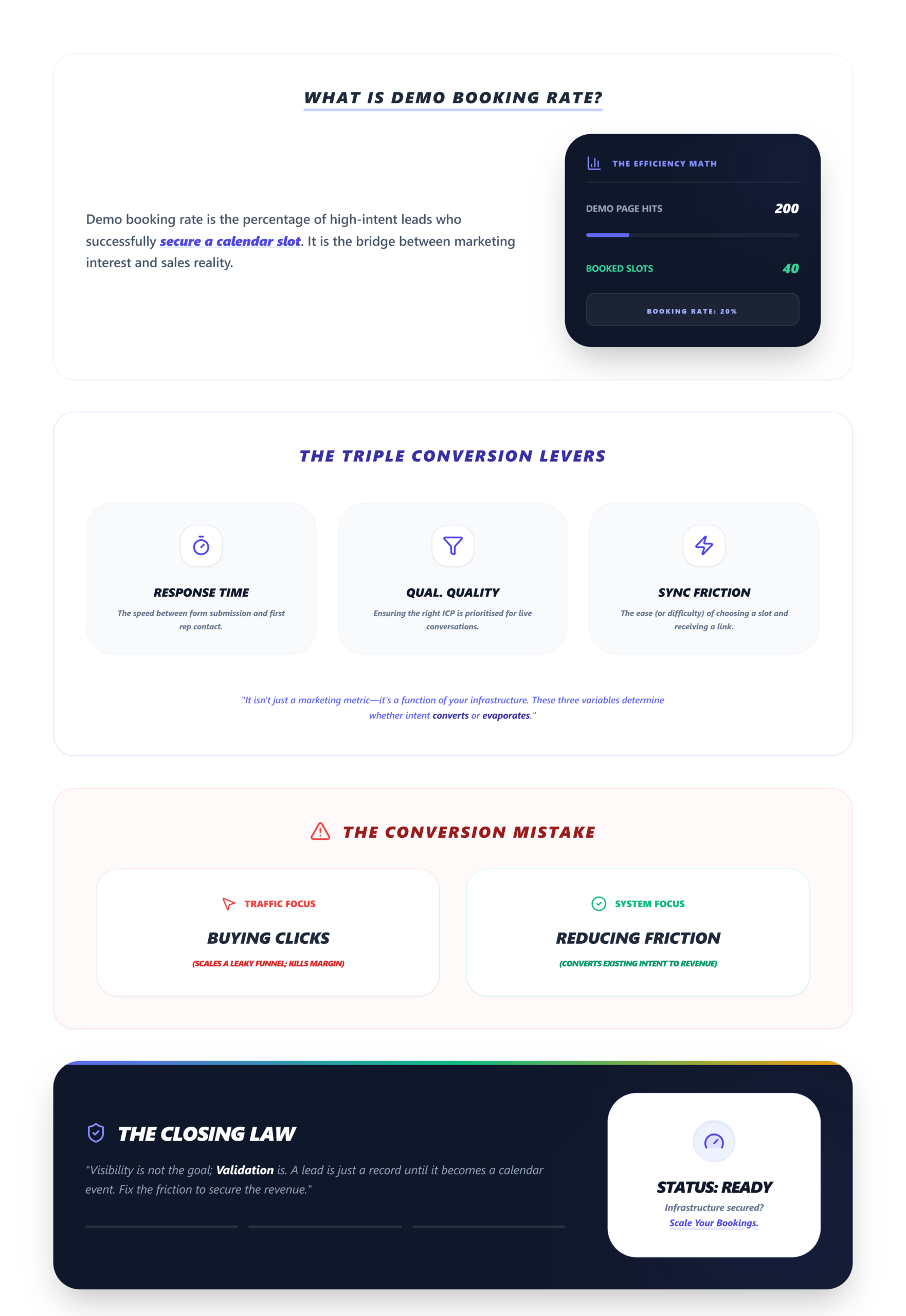
Demo booking rate is the percentage of website visitors or leads who successfully schedule a product demo after showing interest.
If 200 people hit your demo page and 40 book a slot, your booking rate is 20%.
Demo booking rate is not just a marketing metric—it is a function of response time, qualification quality, and scheduling friction.
These three variables determine whether intent converts into a calendar event or evaporates.
Where SaaS Teams Actually Lose Demo Bookings
Before fixing anything, you need to know where the leak is. In real scenarios, we’ve seen the same patterns across dozens of SaaS funnels. The breakdown almost always maps to one of these:
- Long demo forms
Every field you add past three drops completion rates. Asking for company size, revenue range, phone number, and “how did you hear about us” before a prospect can even see a calendar is an exit ramp, not qualification. - Slow response time
The longer a lead waits, the lower the intent—which directly reduces demo booking probability. A one-hour delay feels reasonable internally, but to a prospect comparing three tools with tabs open, it’s a lifetime. - No clear next step
A “thanks, we’ll be in touch” confirmation page is where pipeline goes to die. - Poor qualification
Booking unqualified leads wastes sales capacity and demoralizes the team. But gatekeeping too aggressively pre-booking kills volume. - Complicated scheduling
Back-and-forth emails to find a time slot is a conversion killer. 88% of prospects won’t book without seeing something tangible first—and if the scheduling itself requires effort, they bounce.
Every extra step between “I’m interested” and “It’s on my calendar” reduces the chances of a booked demo. Period.
The Decision Matrix: Before You Touch Anything
You’re not ready to optimize demo bookings until you can answer these four questions:
- Do you know your current booking rate? Not a guess. Pull the actual number—demo page visitors divided by confirmed bookings over the last 30 days.
- Is your CRM integration actually working? CRM integration must be pre-configured to pull prospect data for dynamic personalization. Small teams frequently forget to whitelist scheduling tool domains in email clients, blocking auto-syncs entirely.
- Do you have shared dashboard access? Solo founders and teams of 1–5 need real-time funnel visibility. If demo outcomes live in email threads, you have chaos.
- Are you segmenting leads by intent before booking? If every demo request gets the same treatment, you’re burning time on prospects who’ll never close.
Verification check: Open your CRM right now. Can you see, in under 10 seconds, how many demos were booked this week and who owns each follow-up? If not, start there.
How to Increase Demo Booking Rate in SaaS: The Guided Execution
Phase 1: Kill the Friction in Your Demo Request Form
What to do: Strip your form down to three fields maximum—name, work email, and one qualifying question. Remove everything else. If you’re asking for phone numbers at the booking stage, stop. That’s a sales call field, not a scheduling field.
The pro move: Embed an interactive demo preview directly inline on your page. No new tab, no gating. Use dynamic variables from your CRM to auto-personalize CTAs. Teams that removed all gates and embedded zero-step interactive previews saw a 265% increase in demo requests.
Friction warning: Prospects hesitate when a CTA implies a long time commitment. “Book a 45-minute demo” triggers resistance. “2-minute tour” doesn’t. Also, grayed-out booking slots confuse prospects if they aren’t pre-filtered by timezone.
Phase 2: Respond in Minutes, Not Hours
Speed is the single highest-leverage variable in demo booking rate. In multiple SaaS teams, demo booking rates increased from ~15% to 30% simply by reducing response time from 1 hour to under 10 minutes.
What to do: Set up instant auto-routing. When a lead submits, the booking confirmation and calendar invite should fire within seconds—not after a human reviews it.
The pro move: Trigger a branching path immediately post-submission. Use CRM data to route the prospect into a personalized pre-demo experience so by the time they hit the actual demo, they’ve already self-qualified.
Verification: Submit a test lead. Did the confirmation arrive in under 60 seconds? Demo booking confirmation emails often land in spam folders, delaying follow-up by 24–48 hours and causing 20–30% lead drop-off. Whitelist your scheduling tool domains.
Phase 3: Enable Instant Scheduling (Zero Back-and-Forth)
What to do: Embed your scheduling tool directly on the page. The prospect should pick a time slot without leaving the page, without opening a new tab, without waiting for someone to “send available times.”
Verification: Book a test demo yourself. Count the clicks from “I want a demo” to “It’s on my calendar.” As discussed in reducing funnel leakage, every unnecessary click is a decision point where prospects exit.
Phase 4: Qualify Leads Early—But Not Aggressively
What to do: Use one smart qualifying field in your form—something tied to intent, not demographics. “What’s your biggest challenge?” works. “What’s your annual revenue?” at the booking stage does not.
The pro move: Implement revenue gating on the backend. Let everyone book easily, then prioritize high-intent leads through lead scoring before the actual demo.
Phase 5: Automate the Follow-Up (Because Humans Forget)
What to do: Auto-trigger a reminder sequence—24 hours before the demo, 1 hour before, and a same-day recap after. Don’t rely on your sales rep to remember.
Visual checkpoint: Your demo funnel dashboard shows a “Demo → Next Action” pipeline with color-coded owner avatars and conversion percentages. Every lead has a status. No one falls through.
The Demo Booking Optimization Framework
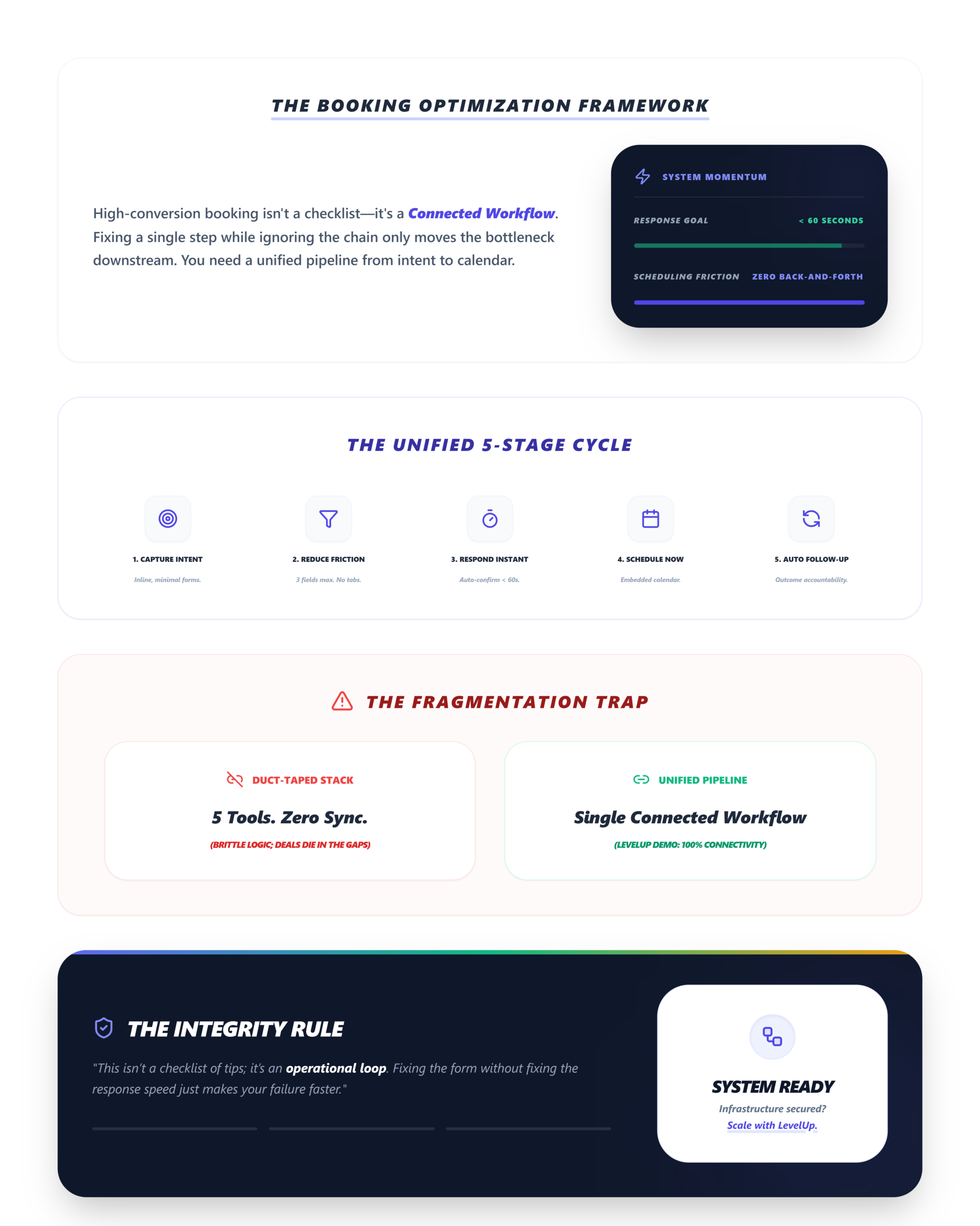
Here’s the system, distilled:
- Capture intent — Minimal-friction form, inline on page
- Reduce friction — Three fields max, no new tabs, timezone-filtered slots
- Respond instantly — Auto-confirmation in under 60 seconds
- Schedule immediately — Embedded calendar, zero email back-and-forth
- Follow up automatically — Reminder sequences, outcome tracking, accountability
This isn’t a checklist of tips. It’s a connected workflow. Fixing one step without addressing the others creates a bottleneck somewhere else.
Which is exactly why tools like LevelUp Demo exist—to connect the entire booking-to-conversion pipeline in one place, so small teams don’t need to duct-tape five different tools together and hope nothing breaks.
The “Ghost” Errors Nobody Talks About
A few problems that won’t show up in any analytics dashboard:
- Spam folder burial: Your confirmation emails are landing in spam. Fix: whitelist scheduler domains across all sending paths.
- Shared tool lockouts: Forgotten 2FA on shared scheduling or CRM tools blocks team access. This is a silent killer in teams of 2–5.
- The “product tour” confusion: Prospects who see a long interactive demo before booking sometimes think they’ve already had the demo. Limit pre-demo previews to 2–3 screens max.
What Actually Moves the Needle
Traffic is not the main problem for most SaaS teams. Friction kills bookings. Speed increases conversion.
Increasing traffic without fixing booking friction leads to wasted acquisition spend.
Demo booking is where revenue actually starts. So before you ask for a bigger ad budget, go book a demo on your own site. Count the clicks. Time the confirmation. Check if it hit spam. Then fix what you find.
Stop Losing Demos to Friction.
Connect your entire booking-to-conversion pipeline in one place. Capture intent, qualify automatically, and ensure no lead falls through the cracks.
✅ Automated Follow-Ups
✅ Shared Team Dashboards
FAQ
What is a good demo booking rate?
A strong SaaS demo booking rate falls between 20%–40%, depending on traffic quality and process efficiency. Teams below 15% almost always have a friction or response-time problem. Teams above 35% typically have automated scheduling, lead qualification, and systematic follow-up in place.
How can I increase demo bookings without more traffic?
Reduce form fields to three or fewer, embed scheduling directly on your demo page, respond to requests in under 10 minutes, and automate follow-up reminders. These changes alone can double booking rates—we’ve seen teams go from 18% to 35% with zero increase in traffic.
Why are leads not booking demos?
The most common causes are long forms, slow response times, no embedded scheduling, and unclear next steps after form submission. If a prospect has to wait for an email with available times, you’ve already lost momentum. Check your lead response time benchmarks.
Does response time impact demo bookings?
Yes—dramatically. Responding within 10 minutes versus 1 hour can nearly double your booking rate. Intent decays fast. A lead comparing three SaaS tools won’t wait for your reply when a competitor’s calendar is already on their screen.
What’s the right demo length before prospects disengage?
Limit live demos to 3–5 buyer-need sections with hands-on interaction. Sprawling feature tours lose attention. One team saw a 30% conversion lift by cutting their demo from a full product walkthrough to a focused, needs-only sandbox session.