Last reviewed: 26 October 2026. Product capabilities and pricing change; figures below reflect each vendor’s current public information and should be reconfirmed on the official sites before you buy.
SaaS teams face two different demo problems. One is operational: managing the process around a sales demo, from the inbound request through routing, scheduling, follow-up, and reporting. The other is creative: building compelling, interactive product experiences a prospect can explore on their own.
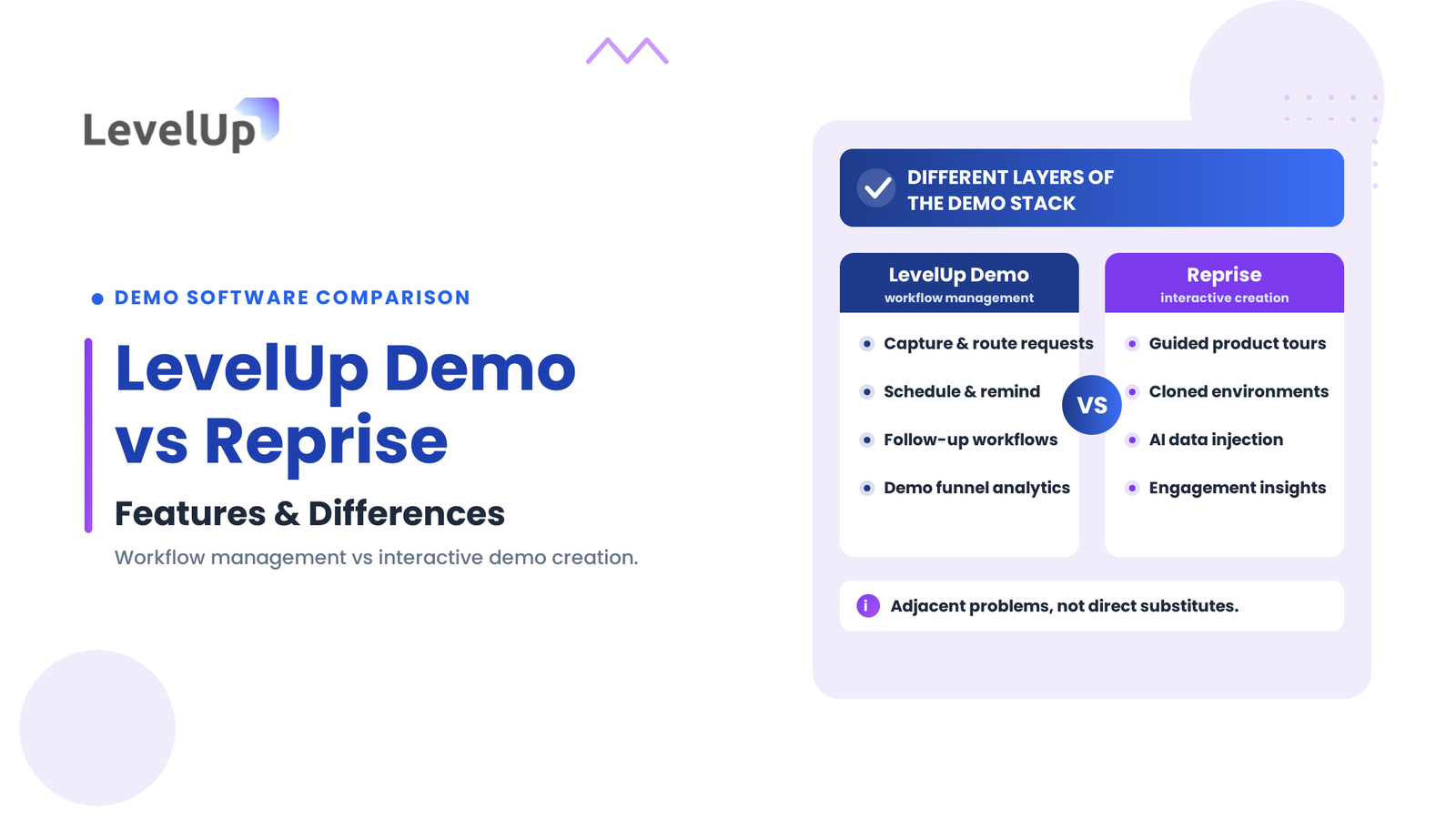
LevelUp Demo and Reprise both have “demo” in the name, but they sit in different layers of the stack. LevelUp Demo is a demo workflow management platform for the operational process around a sales demo. Reprise is an interactive demo creation platform for building guided product tours and demo environments. The right choice depends on whether your bottleneck is coordinating the demo lifecycle or producing the demo experience itself, and many teams eventually use one of each.
This comparison looks at what each platform does, where they differ, how they are priced, and which buyer should evaluate which, based on each vendor’s current documentation.
On this page
LevelUp Demo vs Reprise at a Glance
The table summarizes the two platforms across the factors that matter to a demo evaluation. The detail, and the caveats, follow below.
| Factor | LevelUp Demo | Reprise |
|---|---|---|
| Primary purpose | Demo workflow management | Interactive demo creation and product experiences |
| Main audience | Sales, RevOps and demo operations teams | Product marketing, sales enablement and presales teams |
| Demo request capture, qualification, routing | Yes (unified inbox, AI enrichment, auto-routing) | Not a core capability |
| Scheduling and follow-up | Yes (self-booking, reminders, recap and task workflows) | Not a core capability (demos are self-serve) |
| Interactive product tours | Not a core capability | Yes (personalized self-paced tours) |
| Cloned demo environments | Not a core capability | Yes (full HTML cloning, AI data injection) |
| Analytics focus | Demo funnel: conversion by source, rep and product | Demo engagement with the interactive experience |
| Integrations | CRM push (e.g. HubSpot) documented | Custom API, CRM and AI-assistant integrations documented |
| Pricing | Public plans by demo volume (Free, Starter, Growth) plus custom Enterprise | Quote-based; not publicly disclosed |
| Best fit | Teams managing the demo lifecycle | Teams building interactive product demonstrations |
Read the table as a framework rather than a verdict. The two tools are not direct substitutes; they solve adjacent problems, so the comparison is about which problem you have.
What Is LevelUp Demo?
Core purpose
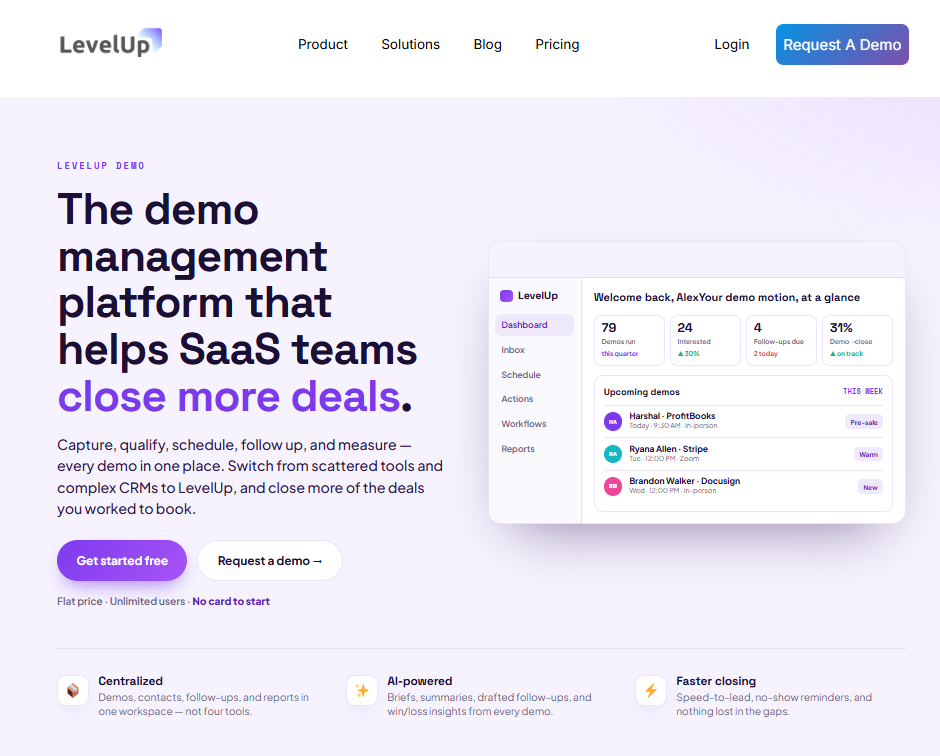
LevelUp Demo is a demo workflow management platform. It does not build your product demo; it manages everything around one, from the inbound request through scheduling, execution, follow-up, and reporting. The problem it targets is coordination: when a team runs many demos a month, the process around the demo (routing, follow-up, ownership, measurement) becomes the failure point, not the product.
Key capabilities
Organized by workflow stage, its documented capabilities include:
- Capture: a unified demo-request inbox that pulls requests from the website, ads, and manual entry, tagged by source.
- Qualify: AI enrichment that adds company size and industry on arrival, automatic qualification, and one-click rejection of junk leads.
- Route: automatic assignment to reps by territory, product, or current load.
- Schedule: prospect self-booking with real-time availability and time-zone handling, calendar sync, and reminders before the demo.
- Follow up: automatic recap emails, event-triggered workflows, and an actions queue of next steps and drafted follow-ups, with owners and due dates.
- Report: conversion by source, rep, and product, with win/loss summaries and rep scorecards; meetings and outcomes push to the CRM.
Who should consider LevelUp Demo?
A growing SaaS sales team that needs visibility into demo ownership, consistent follow-up, and conversion reporting. If demo requests sit in a shared inbox, scheduling takes several email volleys, and no one can see which demo motions actually close, the workflow layer is the gap LevelUp Demo is built to fill.
What Is Reprise?
Core purpose
Reprise is a platform for creating interactive product demonstrations. Its focus is presenting software through guided tours, customizable live overlays, and self-contained demo environments, so prospects can explore a realistic version of the product without a sandbox account, a live rep, or engineering support.
Key capabilities
Based on its current documentation, Reprise provides:
- Personalized, self-paced product tours.
- Live demo overlays that customize a running application without code.
- Full HTML cloning to build self-contained, resettable demo environments.
- AI data injection that changes the data shown in a demo, including charts and graphs.
- AI personalization that draws on CRM data, call transcripts, and internal notes.
- Sharing as live presentations, website-embedded tours, or interactive leave-behinds, with role-based access control and SSO.
Reprise also documents analytics on how prospects engage with a shared demo; confirm the specific metrics in its current documentation when engagement reporting is central to your decision.
Who should consider Reprise?
Product marketers building self-guided tours for a website, presales teams preparing tailored demonstrations, and sales reps who want to leave behind a personalized click-through after a call. The common thread is producing the demo artifact itself, at scale, without rebuilding a fragile live environment each time.
LevelUp Demo vs Reprise: Key Differences
The two platforms are sequential layers of the same motion rather than competing alternatives. The differences below help match each to a specific buyer requirement.
1. Demo workflow management vs interactive demo creation
This is the foundational distinction. A demo workflow platform addresses the operational process surrounding a sales demo; interactive demo software addresses how the product is presented and explored. Picture one team that struggles to assign and follow up on demo requests, and another that needs reusable, interactive demonstrations for different buyer personas. The first points to LevelUp Demo, the second to Reprise, and the categories are not mutually exclusive: a team using Reprise still needs to manage who requested the demo and what happens next, and a team using LevelUp Demo still needs a way to actually show the product.
2. Lead capture, qualification and routing
LevelUp Demo treats the demo request as the start of a managed pipeline: it captures requests, enriches and qualifies the lead, and assigns an owner by territory, product, or load. Reprise captures engagement data from an interactive demo, such as which features a prospect explored, but inbound request management, qualification, and routing are not its documented functions. For teams handling multiple reps, territories, or product lines, routing is a LevelUp Demo strength; do not assume Reprise performs lead qualification or that either tool supports a specific routing rule without confirming it.
3. Scheduling and post-demo follow-up
These products sit on opposite sides of the live-versus-self-serve line. LevelUp Demo documents self-booking, reminders, recap emails, follow-up workflows, and next-step tracking for a scheduled sales meeting. Reprise publishes interactive demos that prospects access on their own time, so there is no equivalent concept of scheduling a meeting inside it. If your need is booking and following up on live demos, that is LevelUp Demo’s territory; if it is distributing a self-serve experience, that is Reprise’s.
4. Interactive demos and demo environments
This is Reprise’s core. Its product exists to create interactive, clickable product replicas through application capture, guided tours, and cloned environments with injected data, which sit at the more realistic end of the spectrum compared with screenshot-based walkthroughs. Buyers should evaluate the level of realism, customization, interactivity, and the maintenance each approach requires. LevelUp Demo’s documentation does not describe interactive demo creation or environment cloning, so for a self-serve product experience, Reprise is the relevant tool.
5. Personalisation and sales enablement
Both touch personalization, but at different moments. Reprise personalizes the content a prospect sees, injecting prospect-specific data so a buyer views their own context reflected in the walkthrough. LevelUp Demo personalizes the operational process, routing a request to the right specialist and giving the rep account context and a pre-call brief before the conversation. One tailors what the prospect sees; the other tailors what the rep does. Which matters more depends on whether your gap is the demonstration or the sales motion around it.
6. Analytics and reporting
The platforms measure different things. LevelUp Demo’s analytics answer operational questions: how many requests came in, conversion by rep or segment, time to follow-up, and where prospects drop out of the sales process. Reprise’s analytics answer content questions: which product features attract attention and how prospects engage with a shared demo. A sales leader needs the funnel view; a product marketer needs the engagement view. Attribute specific reporting capabilities to a platform only where its documentation supports them, and pick based on the question you need to answer.
7. Integrations and implementation
Both document integrations: LevelUp Demo pushes meetings and outcomes to CRMs such as HubSpot, and Reprise documents a custom API, CRM and sales-enablement connectivity, and AI-assistant integrations. Specific integration depth, supported workflows, and setup requirements vary, so verify compatibility with your existing CRM, marketing automation, and analytics tools during evaluation rather than assuming an available integration supports the exact workflow you need. A native integration between LevelUp Demo and Reprise is not publicly confirmed.
8. Pricing and scalability
The pricing models differ in transparency. LevelUp Demo publishes plans priced by demo volume rather than per seat: a free tier, a Starter plan at $25/month and a Growth plan at $49/month with monthly demo limits, and a custom Enterprise tier, with unlimited users on paid plans. Reprise does not publish pricing; it is quote-based and tailored to each organization, so you contact Reprise’s sales team for a figure. Because the models and the categories differ, a direct price comparison would mislead: evaluate each against the budget for its own category, and clarify licensing, usage limits, implementation, support, and expansion costs for whichever you shortlist.
Pros and Limitations of LevelUp Demo vs Reprise
LevelUp Demo: strengths and considerations
Its strength is a purpose-built fit for the operational gaps that cost demo conversions: capture, qualification, routing, scheduling, follow-up, and funnel reporting across the lifecycle, with transparent, volume-based pricing. The main consideration is scope: it is not an interactive demo builder, so a team that also needs self-serve product tours will pair it with a separate tool. Confirm that its routing, scheduling, and reporting match your specific requirements before committing.
Reprise: strengths and considerations
Its strength is interactive demo creation at scale, including cloned environments and data injection, useful for both marketing-led and sales-led motions. The considerations are a mismatch rather than a flaw for a workflow buyer: it does not manage scheduling, routing, follow-up automation, or funnel conversion, and its pricing requires a sales conversation. Teams should also weigh the realism, personalization, and ongoing maintenance that interactive demos involve, confirmed against current documentation.
Which Should You Choose?
Choose LevelUp Demo if…
Your primary challenge is coordinating the demo lifecycle: managing requests, qualifying and routing leads, organizing scheduling and follow-up, and measuring workflow outcomes. If demos are poorly managed operationally, this is the layer that addresses it directly.
Choose Reprise if…
Your primary challenge is building interactive product demonstrations: guided tours, personalized click-through experiences, or tailored demo environments for your website and campaigns. If the team lacks a scalable way to show the product interactively, this is the gap it fills.
Consider both if…
Your organization needs both the workflow layer and interactive product experiences. A team can use Reprise to build the demos and LevelUp Demo to manage the surrounding process, which sits between the demo request and the CRM record. Before buying both, validate the integrations, decide who owns each workflow, and confirm how the two will connect, since a native integration is not publicly confirmed.
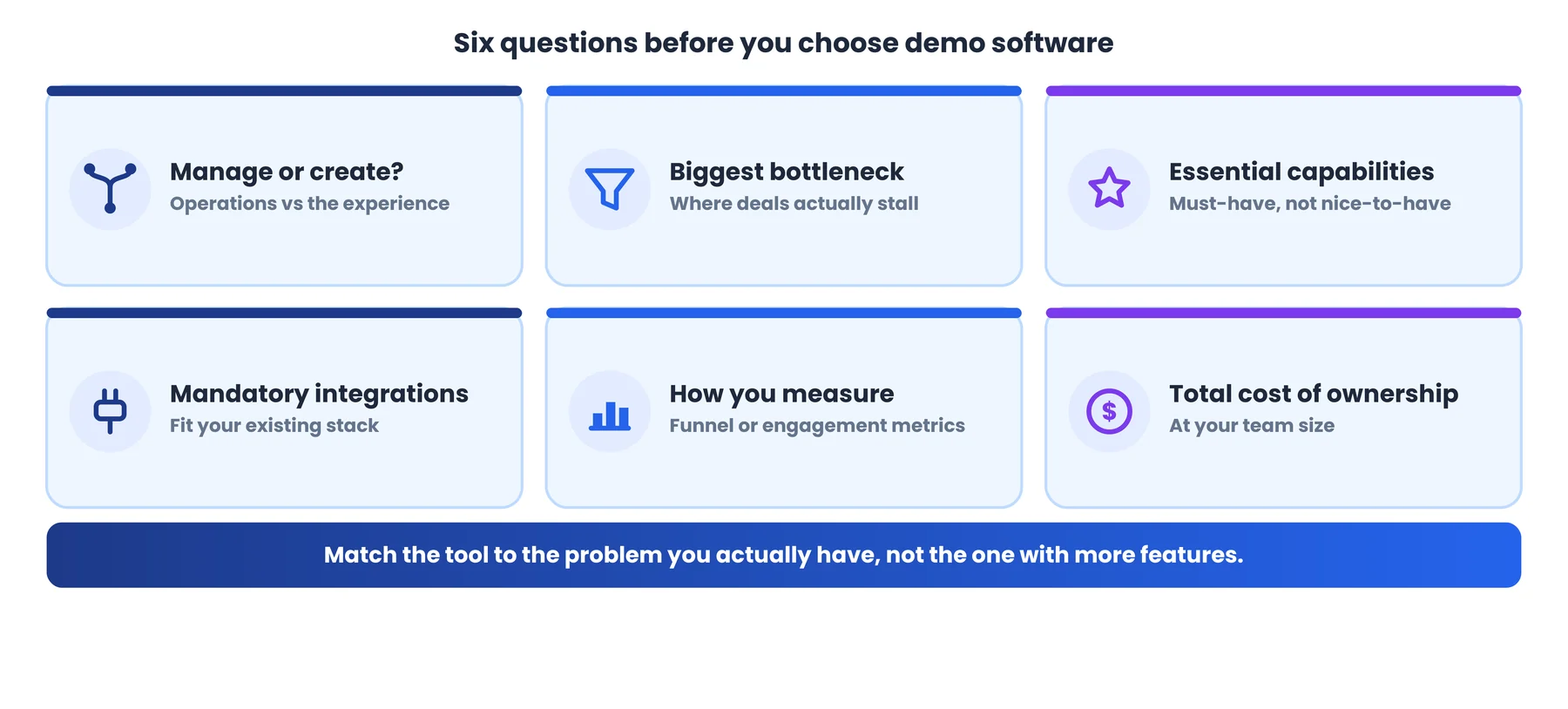
A short checklist before you decide:
- Do we need to manage sales demo operations or create the demo experience?
- What is the biggest current bottleneck?
- Which capabilities are genuinely essential, not just nice to have?
- Which integrations are mandatory with our existing stack?
- How will we measure success: funnel metrics or engagement metrics?
- What is the total cost of ownership at our team size?
Frequently Asked Questions
What is the main difference between LevelUp Demo and Reprise?
LevelUp Demo manages the sales demo process: capturing requests, qualifying leads, routing, scheduling, automating follow-up, and reporting on outcomes. Reprise creates the demo itself: interactive product tours, cloned environments, and personalized click-through experiences. They address different stages of the demo motion.
Is LevelUp Demo an interactive demo creation platform?
No. LevelUp Demo’s documented capabilities focus on demo workflow management, not building interactive product replicas. Managing demo operations and creating interactive product experiences are different jobs.
What is Reprise used for?
Reprise is used to build and share interactive product demonstrations: personalized guided tours, live demo overlays, and cloned demo environments that prospects can explore on their own, for website tours, leave-behinds, and tailored presales demos.
Can LevelUp Demo and Reprise be used together?
Potentially. A team could use Reprise to build interactive demos and LevelUp Demo to manage the surrounding workflow. A native integration between the two is not publicly confirmed, so validate compatibility before assuming a seamless combined workflow.
Which platform is better for SaaS sales teams?
It depends on the bottleneck. If demos are poorly managed operationally, LevelUp Demo addresses that directly. If the team lacks a scalable way to show the product interactively, Reprise fills that gap. Many mature organizations use both, served by different tools.
How much does Reprise cost?
Reprise does not publish pricing. It is quote-based and tailored to each organization’s scale and feature needs, so contact Reprise’s sales team for current pricing. LevelUp Demo, by contrast, publishes volume-based plans with a custom Enterprise tier.
What should I evaluate before choosing demo software?
Start by identifying whether the primary gap is process (workflow, scheduling, follow-up, reporting) or content (interactive demos, tours, environments). Then weigh functionality, integrations, analytics, maintenance, security, and total cost of ownership against that need.
Final Verdict
LevelUp Demo and Reprise share a word but solve different problems. LevelUp Demo is a workflow-management platform for running the demo as a sales operation; Reprise is an interactive demo creation platform for building the product experience itself. Neither is a universal winner, because the better tool is the one that matches your team’s actual bottleneck. If deals leak in the gaps between request and follow-up, start with the workflow. If deals stall because prospects never see the product compellingly, start with the interactive experience. If both are real, evaluate both and confirm how they will connect before buying.
See whether your demo process has operational gaps
If you are evaluating demo workflow management, explore how LevelUp Demo captures, routes, schedules, and reports on demos across the lifecycle, and whether the workflow layer is your missing piece.