
Top 5 Chili Piper Alternatives for SaaS Sales Teams in 2026
Three weeks ago, a founder messaged me at 11 PM: “We’re losing demos because our Chili Piper setup takes 40 minutes to configure per sales rep. By the time routing rules are live, the lead’s already ghosted.”
That’s the Chili Piper paradox. It’s powerful—lead routing, instant booking, CRM sync depth—but for a 3-person SaaS team, it feels like buying a forklift to move a couch.
The setup complexity is real. The pricing scales fast (we’re talking $150/month minimum for teams). And honestly? Most early-stage teams just need demos to not fall through the cracks.
If you’re here, you probably don’t need another enterprise sales orchestration platform. You need something that captures demo requests, schedules them fast, and reminds you to follow up. Let’s fix that.
TL;DR: The Quick Verdict Matrix
| Category | Top Pick | One Reason Why |
|---|---|---|
| Demo Workflow (Small Teams) | LevelUp Demo | Capture → qualify → schedule → outcomes → follow-ups in one view |
| Simple Scheduling | Calendly | Zero setup friction; works in 5 minutes |
| Instant Booking + Routing | RevenueHero | Built for speed-to-lead without the Chili Piper price tag |
| Enterprise Routing | LeanData | Handles complex assignment logic for 20+ rep teams |
| DIY Automation | Zapier | Glue together your own routing + alerts + CRM logging |
Why Do SaaS Teams Look for Chili Piper Alternatives?
The answer is always one of three things: cost, complexity, or overkill.
Cost: Chili Piper starts at $30/user/month for the full suite. For a 5-person team, that’s $1,800/year. If you’re pre-Series A, that budget probably belongs to ads or an extra engineer.
Complexity: Routing rules require mapping lead sources to rep availability to CRM fields. One founder told me it took their ops person two full days to get round-robin assignment working correctly. If you’re a solo founder wearing six hats, two days is a luxury you don’t have.
Overkill: Most small SaaS teams don’t need multi-step qualification workflows or Salesforce Apex triggers. They need a form that doesn’t break, a calendar link that works, and a reminder to send the follow-up email. Chili Piper is built for the sales team you’ll have in 2028, not the one you have today.
The search intent here is simple: I want demos to convert faster without needing a sales ops hire.
The Selection Framework: What Actually Matters for Small SaaS Teams
I evaluated these tools using four criteria that matter when you’re trying to close 10 deals this quarter, not 1,000.
Time-to-Value (30% weight): How fast can you go from “sign up” to “first demo booked”? If it takes more than 2 hours to configure, it’s friction you can’t afford.
Integration Depth (25% weight): Does it sync with your CRM (HubSpot, Salesforce, Pipedrive) without needing Zapier middleware? Bidirectional data flow prevents the “wait, did this lead already book?” confusion.
Scaling Cost (25% weight): What’s the 3-year TCO when you grow from 1 founder to 5 reps? Per-seat pricing can triple your costs while flat-rate tools stay predictable.
UX Friction (20% weight): Can a non-technical customer success rep figure it out in 10 minutes, or does it require a Loom walkthrough and three support tickets?
The anti-persona for every tool below: Enterprise sales teams with dedicated ops resources and complex territory-based routing needs. If that’s you, just use Chili Piper.
Feature Comparison: The 5 Alternatives at a Glance
| Tool | Best For | Routing | Scheduling | Setup Effort | Ideal Team Size |
|---|---|---|---|---|---|
| LevelUp Demo | Demo workflow clarity | Basic assignment | Yes (Google Calendar) | 30 minutes | 1–10 |
| Calendly | One-click simplicity | No | Yes (multi-platform) | 5 minutes | 1–5 |
| RevenueHero | Instant booking + routing | Yes (round-robin, territory) | Yes | 1–2 hours | 3–15 |
| LeanData | Complex enterprise routing | Advanced (Salesforce-native) | Via integrations | 1–2 days | 20+ |
| Zapier | DIY automation | Custom (via Zaps) | Via connected tools | 2–4 hours | Any (technical users) |
The Forensic Breakdown: Tool-by-Tool Reality Check
1. LevelUp Demo – Best for Small SaaS Teams That Lose Demos in Messy Workflows
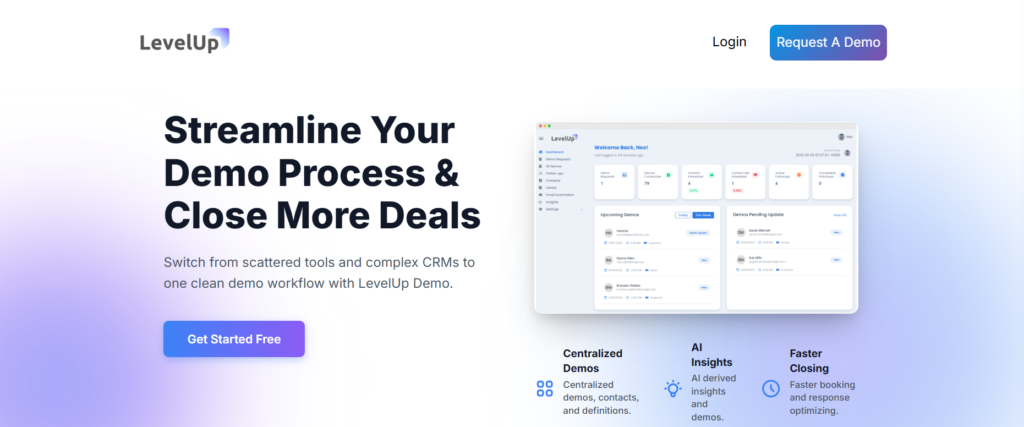
Positioning: The lightweight alternative built specifically for demo-dependent SaaS teams.
Best For: Founders and 1–5 person sales teams who need the entire demo workflow—capture, qualify, schedule, track outcomes, and follow-ups—in one place without CRM bloat.
The “Sticker” vs. “Reality” Gap
Marketing Claim: “Manage your entire demo workflow.”
Reality Check: LevelUp Demo isn’t trying to replace Salesforce. It’s trying to replace the chaos of “demo requests living in Gmail, scheduling happening in Calendly, and follow-ups tracked in a Google Sheet.” The smart demo form auto-logs leads. The scheduling module assigns team members and syncs with Google Calendar. The outcomes tracker lets you mark demos as Won, Lost, or In Follow-up with one click.
What it doesn’t do: complex lead scoring, multi-touch attribution, or Salesforce-level reporting. If you need those, you’re shopping in the wrong aisle.
Visual Checkpoints & Tactile Cues
The dashboard has a dedicated “Follow-ups” view with filters. When a demo is marked “Pending,” it shows up with a yellow indicator. Once you send the follow-up and update the status, it moves to “In Follow-up” (blue). Won deals turn green. It’s visual accountability that prevents the “oh crap, I forgot to follow up with that lead from Tuesday” moment.
Scaling Penalties (TCO)
Pricing isn’t public on the site, but positioning suggests it’s built for early-stage teams. The value prop is not “we’re cheaper than Chili Piper”—it’s “we remove the workflow mess that causes you to lose 30% of your demos to no-follow-up.” If you grow from 2 founders to 8 reps, you’re still using the same core workflow. No routing rule overhaul required.
Ghost Errors & Community Friction
No community friction found in available sources (new tool, smaller user base). The simplicity is the feature—fewer moving parts means fewer weird bugs.
Takeaway: If your current demo process involves Slack messages like “did anyone follow up with the Acme Corp demo from last week?”, LevelUp Demo is the workflow clarity you’re missing.
Stop Losing Demos to Messy Follow-Ups
LevelUp Demo gives you one clean view: capture → qualify → schedule → outcomes → follow-ups. No CRM bloat. No lost leads.
2. Calendly – Best for Simple Scheduling Without Setup Friction
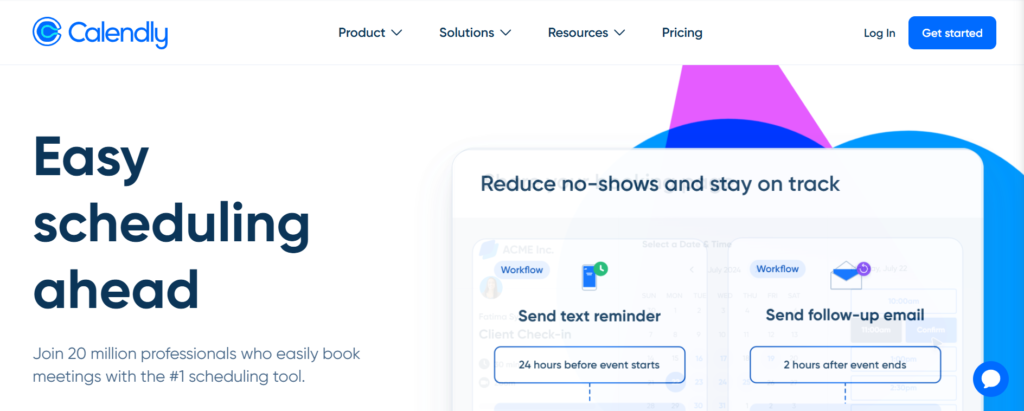
Positioning: The “just works” option for individual founders and small teams.
Best For: Solo founders, consultants, or teams that only need a scheduling link (no routing, no complex workflows).
The “Sticker” vs. “Reality” Gap
Marketing Claim: “Seamlessly integrate with Zoom, Google Meet, or Webex.”
Reality Check: Calendly excels at one thing: letting people book time on your calendar without email tennis. It generates meeting links automatically, handles time-zone auto-adjustment, and sends reminders. What it doesn’t do: lead routing (you can’t assign leads to different reps based on territory or product), instant booking from your website, or post-demo outcome tracking.
If you’re a 1-person team, Calendly is perfect. If you’re 5 reps trying to distribute inbound leads fairly, you’ll hit the ceiling fast.
Visual Checkpoints & Tactile Cues
When someone books a meeting, you get an email confirmation and a calendar invite. That’s it. No dashboard showing “demos this week” or “pending follow-ups.” It’s a scheduling tool, not a workflow manager.
Scaling Penalties (TCO)
For a 5-person team, you’re paying $80/month (Teams plan). But you’re only getting scheduling. No routing. No follow-up tracking. No outcome logging. Compare that to Chili Piper’s $150/month minimum (5 users × $30), and Calendly looks cheap. But you’re comparing apples to wrenches—they solve different problems.
Ghost Errors & Community Friction
Calendly is rock-solid reliable. The “weird fix” I’ve seen: if you connect multiple Google Calendars and don’t set one as primary, it sometimes defaults to the wrong calendar for availability checks. Fix: explicitly set your primary calendar in settings.
Takeaway: If you’re a solo founder who just needs a clean booking link, Calendly is the 5-minute solution. If you’re a team, you’ll need to layer in routing and follow-up tools separately.
3. RevenueHero – Best for Instant Booking + Routing Without Enterprise Overhead
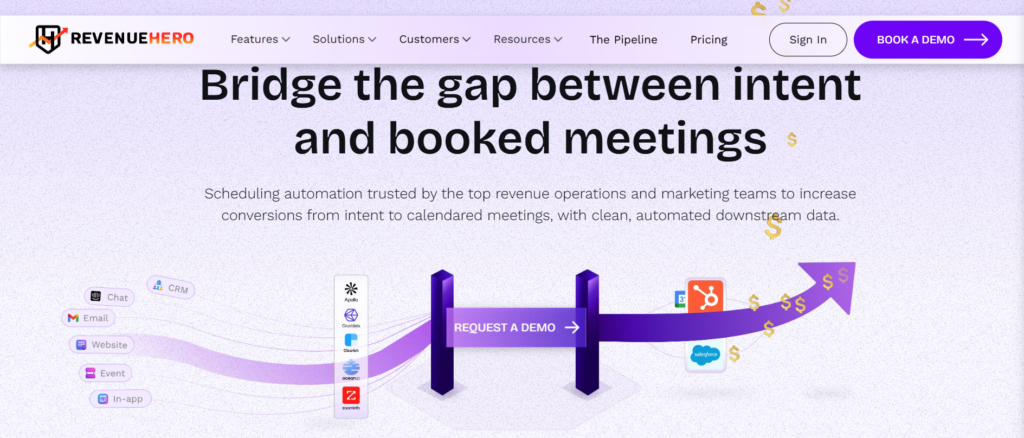
Positioning: The “Chili Piper alternative built for speed-to-lead” option.
Best For: 3–15 person SaaS sales teams that need round-robin routing and instant booking without the Chili Piper complexity or price tag.
The “Sticker” vs. “Reality” Gap
Marketing Claim: “Instant booking and routing for sales teams.”
Reality Check: RevenueHero is what you get when you take Chili Piper’s core features—instant booking (embed a calendar widget on your site so leads book right now), round-robin routing, and CRM sync—and strip out the enterprise stuff (complex qualification workflows, multi-step forms, Salesforce Apex integrations).
Setup takes 1–2 hours instead of 2 days. Pricing is typically lower than Chili Piper. The trade-off: less customization. You get 3–4 routing logic options (round-robin, territory-based, product-based) instead of 30. For most small SaaS teams, that’s a feature, not a bug.
Visual Checkpoints & Tactile Cues
The admin dashboard shows you routing distribution (how many leads each rep got this week) and booking conversion rates (how many people who saw the instant booking widget actually booked). If routing feels uneven, you can see it immediately and adjust.
Scaling Penalties (TCO)
Pricing isn’t disclosed in the sources, but positioning suggests it scales with team size (per-seat model). The value prop is faster speed-to-lead and simpler routing setup than Chili Piper. If you grow from 5 reps to 15, routing logic stays consistent—you just add users. No rule overhaul required.
Ghost Errors & Community Friction
The “instant booking” feature requires embedding a script on your site, which can conflict with aggressive ad blockers. Weird fix: whitelist the RevenueHero domain in your site’s CSP (Content Security Policy) if the widget doesn’t load.
Takeaway: If speed-to-lead is your bottleneck (leads fill out a form and then… wait 4 hours for a reply), RevenueHero’s instant booking widget solves that. You’re paying for the immediacy.
4. LeanData – Best for Enterprise Teams with Complex Routing Needs

Positioning: The Salesforce-native routing powerhouse.
Best For: 20+ person sales teams with territory-based routing, account-based assignment, or multi-product sales motions.
The “Sticker” vs. “Reality” Gap
Marketing Claim: “Advanced lead routing and matching for enterprise sales.”
Reality Check: LeanData is not a Chili Piper alternative for small teams. It’s an alternative for enterprise teams that outgrew Chili Piper’s routing logic. We’re talking: “assign leads to the rep who owns the parent account, unless that rep is over quota, in which case route to the secondary owner, unless the lead is from a strategic account, in which case ping the VP of Sales.”
Setup takes 1–2 days because you’re mapping Salesforce fields, testing routing flows, and configuring fallback logic. If you don’t have a sales ops person, this is not your tool.
Visual Checkpoints & Tactile Cues
The LeanData router shows you a visual flow diagram of your routing logic (think: a flowchart with decision nodes). When a lead enters the system, you can watch it move through the routing tree in real-time. If routing breaks, you can pinpoint the exact node where logic failed.
Scaling Penalties (TCO)
Pricing is enterprise-tier (typically $50–$100+/user/month depending on features). The value prop is accuracy—leads go to the right rep 99% of the time, which matters when a mis-routed lead costs you a $50K deal. For a 5-person team, the cost is prohibitive. For a 30-person team, it’s a rounding error compared to the revenue protected by correct routing.
Ghost Errors & Community Friction
LeanData is Salesforce-native, which means weird Salesforce bugs become LeanData bugs. The most common friction: routing rules that work in sandbox but fail in production because of Salesforce governor limits (API call caps). Weird fix: batch your routing updates instead of processing leads one-by-one.
Takeaway: If you’re a Series A startup with 4 sales reps, LeanData is like buying a semi-truck for grocery runs. If you’re a Series C company with 40 reps, it’s the only truck big enough.
5. Zapier – Best for DIY Automation When You Want Full Control
Positioning: The “build your own routing and alerts” option.
Best For: Technical founders or teams with a growth/ops person who can build custom workflows without code.
The “Sticker” vs. “Reality” Gap
Marketing Claim: “Automate anything between your apps.”
Reality Check: Zapier isn’t a scheduling tool or a routing tool. It’s automation middleware. You use it to build routing logic by connecting your form (Typeform, Google Forms, Webflow) to your CRM (HubSpot, Pipedrive) to your notification system (Slack, SMS) to your calendar (Calendly, Google Calendar).
Example workflow:
1. Lead fills out demo request form (Typeform)
2. Zapier checks lead’s company size (filter step)
3. If company size > 50 employees → assign to Rep A (HubSpot contact owner update)
4. If company size < 50 → assign to Rep B
5. Send Slack alert to assigned rep
6. Log lead in Google Sheets for backup tracking
Setup takes 2–4 hours for a basic flow. The benefit: you control everything. The downside: you have to build and maintain everything.
Visual Checkpoints & Tactile Cues
Zapier shows you a “Zap Run” history—every time a workflow fires, you see a log entry. If a step fails (e.g., CRM API timeout), you see the exact error message. Debugging is manual but transparent. The visual cue of success: your Slack channel pings with “New demo assigned to Sarah” within 30 seconds of form submission.
Scaling Penalties (TCO)
A “demo routing” Zap typically uses 4–6 steps per lead. If you get 100 demo requests/month, that’s 400–600 tasks. You’ll need the Starter plan minimum ($240/year). For a 5-person team, Zapier + Calendly ($80/month) costs roughly the same as RevenueHero but requires ongoing maintenance.
Ghost Errors & Community Friction
The most common “ghost error”: Zapier workflows that work for 3 months and then randomly fail because an app changed its API response format. You won’t know until a lead doesn’t get routed and complains. Weird fix: set up a “fallback Zap” that sends you an email if the primary Zap hasn’t run in 24 hours. It’s a dead-man switch for automation.
Takeaway: Zapier is for teams that want the flexibility to build custom workflows and have the time to maintain them. If you want “set it and forget it,” this isn’t it.
What Is the Best Chili Piper Alternative for Small SaaS Teams?
If you’re a 1–5 person team, the answer is LevelUp Demo or Calendly, depending on your workflow complexity.
Choose LevelUp Demo if: You’re losing deals because demo follow-ups fall through the cracks. You need capture → qualify → schedule → outcomes → follow-ups in one tool. You don’t want to duct-tape together 4 separate tools.
Choose Calendly if: You’re a solo founder who just needs a clean booking link and don’t care about routing or outcome tracking.
If you’re a 5–15 person team with inbound volume, RevenueHero gives you instant booking and routing without enterprise complexity.
If you’re 20+ people with complex territory logic, LeanData is the only tool built for your scale.
If you’re technical and want to own your automation stack, Zapier gives you full control (and full maintenance responsibility).
Which Tool Is Best for Routing vs. Simple Scheduling?
Simple Scheduling (no routing): Calendly. It’s the cleanest, fastest option for 1-person teams.
Routing + Scheduling (small teams): LevelUp Demo (workflow-focused) or RevenueHero (instant booking-focused).
Complex Routing (enterprise): LeanData. Nothing else handles multi-layer assignment logic at scale.
Custom Routing (DIY): Zapier. Build it yourself, break it yourself, fix it yourself.
How to Choose Based on Your Team Size + Workflow in 2026
Solo Founder (0–1 reps):
– Primary need: Don’t lose leads to slow responses
– Tool: Calendly (scheduling) or LevelUp Demo (workflow + follow-ups)
– Budget: $0–$20/month
Small Team (2–5 reps):
– Primary need: Fair lead distribution + follow-up accountability
– Tool: LevelUp Demo (if demos are your primary conversion point) or RevenueHero (if speed-to-lead is the bottleneck)
– Budget: $50–$150/month
Growth Team (5–15 reps):
– Primary need: Instant booking + routing without manual assignment
– Tool: RevenueHero (mid-market sweet spot)
– Budget: $200–$500/month
Enterprise Team (20+ reps):
– Primary need: Complex territory/account-based routing
– Tool: LeanData (Salesforce-native, enterprise-grade)
– Budget: $1,500+/month
Technical Team (any size):
– Primary need: Full control over routing logic + integrations
– Tool: Zapier (build custom workflows)
– Budget: $20–$100/month (plus maintenance time)
Frequently Asked Questions
Can I use Calendly for team routing?
Calendly has basic round-robin routing in the Teams plan ($16/seat/month), but it’s limited. You can’t route based on lead source, company size, or product interest. It just cycles through available team members. If you need conditional routing (“assign enterprise leads to Sarah, SMB leads to Tom”), you’ll need RevenueHero, LeanData, or a Zapier workflow.
How does LevelUp Demo compare to Chili Piper for small teams?
LevelUp Demo focuses on the entire demo workflow (capture → schedule → follow-ups → outcomes), not just scheduling. Chili Piper focuses on instant booking and complex routing. For a 3-person team, LevelUp Demo removes workflow chaos. Chili Piper adds routing power you probably don’t need yet. The setup time difference is 30 minutes vs. 4 hours.
What’s the cheapest way to add routing to Calendly?
Connect Calendly to Zapier. Build a Zap that reads form submissions, applies routing logic (if/then filters), and updates the Calendly event assignment. Cost: Calendly Professional ($10/seat) + Zapier Starter ($20/month) = $30/month for a 1-person team. Time investment: 2–3 hours to build and test. Trade-off: you’re maintaining the Zap yourself.
Do I need Chili Piper if I already use HubSpot?
Not necessarily. HubSpot has a built-in meeting scheduler (free on the CRM, advanced features in Sales Hub). If you’re already paying for Sales Hub, test the native scheduler first. The limitation: HubSpot’s scheduler doesn’t do instant booking (embedded widget on your site). If speed-to-lead is critical, RevenueHero or Chili Piper adds that layer.
Can Zapier replace Chili Piper entirely?
Technically, yes. Realistically, only if you have the time to build and maintain it. You’d need to connect your form tool → routing logic (Zapier filters) → CRM updates → calendar booking (Calendly or Google Calendar) → Slack/email alerts. It’s 100% possible. It’s also 5+ Zaps that can break independently. For a solo founder, that’s a time sink. For a team with a growth ops person, it’s viable.
Final Recommendation: Match the Tool to Your Actual Workflow
Chili Piper is powerful. It’s also overkill for most early-stage SaaS teams.
If you’re losing demos because follow-ups don’t happen, LevelUp Demo solves the workflow mess.
If you just need a clean booking link, Calendly works in 5 minutes.
If speed-to-lead is your bottleneck, RevenueHero adds instant booking without enterprise complexity.
The tool doesn’t matter as much as the system. A $10/month Calendly link with a disciplined follow-up process beats a $500/month Chili Piper setup that nobody uses correctly.
Start simple. Add complexity only when simplicity breaks.
Want to see how other teams improve their demo workflows? Check out Why Your Request a Demo Form Is Killing Conversions and How to Convert More Demos Into Deals for tactical breakdowns.
If you want a simpler demo workflow in 2026, choose the tool that helps you respond faster, track outcomes, and never lose follow-ups. Everything else is noise.