I still remember the Tuesday morning I realized we’d lost three qualified demo leads in a single week. Not because they weren’t interested—but because I forgot to follow up. One lead literally emailed me asking if we were still in business. That moment stung, and it made me realize something crucial: as a small business owner, I wasn’t losing sales because my product was bad or my pricing was off. I was losing sales because my process was a mess.
If you’ve ever felt that pit in your stomach when you realize a hot lead went cold because you got busy, or you’ve scrambled to remember what you discussed in last week’s demo, you’re not alone. According to Salesforce, 80% of business buyers say that the experience a company provides is as important as its products and services. That means even if you have the best solution in the world, a clunky sales process can cost you the deal.
Here’s the good news: you don’t need a massive sales team or expensive enterprise software to turn things around. In this guide, I’m sharing five practical, battle-tested ways to increase sales in your small business—methods that work whether you’re a solo founder juggling everything or leading a small sales team of 2-5 people. These aren’t theoretical strategies; they’re the exact approaches that helped us (and dozens of other small businesses I’ve worked with) stop losing leads and start closing more deals.
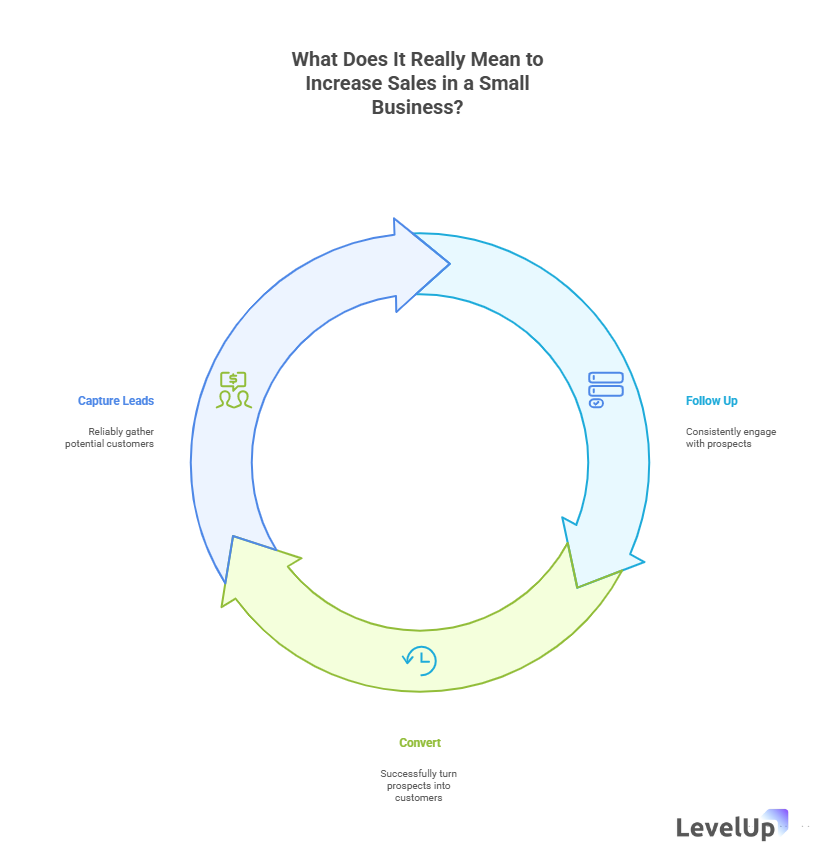
So, What Does It Really Mean to Increase Sales in a Small Business?
When we talk about increasing sales in a small business, we’re not just talking about making more money (though that’s definitely part of it). We’re talking about creating a repeatable, reliable system that turns interested prospects into paying customers—without burning you out in the process.
For small teams, this means three things:
- Capturing leads reliably so nothing falls through the cracks
- Following up consistently even when you’re swamped
- Converting demos or consultations at a higher rate
The challenge? Most small businesses try to scale using the same manual processes that worked when they had 10 leads a month. But when you hit 30, 50, or 100 inquiries, spreadsheets and memory just don’t cut it anymore. That’s when sales start to slip—not because demand dropped, but because your system can’t keep up.
Why This Matters (And Why It Matters Right Now)
Let me paint you a picture. Last year, I talked to a SaaS founder who was getting 40 demo requests per month. Sounds great, right? Except he was only converting about 15% of them into customers. When we dug into his process, the problem became obvious: he was manually scheduling demos via email (sometimes taking 5-6 messages just to find a time), tracking follow-ups in a notes app, and completely forgetting about leads that didn’t respond immediately.
He wasn’t lazy. He was drowning.
Here’s what the data tells us: 66% of small business owners are predicting higher sales in 2025, according to recent research from the Detroit Regional Partnership. That optimism is fantastic—but it also means competition is heating up. The businesses that will win aren’t necessarily the ones with the flashiest marketing or the biggest budgets. They’re the ones with tight, efficient sales processes that don’t let opportunities slip away.
And here’s the kicker: small businesses that adopt technology early—especially AI and automation—are positioned to have a competitive edge over others in the industry, according to the UH SBDC. But (and this is important) you don’t need to overcomplicate things. The goal isn’t to become a tech company. The goal is to use simple tools to do what you’re already doing, just better and faster.
How Does Increasing Sales in a Small Business Actually Work in Practice?
Okay, let’s get practical. Increasing sales isn’t about working harder—it’s about removing friction from your sales process so more leads naturally convert. Think of it like this: if your sales process is a funnel, every manual step, every delayed follow-up, every confused handoff is a leak. We’re going to plug those leaks.
Here’s what that looks like in real life:
Before: A lead fills out your “Contact Us” form. You get an email notification. You’re in a meeting, so you make a mental note to respond later. Later turns into tomorrow. Tomorrow turns into next week. The lead moves on.
After: A lead fills out your demo request form. It’s automatically logged in your system with qualification details. You get a notification. The lead receives an instant confirmation email. A calendar link is sent automatically. The demo gets scheduled without a single back-and-forth email. You show up prepared because all their information is in one place.
See the difference? Same lead, same interest level—but the second scenario removes all the friction that kills conversions.
The 5 Simple Ways to Increase Sales in Your Small Business
1. Streamline Your Demo Scheduling and Follow-Up Process
Let me be blunt: if you’re still doing the “What times work for you?” email dance, you’re losing deals. I learned this the hard way when a competitor closed a deal with a prospect I’d been “trying to schedule with” for two weeks.
Why this matters:
Manual scheduling takes an average of 5-7 emails and 3-4 days to book a single meeting. In that time, your lead has talked to three competitors, two of whom made it easy to book instantly.
How to do it:
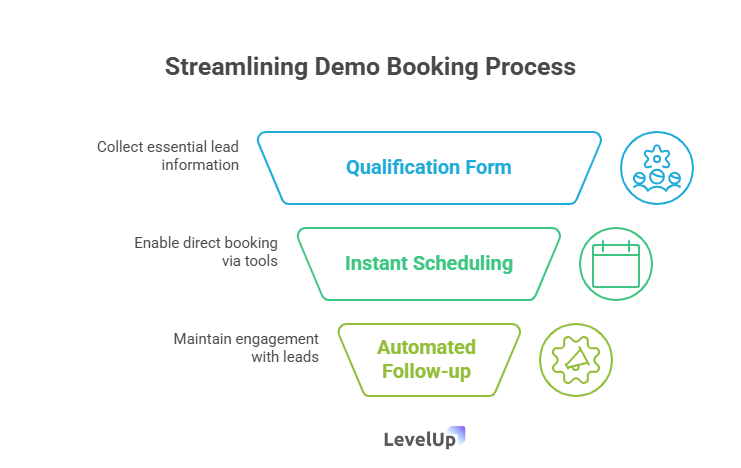
First, replace your generic contact form with a smart demo request form that captures qualification information upfront. Ask questions like:
- Company size
- Current solution (if any)
- Biggest challenge
- Timeline
This isn’t just data collection—it’s lead qualification happening automatically while you sleep.
Second, integrate a scheduling tool directly into your confirmation flow. Tools like Calendly or the scheduling features in platforms like HubSpot let leads book time on your calendar instantly. No back-and-forth, no timezone confusion, no missed opportunities.
Third—and this is where most small businesses drop the ball—automate your follow-up sequence. If someone books a demo, they should receive:
- Immediate confirmation email
- Reminder 24 hours before (with prep questions or materials)
- Post-demo follow-up within 2 hours
- Check-in email 3 days later if they haven’t responded
Real-world example:
A small B2B SaaS company I worked with implemented automated scheduling and follow-up. Their demo booking rate jumped from 32% to 67% in the first month. Why? Because they removed every point of friction between “I’m interested” and “Let’s talk.”
Common mistakes to avoid:
- Asking for too much information upfront (keep it to 4-5 essential fields)
- Not sending confirmation emails immediately
- Forgetting to add calendar reminders for yourself
- Failing to follow up within 24 hours after a demo
Quick tip: Set up a simple CRM or demo management tool to centralize all this. You don’t need Salesforce-level complexity. You need a single place where you can see: Who requested a demo? When is it scheduled? What happened? What’s the next step? If you’re tracking this across email, calendar, and a spreadsheet, you’re making it way harder than it needs to be.
2. Leverage Marketing Automation to Nurture Leads
Here’s something I wish someone had told me three years ago: not every lead is ready to buy right now. But that doesn’t mean they won’t be ready in three weeks, three months, or three quarters.
The problem? Most small businesses treat leads as binary: they either convert immediately or they disappear forever. That’s leaving money on the table.
Why automation matters:
Marketing automation ensures that leads who aren’t ready to buy today still hear from you when they are ready. According to Salesforce, automated email campaigns triggered by specific actions (like downloading content or visiting a pricing page) can dramatically increase engagement and conversions.
How to do it:
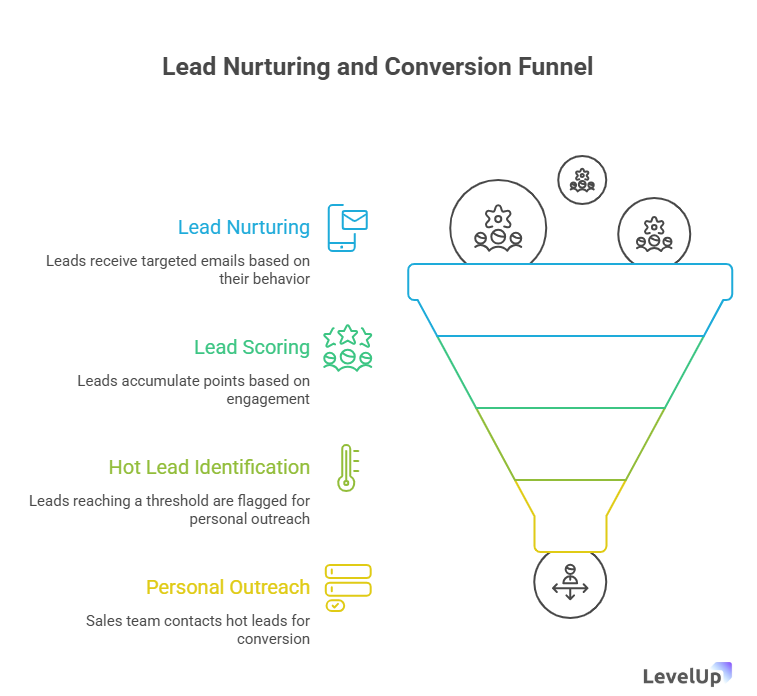
Start with simple email drip campaigns based on lead behavior:
The “Just Browsing” sequence: For leads who visit your site but don’t request a demo
- Day 1: Welcome email with your key value proposition
- Day 3: Customer success story or case study
- Day 7: Educational content (guide, webinar, etc.)
- Day 14: Direct CTA to schedule a demo or call
The “Demo Completed” sequence: For leads who attended a demo but didn’t commit
- Same day: Thank you email with key takeaways and next steps
- Day 2: Address common objections or questions
- Day 5: Share a relevant case study or testimonial
- Day 10: Limited-time incentive or final check-in
The “Not Ready Yet” sequence: For leads who explicitly said they’re not ready
- Month 1: Check-in with new feature or update
- Month 2: Share industry insights or trends
- Month 3: Offer to reconnect
Lead scoring is the other piece of this puzzle. Assign points to different actions:
- Visited pricing page: +10 points
- Downloaded a guide: +5 points
- Opened three emails: +5 points
- Requested a demo: +20 points
When a lead hits a certain score (say, 30 points), they get flagged as “hot” and you prioritize reaching out personally.
Real-world example:
A small agency I consulted for started using lead scoring and automated nurture sequences. They discovered that 40% of their eventual customers took 60+ days from first contact to close. Before automation, most of those leads would have been forgotten. After? They closed 23% more deals without adding a single salesperson.
Common mistakes to avoid:
- Sending too many emails too quickly (you’re nurturing, not spamming)
- Using the same generic message for every lead
- Forgetting to personalize (use their name, company, and specific pain points)
- Not monitoring which emails actually get opened and clicked
Quick tip: You don’t need expensive marketing automation software to start. Start simple with 2-3 sequences and expand as you learn what works.
3. Adopt AI to Make Smarter, Faster Sales Decisions
Okay, I know “AI” has become one of those buzzwords that gets thrown around everywhere. But hear me out—because AI in sales isn’t about replacing humans or building some sci-fi robot salesperson. It’s about using smart tools to handle the repetitive stuff so you can focus on the human parts that actually close deals.
Why AI matters:
Small businesses that are early adopters of technology, particularly AI, are positioned to have a competitive edge, according to UH SBDC research. AI can analyze patterns you’d never spot manually, predict which leads are most likely to convert, and automate routine tasks that eat up your day.
How to do it:
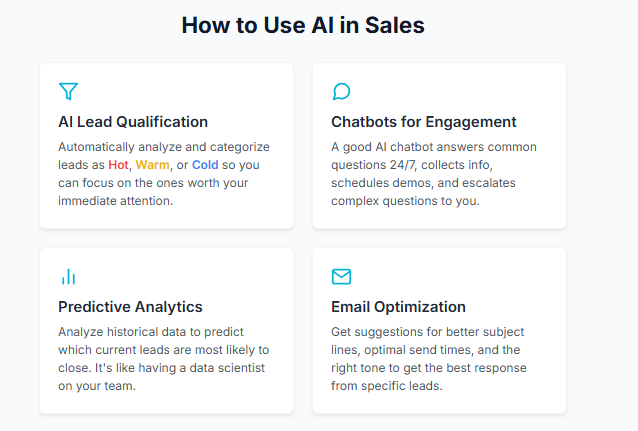
Lead qualification: AI-powered tools can analyze incoming leads and automatically categorize them as hot, warm, or cold based on dozens of factors—company size, behavior on your site, email engagement, and more. Instead of you manually reviewing every lead, AI flags the ones worth your immediate attention.
Chatbots for initial engagement: I was skeptical about chatbots until I saw them in action. A good AI chatbot on your website can:
- Answer common questions 24/7
- Collect basic qualification information
- Schedule demos instantly
- Escalate complex questions to you
The key word is “good.” A bad chatbot frustrates people. A good one feels helpful and gets leads the information they need faster than waiting for an email response.
Predictive analytics: This is where AI gets really interesting. Tools like Salesforce Einstein or HubSpot’s predictive lead scoring analyze your historical data to predict which current leads are most likely to close. It’s like having a data scientist on your team who says, “Hey, leads that look like this one have an 85% close rate—prioritize them.”
Email optimization: AI tools can analyze your sent emails and suggest better subject lines, optimal send times, and even predict which tone (friendly vs. formal, short vs. detailed) will get the best response from specific leads.
Real-world example:
A small SaaS startup I know implemented an AI chatbot and lead scoring system. Within two months, they found that:
- 30% of their site visitors engaged with the chatbot outside business hours
- AI-scored “hot” leads converted at 3x the rate of manually-qualified leads
- They saved roughly 10 hours per week on initial lead qualification
The founder told me, “I used to spend Monday mornings sorting through weekend inquiries. Now the AI has already done it, and I start my week talking to qualified leads.”
Common mistakes to avoid:
- Implementing AI tools without understanding what problem they solve
- Using chatbots that sound robotic or unhelpful
- Trusting AI scores blindly without occasionally validating them
- Overcomplicating your setup with too many AI tools at once
Quick tip: Start with one AI-powered feature that solves your biggest pain point. If you’re drowning in unqualified leads, start with AI lead scoring. If you’re missing leads outside business hours, try a chatbot. Don’t try to implement everything at once.
4. Focus on Customer Engagement and Building Loyalty
Here’s a truth that took me too long to learn: acquiring a new customer costs 5-7 times more than retaining an existing one. Yet most small businesses (including my past self) spend 90% of their energy chasing new leads and 10% nurturing existing customers.
That’s backwards.
Why engagement matters:
Engaged customers buy more, stay longer, and refer others. According to Biz2Credit, building rapport with your customers should be the cornerstone of any sales approach. Small businesses have a huge advantage here—you can offer a personal touch and outstanding customer service that larger competitors struggle to provide.
How to do it:
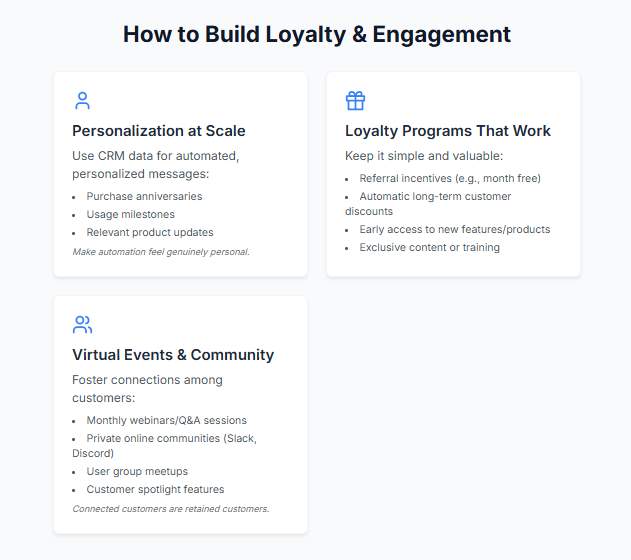
Personalization at scale: Use your CRM data to send personalized messages based on customer behavior:
- Purchase anniversary: “It’s been a year since you joined us—here’s a special thank you offer”
- Usage milestones: “You just completed your 100th [action]—that’s awesome!”
- Relevant updates: “Based on how you use our product, this new feature will save you time”
The key is making automation feel personal. Use their name, reference their specific usage or purchase history, and make the message about them—not you.
Loyalty programs that actually work: Forget complicated point systems. Simple loyalty programs work best for small businesses:
- Refer a friend, get a month free
- Long-term customer discounts (automatically applied)
- Early access to new features or products
- Exclusive content or training
Virtual events and community building: One of the smartest moves I’ve seen small businesses make is creating a sense of community among their customers. This could be:
- Monthly webinars or Q&A sessions
- Private Slack or Discord community
- User group meetups (virtual or in-person)
- Customer spotlight features
When customers feel connected to your business and each other, they stick around.
Real-world example:
A small B2B service company started a simple referral program: refer a qualified lead, get $500 off your next renewal. Within six months, 35% of their new business came from referrals. But here’s the interesting part: the customers who referred others had a 90% retention rate vs. 70% for non-referrers. Why? Because when you recommend something to others, you become more invested in its success.
Common mistakes to avoid:
- Sending the same generic email to every customer
- Only reaching out when you want to upsell something
- Creating loyalty programs that are too complex to understand
- Ignoring customer feedback or feature requests
Quick tip: Start a simple “customer check-in” routine. Once a month, pick 5-10 customers and send them a personalized email asking how things are going and if there’s anything you can help with. No sales pitch, just genuine interest. You’ll be amazed at the goodwill (and insights) this generates.
5. Centralize Your Demo Funnel for Team Accountability
If you have even one other person handling sales or demos with you, this section might be the most important one you read today. I learned this lesson when a customer told me they’d already had a demo with my colleague—something I had no idea about because we were tracking things separately.
Why centralization matters:
When your demo data lives in multiple places—one person’s email, another’s spreadsheet, someone’s calendar—you get duplicate outreach, missed follow-ups, and zero visibility into what’s actually working. A centralized demo funnel gives everyone on your team a single source of truth.
How to do it:
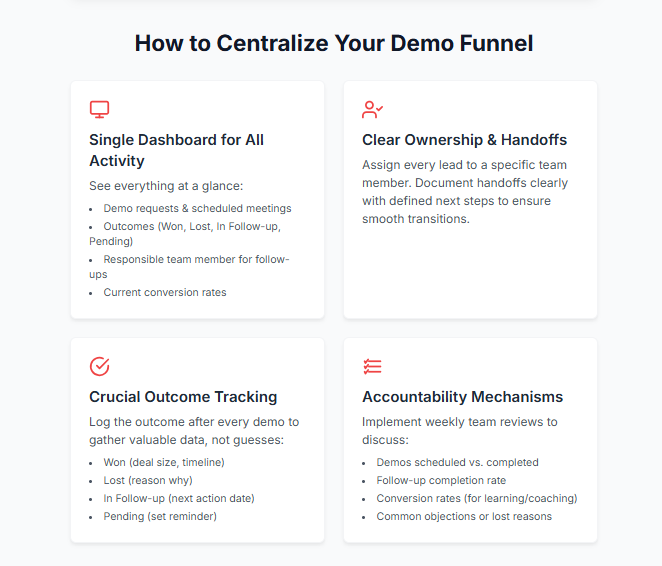
Single dashboard for all demo activity: Every demo request, scheduled meeting, outcome, and follow-up should be visible in one place. Your team should be able to see at a glance:
- How many demos were requested this week?
- How many are scheduled?
- What were the outcomes? (Won, Lost, In Follow-up, Pending)
- Who’s responsible for each follow-up?
- What’s the current conversion rate?
Clear ownership and handoffs: Assign every lead to a specific team member. If ownership needs to transfer (say, from a sales rep to a customer success person), that handoff should be documented in your system with clear next steps.
Outcome tracking: This is crucial and often overlooked. After every demo, log the outcome:
- Won: They’re moving forward (capture deal size and timeline)
- Lost: They decided not to proceed (capture why)
- In Follow-up: They’re interested but need more time (set next action date)
- Pending: Demo happened but waiting for response (set reminder)
Why does this matter? Because three months from now, when you’re trying to figure out why your conversion rate dropped, you’ll have data instead of guesses.
Accountability mechanisms: Set up weekly team reviews where you look at:
- Demos scheduled vs. completed
- Follow-up completion rate
- Conversion rates by team member (not for punishment, but for learning)
- Common objections or lost reasons
Real-world example:
A small sales team I worked with moved from individual tracking to a centralized system. Within the first month, they discovered:
- 22% of demo requests were being contacted by two different team members (wasted effort)
- 35% of demos had no logged outcome (invisible pipeline)
- One team member had a 45% conversion rate while another had 18% (coaching opportunity)
After centralizing and implementing weekly reviews, their overall conversion rate improved by 27% in three months—not because they worked harder, but because they could finally see what was and wasn’t working.
Common mistakes to avoid:
- Using different tools for different parts of the process
- Not requiring team members to log outcomes consistently
- Tracking too many metrics instead of focusing on the vital few
- Making the system so complex that people work around it
Quick tip: If you’re just starting to centralize, don’t overcomplicate it. A simple tool like LevelUp Demo can help you capture and convert leads faster with features built specifically for small teams managing demo workflows—from lead capture to outcome tracking to follow-up management. The key is having everything in one place so nothing falls through the cracks.
What Are the Main Benefits of Implementing These Strategies?
Let’s talk about what actually changes when you implement these five strategies. I’m not going to promise you’ll 10x your revenue overnight (anyone who does is lying). But here’s what you can realistically expect:
Fewer lost leads: When I implemented automated scheduling and follow-up, our lead response time went from an average of 18 hours to under 2 hours. Our booking rate jumped by 40%. That’s not because leads suddenly became more interested—it’s because we stopped making them wait.
More time for strategic work: Automation and centralization gave me back roughly 15 hours per week. That’s time I could spend on high-value activities like having actual sales conversations, improving our product, or (novel concept) not working 70-hour weeks.
Higher conversion rates: When you nurture leads properly, track outcomes, and learn from your data, conversion rates naturally improve. The small businesses I’ve worked with typically see 20-40% improvement in demo-to-close conversion within 3-6 months of implementing these strategies.
Better team coordination: If you have a team, centralization eliminates the chaos of “Who’s handling this lead?” and “Did anyone follow up with them?” Everyone knows who’s responsible for what, and nothing slips through the cracks.
Scalability without burnout: This is the big one. These strategies let you handle 2x or 3x the volume of leads without adding headcount or working nights and weekends. Your process scales, even if your team doesn’t immediately.
What Mistakes Should You Avoid When Trying to Increase Sales?
I’ve made every mistake in the book, so let me save you some pain:
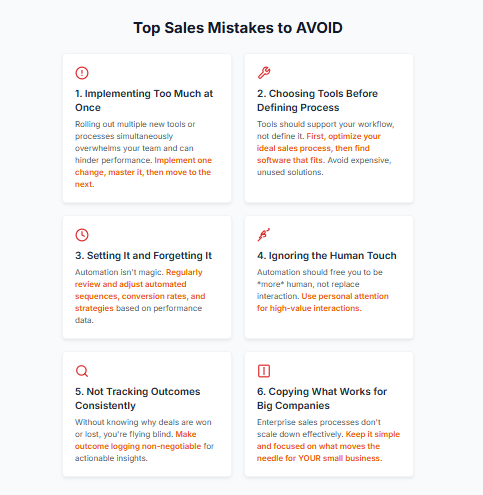
Mistake #1: Implementing too much at once
I once tried to roll out a new CRM, marketing automation, and AI chatbot in the same week. It was a disaster. My team was overwhelmed, nothing was set up properly, and we actually performed worse for a month. Implement one change at a time, get it working smoothly, then add the next piece.
Mistake #2: Choosing tools before defining your process
Tools should support your process, not dictate it. Figure out your ideal sales workflow first, then find tools that fit. Otherwise, you’ll end up with expensive software you’re not actually using.
Mistake #3: Setting it and forgetting it
Automation is powerful, but it’s not magic. You need to regularly review your automated sequences, check your conversion rates, and adjust based on what’s working. I review our automated emails quarterly and almost always find ways to improve them.
Mistake #4: Ignoring the human touch
Automation should free you up to be more human, not replace human interaction entirely. The most successful small businesses I know use automation for routine tasks and then bring personal attention to high-value interactions.
Mistake #5: Not tracking outcomes consistently
If you don’t know why deals are won or lost, you’re flying blind. Make outcome tracking non-negotiable for yourself and your team. The insights you gain are worth the minor hassle.
Mistake #6: Copying what works for big companies
Enterprise sales processes don’t translate to small businesses. You don’t need Salesforce’s full suite or a 12-touch email sequence. Keep it simple and focused on what actually moves the needle for your business.
When Should You Implement These Strategies?
Honestly? Right now. But let me break down the priority based on where you are:
If you’re a solo founder handling everything:
Start with #1 (streamlined scheduling and follow-up). This will give you the biggest immediate impact by eliminating the time-sucking email tennis and reducing lost leads. Then add #2 (marketing automation) to nurture leads you don’t have time to follow up with manually.
If you have a small team (2-5 people):
Start with #5 (centralized demo funnel) because coordination and accountability are probably your biggest pain points right now. Then implement #1 and #3 (AI for smart decisions) to give your team better tools and insights.
If you’re growing fast:
Implement all five, but in phases. Month 1: Centralization and automation. Month 2: AI and engagement. Month 3: Optimize and refine everything. Fast growth without systems leads to chaos—ask me how I know.
If you’re struggling with conversions:
Start with #3 (AI for lead qualification) and #4 (customer engagement). You might not have a lead volume problem; you might have a lead quality or nurturing problem. Focus there first.
Frequently Asked Questions
How can I automate demo scheduling without losing the personal touch?
Use scheduling automation for the logistics (finding a time, sending reminders) but personalize the confirmation emails and follow-ups. Include a personal video message, reference specific details from their inquiry, or send a custom agenda. Automation handles the mechanics; you handle the relationship.
What’s the minimum budget needed to implement these strategies?
You can start for under $100/month. Many tools offer free tiers (HubSpot, Mailchimp) or affordable starter plans (Calendly is $10/month, basic CRMs start around $25/month). The bigger investment is time to set things up properly—plan for 10-20 hours to implement and configure.
How long before I see results from marketing automation?
You’ll see immediate results from better scheduling and follow-up (within days). Email nurture sequences take longer—typically 30-60 days to see meaningful conversion improvements because leads need time to move through the sequences. Be patient but track metrics weekly.
Should I use AI tools if I’m not tech-savvy?
Yes, but start simple. Modern AI tools are designed for non-technical users. Begin with AI-powered lead scoring in your CRM or a simple chatbot. Most platforms offer templates and setup wizards. You don’t need to understand how AI works to benefit from it.
What’s the best CRM for small businesses?
It depends on your needs, but HubSpot’s free CRM is solid for most small businesses. If you’re specifically focused on demo workflows, purpose-built tools like LevelUp Demo offer more specialized features without CRM complexity. Avoid Salesforce unless you have a dedicated admin—it’s overkill for most small teams.
How do I measure if these strategies are actually working?
Track these key metrics: lead response time, demo booking rate, demo completion rate, follow-up completion rate, and demo-to-close conversion rate. Compare month-over-month. If you’re seeing improvements in these areas, your strategies are working.
What if my team resists using new tools?
Involve them in the selection process, start with one tool that solves their biggest pain point, and provide proper training. Also, make sure the tool actually makes their lives easier—if it doesn’t, they’ll resist (and they should). Change management is real; address it proactively.
How often should I review and update my automated sequences?
Review email performance monthly (open rates, click rates, responses) and make minor tweaks. Do a comprehensive review quarterly where you rewrite underperforming emails, test new approaches, and adjust timing. Your market and customers evolve; your automation should too.
Can these strategies work for service businesses, not just SaaS?
Absolutely. I’ve seen consultants, agencies, law firms, and even local service businesses use these exact strategies successfully. The principles are universal: capture leads reliably, follow up consistently, nurture relationships, and track outcomes. The tools and specifics may vary, but the framework works.
What’s the one thing I should do first if I’m overwhelmed?
Fix your follow-up process. Set up automated confirmation and reminder emails for demos or consultations. This single change will prevent the most common leak in your sales funnel: leads who express interest but never hear back from you promptly. Start there, then build.
Moving Forward: Your Sales Growth Action Plan
Look, I get it. You’re busy running a business. The idea of implementing new systems and tools can feel overwhelming, especially when you’re already stretched thin. But here’s what I’ve learned after years of doing this: the businesses that grow aren’t the ones working harder—they’re the ones working smarter.
You don’t have to implement everything I’ve covered today. Pick one strategy that resonates with your biggest pain point and start there. If you’re losing leads to slow response times, fix your scheduling and follow-up process. If you’re overwhelmed by unqualified inquiries, implement lead scoring. If your team is uncoordinated, centralize your demo funnel.
Small, consistent improvements compound over time. The agency I mentioned earlier that increased conversions by 27%? They didn’t do it overnight. They implemented one change per month, measured the results, adjusted, and moved to the next improvement.
And remember: every big company started as a small business facing the exact same challenges you’re facing right now. The difference is they built systems that could scale before they needed them to scale. You’re doing that work right now.
If you’re specifically struggling with demo management and want a lightweight solution built for small teams, LevelUp Demo offers a purpose-built platform that handles everything from lead capture to conversion tracking—without the complexity of traditional CRMs. It’s designed specifically for founders and small sales teams who need to streamline their demo workflow without becoming full-time system administrators.
But regardless of which tools you choose, the principles remain the same: capture leads reliably, follow up consistently, nurture relationships intelligently, track outcomes religiously, and keep your team coordinated.
You’ve got this. Now go close some deals.