Tuesday morning, 9:15 a.m. I’m staring at my calendar—four demos scheduled back-to-back. By noon, I’d spoken to a student “just exploring,” a competitor doing research, someone who thought we were a different company entirely, and one actual prospect. Three hours, one real conversation. That’s when I realized: we didn’t have a lead generation problem. We had a lead qualification problem.
If you’re a SaaS founder or running a small sales team, you’ve been there. Inbound forms lighting up, demo requests piling in, and your team scrambling to keep up—only to discover half those “hot leads” were never going to buy. Not because your product isn’t great, but because you never asked the right questions upfront.
Lead qualification isn’t about rejecting people. It’s about prioritizing the right conversations so your team talks to folks who are ready, not just curious. Below, I’ll walk through five practical ways to master this—frameworks you can start using today, mistakes I’ve made so you don’t have to, and tools that actually help instead of adding more busywork.
What You’ll Learn
- Why most SaaS teams waste 40% of their demo capacity on unqualified leads
- Five proven qualification methods ranked by ease of implementation and ROI
- How to filter low-intent requests before they hit your calendar
- Which tools actually work for small teams (and which are overkill)
- Real frameworks you can implement this week without a consultant
Table of Contents
- What Is Lead Qualification and Why It Matters
- Method 1: Start with ICP + BANT Framework
- Method 2: Layer in Behavioral Lead Scoring
- Method 3: Use Progressive Profiling
- Method 4: Qualify at the Demo Request Stage
- Method 5: Automate with AI-Powered Scoring
- Choosing the Right Approach
- FAQ
What Is Lead Qualification and Why It Matters for SaaS Teams {#what-is-lead-qualification}
Lead qualification is the process of determining which inbound inquiries are most likely to become paying customers—based on two factors: fit (do they match your ideal customer profile?) and intent (are they actively looking to buy, or just browsing?).
For SaaS founders and small sales teams, this matters because not all leads are equal. A demo request from a solo freelancer with a $20/month budget is fundamentally different from an enterprise buyer with budget approval and a 90-day timeline. Treating them the same wastes your time and theirs.
The Real Cost of Poor Qualification
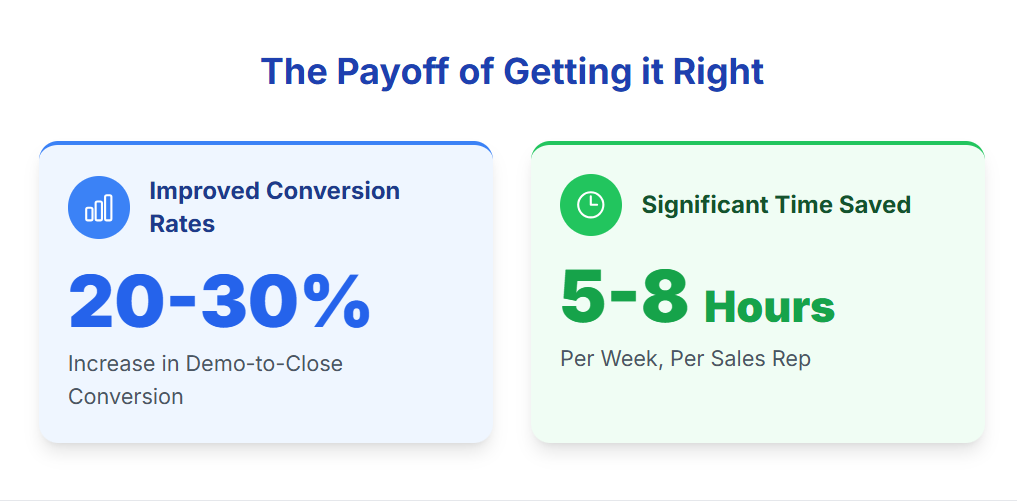
According to studies from HubSpot and Salesforce, teams that implement structured lead qualification see improvements of 20-30% in demo-to-close conversion rates and save 5-8 hours per week per sales rep by avoiding low-fit conversations.
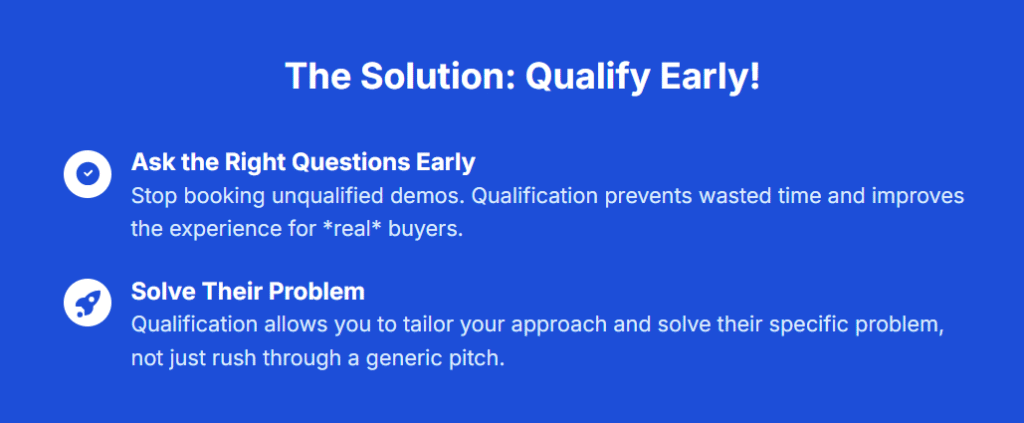
The key is asking the right questions early—before the demo gets scheduled—so you can tailor your approach or gracefully redirect leads who aren’t ready yet.
Why do so many teams skip this step?
Fear of losing leads. You see a form submission and think, “What if this is the one?” So you book the demo, prep the deck, and show up—only to realize five minutes in that they’re not a fit. The truth is, qualification prevents wasted demos and actually improves the experience for real buyers, because you’re not rushing through a generic pitch. You’re solving their problem.
Editor’s Picks: Quick Reference
Before we dive deep, here’s what works best for different team types:
- Best overall approach: Progressive qualification with behavioral scoring—balances friction and insight without overwhelming leads or your team
- Best for early-stage startups: Simple ICP + BANT framework—fast to implement, no tools required, works in a spreadsheet
- Best for demo-heavy workflows: Automated lead capture with qualification tagging—filters out low-intent requests before they hit your calendar
- Best for lean teams: Lead scoring automation in HubSpot or Close—lets software do the heavy lifting while you focus on conversations
Comparison: Qualification Methods at a Glance
| Approach | Setup Time | Accuracy | Tools Required | Best For | Monthly Cost |
|---|---|---|---|---|---|
| ICP + BANT Framework | 1–2 hours | Medium | Spreadsheet | Early-stage teams | Free |
| Behavioral Lead Scoring | 1 week | High | CRM with automation | Growing SaaS teams | $50–500 |
| Progressive Profiling | 2–4 days | High | Marketing automation | Inbound-heavy teams | $100–800 |
| Demo-Specific Qualification | 2–3 hours | Medium-High | Scheduling + tagging | Demo-driven sales | $0–200 |
| AI-Powered Scoring | 1–2 weeks | Very High | Advanced CRM + AI | Data-rich environments | $200–1,000+ |
All pricing as of November 2025
Method 1: Start with a Simple ICP + BANT Framework {#method-1-icp-bant}
What It Is
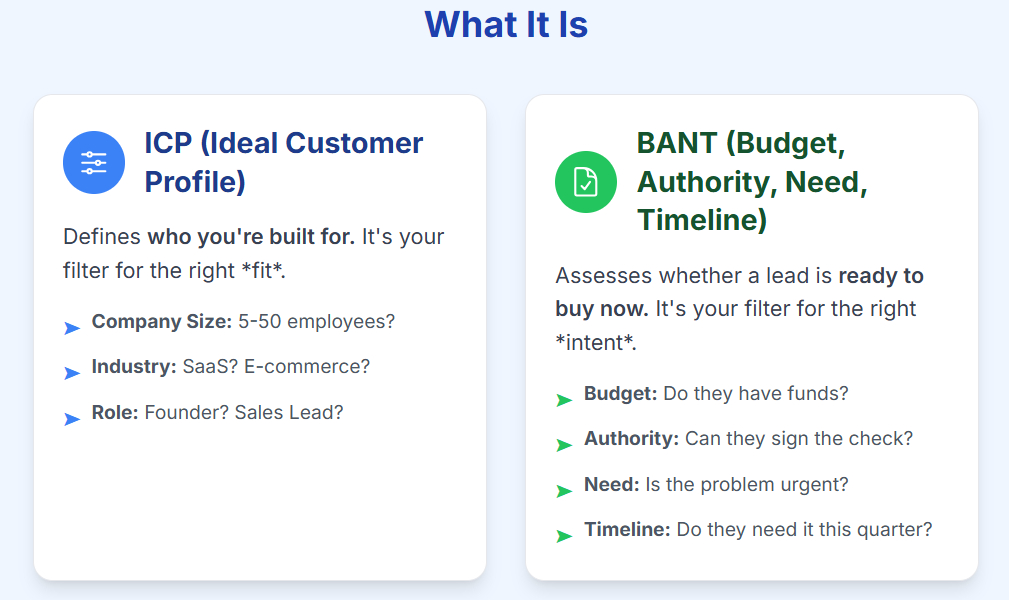
ICP (Ideal Customer Profile) defines who you’re built for—company size, industry, role, tech stack. BANT (Budget, Authority, Need, Timeline) helps you assess whether a specific lead is ready to buy now. Together, they give you a two-layer filter: fit first, then intent.
How to Implement It
When a demo request comes in, look for three ICP signals upfront:
- Company size: Are they in your target range (e.g., 5–50 employees)?
- Role: Is this a founder, sales lead, or someone who can influence the decision?
- Use case: Do they mention a problem you solve, or are they “just looking”?
If they pass that bar, ask four BANT questions during the first email or call:
- Budget: “What’s your current spend on [category]?” (Not to disqualify, but to set expectations)
- Authority: “Who else is involved in this decision?”
- Need: “What’s broken right now that made you reach out?”
- Timeline: “When do you need this running?”
If they can’t answer three of those four, they’re probably early-stage. Send them a resource (guide, template, recorded demo) and follow up in 30 days instead of booking a live call.
Pros and Cons
Pros:
- Fast to implement—no tools required, works in a spreadsheet or simple CRM
- Forces clarity on who you’re actually selling to
- Prevents the worst mismatches (hobbyists, students, competitors)
- Team can learn it in one 30-minute session
Cons:
- Relies on leads giving honest answers
- Doesn’t capture behavioral signals like repeat website visits
- Can feel interrogation-like if you’re not careful with tone
- Misses nuance—sometimes a lead outside your ICP is actually perfect
Who Should Use This
Ideal for: Solo founders, pre-seed startups, or teams with fewer than 100 inbound leads per month. If you’re still figuring out your ICP or don’t have marketing automation yet, this is your starting point.
Skip if: You’re getting 500+ monthly demo requests and need automation to keep up, or if your sales cycle is complex with multiple stakeholders.
Getting Started
No integrations required. You can run this with:
- A Google Sheet to track responses
- A simple CRM like Streak (for Gmail users) or Notion
- Your demo request form—just add four extra fields for Budget, Authority, Need, Timeline
Learning curve: About 30 minutes to understand the questions, then 2–3 demos to get comfortable asking them naturally.
Method 2: Layer in Behavioral Lead Scoring {#method-2-behavioral-scoring}
What It Is
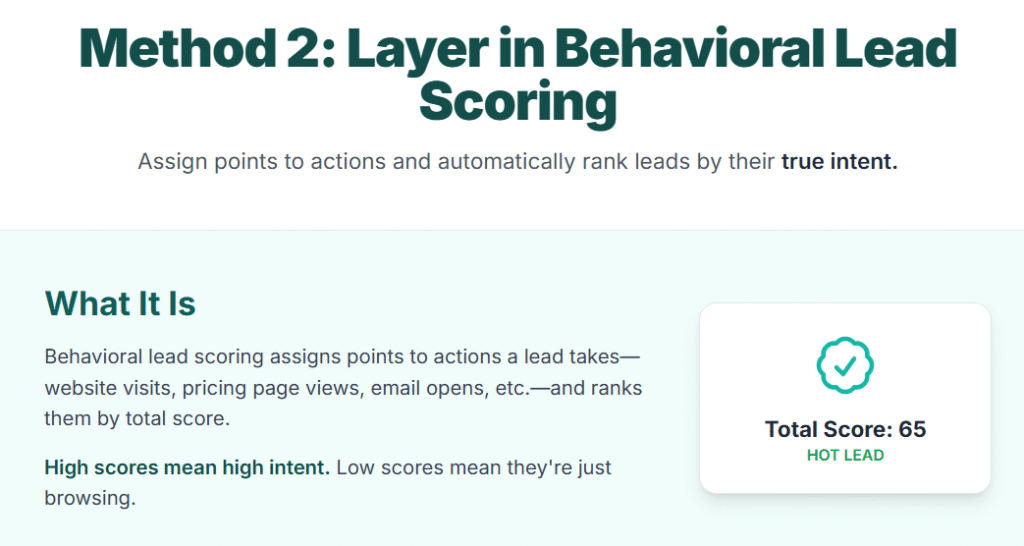
Behavioral lead scoring assigns points to actions a lead takes—website visits, pricing page views, demo form submissions, email opens, content downloads—then ranks leads by total score. High scores mean high intent. Low scores mean they’re browsing.
How to Implement It
Set up scoring in your CRM (HubSpot, Close, Salesforce, or Mailshake). Here’s a sample point system:
- Visited pricing page: +10 points
- Downloaded case study: +8 points
- Watched product demo video (50%+): +12 points
- Filled out “Request Demo” form: +20 points
- Opened 3+ emails in 7 days: +5 points
- Company size matches ICP: +15 points
- Job title = decision-maker: +10 points
Routing logic:
- Below 30 points → nurture emails
- 30-50 points → quick call offer
- Above 50 points → immediate sales follow-up
Pro tip: The first week, you’ll realize your scoring needs tweaking. For example, people visiting your careers page aren’t buyers—they’re job seekers. Subtract points for certain pages and the system gets smarter.
Pros and Cons
Pros:
- Surfaces intent you can’t see from a form alone (repeat visits = serious interest)
- Automates prioritization so your team focuses on hot leads first
- Adapts over time—you can tweak point values based on what actually converts
- Integrates with most CRMs and marketing automation tools
Cons:
- Requires tracking setup (cookies, UTM tags, CRM integrations)
- Takes 2–4 weeks of data before scores become reliable
- Can misfire if you’re not careful (job seekers, competitors, researchers can rack up points)
- Needs regular tuning—what worked in Q1 might not work in Q3
Who Should Use This
Ideal for: SaaS teams with 200+ monthly website visitors, a content library (blog, guides, videos), and a CRM that supports automation. If you’re spending more than 10 hours/week manually sorting leads, scoring will pay for itself.
Skip if: You’re pre-product-market-fit with fewer than 50 leads/month, or if your leads come from offline channels (events, referrals) where behavioral data is sparse.
Top Tools and Pricing
- HubSpot: Free tier includes basic scoring; advanced scoring starts at ~$450/month (Marketing Hub Professional)
- Close: Included in Startup plan at $49/user/month
- Salesforce + Pardot: Starts at ~$1,250/month (enterprise-focused)
- Mailshake: Email scoring included in plans starting at $44/month
Pricing as of November 2025
Setup and Support
HubSpot and Salesforce offer onboarding webinars, help docs, and email support. Close has live chat and a detailed knowledge base. Setup typically takes 1–2 weeks including tracking configuration and initial scoring rules.
Method 3: Use Progressive Profiling to Reduce Form Friction {#method-3-progressive-profiling}
What It Is
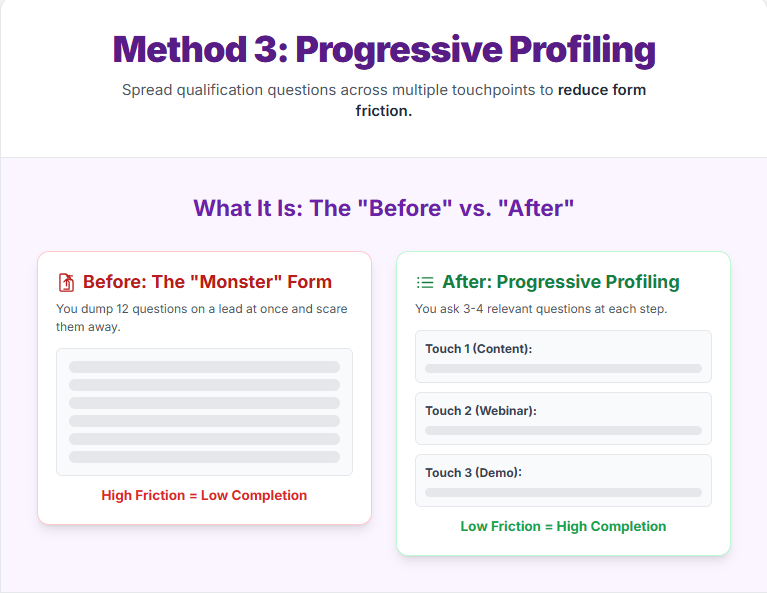
Progressive profiling spreads qualification questions across multiple touchpoints instead of dumping them all in one form. First visit: name and email. Second visit: company size and role. Third visit: budget and timeline. You gather the same intel, but without scaring leads away with a 12-field form upfront.
How to Implement It
Use tools like HubSpot, Marketo, Pardot, or ActiveCampaign. Here’s a typical sequence:
First touchpoint (gated content download):
- Name
- Company name
Second touchpoint (webinar registration):
- Role/title
- Company size
- Industry
Third touchpoint (demo request):
- Current tool/solution
- Budget range
- Timeline
- Biggest challenge
By the time they request a demo, you have a complete profile without ever asking more than 3–4 questions at once. The key is making each form feel light and relevant to that specific action.
Pros and Cons
Pros:
- Higher form completion rates (40% improvement moving from one long form to three short ones)
- Feels less invasive—you’re having a conversation over time
- Builds a richer profile gradually, especially for leads with long consideration cycles
- Works beautifully for content-heavy strategies (blogs, guides, webinars)
Cons:
- Requires marketing automation tools (not feasible with basic forms)
- Only works if leads return multiple times (doesn’t help with one-time visitors)
- Can backfire if forms aren’t syncing properly (duplicate contacts, missing data)
- Slower to qualify—takes days or weeks instead of one interaction
Who Should Use This
Ideal for: SaaS companies with educational content strategies (blogs, ebooks, webinars), longer sales cycles (30+ days), and leads who need nurturing before they’re ready to buy.
Skip if: Your leads convert fast (same-day decisions), you have low website traffic (fewer than 500 visitors/month), or you don’t have marketing automation tools.
Top Tools and Pricing
- HubSpot: Progressive forms available in Marketing Hub Starter (~$45/month)
- ActiveCampaign: Included in Plus plan (~$49/month)
- Marketo: Starts at ~$895/month (enterprise-tier)
- Pardot: Bundled with Salesforce; starts ~$1,250/month
Pricing as of November 2025
Method 4: Qualify at the Demo Request Stage with Smart Forms {#method-4-demo-qualification}
What It Is
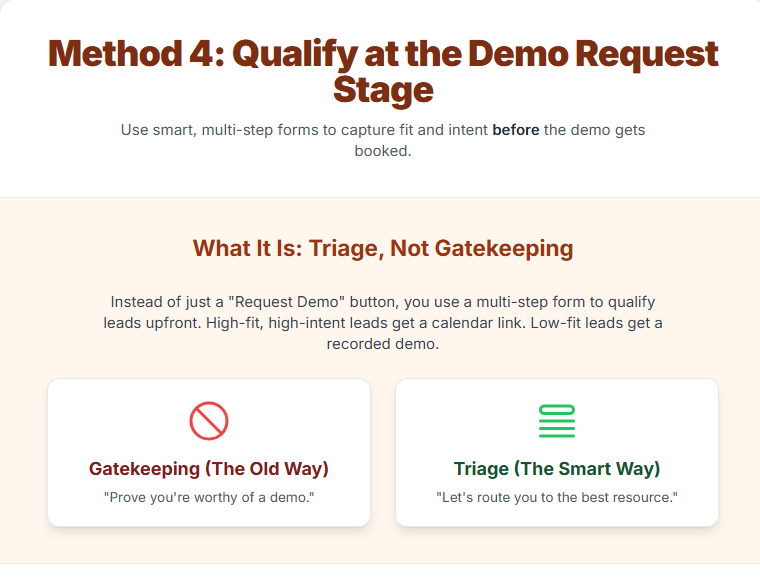
This is qualification before the demo gets booked. Instead of a simple “Request a Demo” button, you use a multi-step form that captures fit and intent signals upfront—then routes leads accordingly. High-fit, high-intent leads get a calendar link. Low-fit leads get a recorded demo or a resource. It’s triage, not gatekeeping.
How to Implement It
Replace your generic demo form with a three-step qualifier:
Step 1: Basic info
- Name, email, company
- Role/title
Step 2: Qualification questions
- “What’s your biggest challenge with [problem area]?”
- “What are you currently using?”
- “How many people are on your team?”
- “When do you need a solution in place?”
Step 3: Routing logic
- Team size < 5 and timeline is “just exploring” → send recorded demo + follow-up in 30 days
- Team size 5–50 and timeline is “next 30 days” → calendar link for live demo
- Team size 50+ → route to enterprise sales
The key is making the questions feel conversational, not like a quiz. Frame it as “help us tailor the demo to your needs” rather than “prove you’re worthy.”
How LevelUp Demo Handles This
LevelUp Demo is purpose-built for this workflow. It captures demo requests with smart qualification tagging, routes leads based on your criteria, and gives your team full context before every call. You can see which leads are hot, which need nurturing, and which should get a resource instead of live time.
Unlike generic forms or CRM workflows, LevelUp Demo is designed specifically for demo-driven sales teams—so you’re not cobbling together Typeform + Zapier + Calendly + spreadsheets. Everything lives in one place, from lead capture to conversion tracking.
Key features:
- Smart qualification forms with conditional logic and tagging
- Automatic lead routing based on fit and intent scores
- Pre-demo context so your team knows who they’re talking to
- Outcome tracking to measure demo-to-close rates
- Follow-up automation so no lead falls through the cracks
- Shared dashboard for full funnel visibility
Learn more about LevelUp Demo’s qualification features →
Pros and Cons
Pros:
- Filters out low-intent requests before they hit your calendar
- Saves 3–5 hours/week by avoiding mismatched demos
- Gives your team context before the call (you’re not starting from scratch)
- Improves demo quality—you can customize the pitch based on their answers
Cons:
- Longer forms reduce completion rates (20% drop moving from 2 fields to 6)
- Requires routing logic and conditional workflows (not plug-and-play)
- Can frustrate high-intent leads who just want to talk
- Needs regular review—qualification criteria drift over time
Who Should Use This
Ideal for: SaaS companies with demo-driven sales, 50–200 demo requests/month, and a clear ICP. If you’re spending half your week on unqualified demos, this is your fix.
Skip if: You’re early-stage with fewer than 20 requests/month (manual triage is fine), or if your product is so simple that everyone should get a demo regardless of fit.
Top Tools and Pricing
- LevelUp Demo: Free plan available; paid plans start at ~$49/month
- Typeform: Starts at ~$25/month for conditional logic
- Calendly: Routing available in Professional plan (~$12/user/month)
- Chili Piper: Starts at ~$15/user/month
- HubSpot Meetings: Free tier available; advanced features in Sales Hub Starter (~$45/month)
Pricing as of November 2025
Getting Started
LevelUp Demo offers email support and setup guides. Setup takes 2–3 hours including form design, routing rules, and testing. Learning curve is low—most teams are live within a day.
Method 5: Automate with AI-Powered Lead Scoring and Enrichment {#method-5-ai-scoring}
What It Is
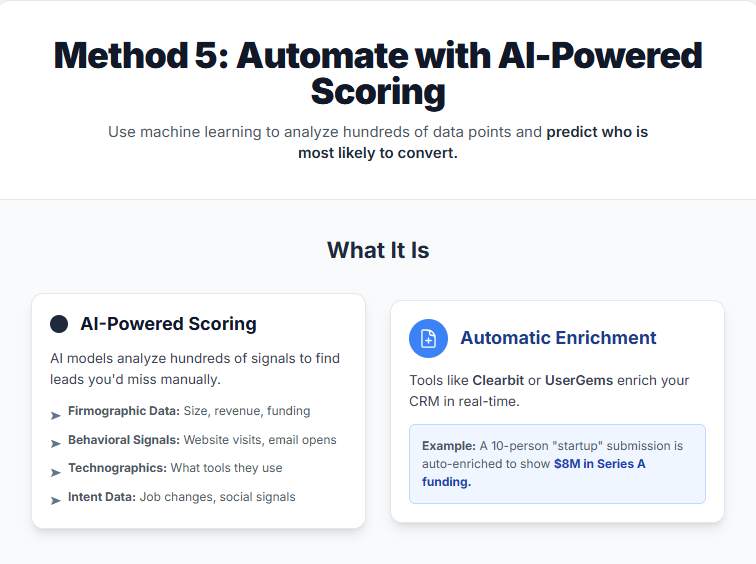
AI-powered lead scoring uses machine learning to analyze hundreds of data points—firmographic data, behavioral signals, third-party intent data, technographic info (what tools they use), social signals—and predicts which leads are most likely to convert. Tools like Clearbit, UserGems, and Worknet.AI enrich your CRM automatically and surface buying signals you’d never catch manually.
How It Works in Practice
Here’s what happened when I tested UserGems and Clearbit for three months:
UserGems tracked when contacts at target accounts changed jobs. When a former customer moved to a new company, it flagged them as a warm lead (they already knew our product). It also surfaced “lookalike” companies based on firmographics and tech stack. The AI scored leads 1–100 based on fit and intent, and it was spooky accurate—leads above 80 converted at 3x the rate of leads below 50.
Clearbit enriched every form submission with company data (size, revenue, funding, tech stack) and updated our CRM in real time. It caught leads we would’ve ignored—like a 10-person startup that turned out to be Series A funded with $8M in the bank.
The downside? Cost. Both tools start at $200–500/month, and you need a CRM with robust API integrations. For a 2-person team, it’s overkill. For a 10-person team closing $50K+ deals, it’s a no-brainer.
Pros and Cons
Pros:
- Uncovers signals you’d never find manually (job changes, funding rounds, tech stack changes)
- Scales effortlessly—handles thousands of leads without adding headcount
- Continuously learns and improves (the more data, the better the predictions)
- Enriches CRM data automatically (no more Googling every company)
Cons:
- Expensive—not viable for early-stage startups or bootstrapped teams
- Requires data volume (needs 100+ leads/month to train effectively)
- Can feel like a black box (you don’t always know why a lead scored high)
- Integration complexity—needs CRM, marketing automation, and API setup
Who Should Use This
Ideal for: Mid-market and enterprise SaaS teams with 500+ leads/month, $20K+ average deal size, and a dedicated ops or rev ops person. If you’re closing high-value deals and can’t afford to miss buying signals, AI scoring pays for itself.
Skip if: You’re pre-revenue, have fewer than 100 leads/month, or don’t have a CRM with API integrations. The ROI isn’t there yet.
Top Tools and Pricing
- UserGems: Starts at ~$500/month
- Clearbit: Starts at ~$999/month (enrichment + reveal)
- Worknet.AI: Custom pricing; typically $300–1,000/month
- 6sense: Enterprise-tier; starts at ~$2,000/month
- Bombora: Custom pricing; mid-market and up
Pricing as of November 2025
All integrate with Salesforce, HubSpot, and most major CRMs via API.
Setup and Support
UserGems and Clearbit offer dedicated onboarding, Slack support, and CSMs for annual contracts. Implementation takes 1–2 weeks including API setup, data mapping, and initial scoring calibration. Expect 5–10 hours of admin time plus training for the sales team.
Choosing the Right Approach for Your Team {#choosing-right-approach}
The decision criteria that matter most:
- Ease of implementation (30%): Can you start today or do you need a consultant?
- Accuracy (25%): Does it separate buyers from browsers?
- Time saved (20%): Does it free up your calendar?
- Integration (15%): Does it work with your existing tools?
- Adoption (10%): Will your team actually use it?
By Team Stage and Size
Solo founder or pre-seed (< 50 leads/month)
→ Start with ICP + BANT (Method 1). Free, fast, teaches you what to look for.
Early-stage with traction (100-500 leads/month)
→ Layer in behavioral scoring (Method 2) or demo-stage qualification (Method 4). Balance automation with hands-on learning.
Growing team with content strategy (500+ visitors/month)
→ Add progressive profiling (Method 3). Nurture leads over time without overwhelming them.
Mid-market with high-value deals ($20K+ ACV)
→ Invest in AI-powered scoring (Method 5). The cost pays for itself in conversion lift and pipeline efficiency.
Real-World Impact
A 7-person SaaS team was booking 40 demos per month but closing only 2 deals. After implementing demo-stage qualification (Method 4), they dropped to 25 demos per month but closed 8 deals. Same team, same product, better prioritization.
Underrated Factors Most Guides Miss
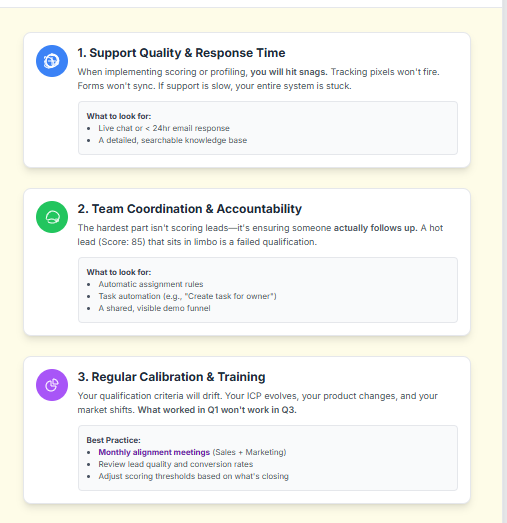
1. Support Quality and Response Time
When you’re implementing lead scoring or progressive profiling, you will hit snags—tracking pixels that don’t fire, forms that don’t sync, scoring rules that backfire. If your tool’s support is slow or non-existent, you’re stuck.
What to look for: Live chat, email support with <24hr response time, and a detailed knowledge base. HubSpot, Close, and LevelUp Demo excel here.
2. Team Coordination and Accountability
For small sales teams, the hardest part isn’t scoring leads—it’s making sure someone follows up. If Lead A is scored 85 but sits in limbo because no one owns it, your qualification system is useless.
What to look for: Assignment rules, task automation, and a shared view of the demo funnel. LevelUp Demo, Close, and HubSpot offer this out of the box.
3. Regular Calibration and Training
Qualification criteria drift. What worked in Q1 might not work in Q3. Your ICP evolves, your product changes, and your market shifts.
Best practice: Monthly alignment meetings between sales and marketing to review lead quality, conversion rates, and scoring accuracy. Adjust thresholds and criteria based on what’s actually closing.
Frequently Asked Questions {#faq}
What is lead qualification and why does it matter?
Lead qualification is the process of determining which inbound inquiries are most likely to become paying customers, based on fit (do they match your ideal customer profile?) and intent (are they actively looking to buy?). It matters because it helps SaaS teams prioritize high-potential leads, improve conversion rates, and save time by avoiding low-fit demos.
What’s the difference between MQL and SQL?
MQL (Marketing Qualified Lead) is a lead that has shown interest—downloaded content, attended a webinar, visited your pricing page—but may not be ready to buy yet. SQL (Sales Qualified Lead) is a lead that has been vetted by sales (or scoring) and is ready for direct sales engagement. The threshold is defined collaboratively by marketing and sales based on fit and intent signals.
How do I set up lead scoring for my SaaS?
Start by defining your ICP (ideal customer profile) and assigning points to demographic/firmographic data (company size, role, industry). Then layer in behavioral signals—website visits, email opens, demo requests. Use a CRM like HubSpot, Close, or Salesforce to automate scoring. Start simple (10–15 criteria) and refine based on what actually converts. Expect 2–4 weeks of data before scores become reliable.
What are the best lead qualification frameworks?
Popular frameworks include BANT (Budget, Authority, Need, Timeline), MEDDIC (Metrics, Economic Buyer, Decision Criteria, Decision Process, Identify Pain, Champion), CHAMP (Challenges, Authority, Money, Prioritization), and GPCTBA/C&I (Goals, Plans, Challenges, Timeline, Budget, Authority, Consequences, Implications). Modern SaaS teams often combine these with behavioral signals and progressive profiling for a more nuanced approach.
How do I qualify leads without scaring them away?
Use progressive profiling—spread questions across multiple touchpoints instead of one long form. Frame questions as “help us tailor the demo to your needs” rather than gatekeeping. Keep initial forms short (3–4 fields max) and gather deeper intel over time. Offer value at each step (guide, recorded demo, resource) so it doesn’t feel like an interrogation.
What tools can help with lead qualification?
Top tools include LevelUp Demo, HubSpot CRM (scoring, automation), Salesforce (enterprise CRM), Close (sales automation), Mailshake (email scoring), LevelUp Demo (demo-specific qualification), Refiner.io (in-app surveys), UserGems (AI-powered enrichment), Clearbit (data enrichment), and Worknet.AI (AI scoring). Choose based on your team size, budget, and whether you need demo-focused, CRM-native, or standalone qualification.
How do I track demo outcomes and follow-ups?
Use a CRM or demo management tool like LevelUp Demo that logs every demo request, outcome (won, lost, in follow-up, pending), and next action. Set up automated reminders for follow-ups and create a shared dashboard so your team has visibility into the funnel. Track metrics like demo-to-close rate, follow-up completion rate, and time-to-close to identify bottlenecks.
Learn how LevelUp Demo tracks your entire demo workflow →
How do I collaborate with marketing on lead qualification?
Hold regular alignment meetings (monthly or quarterly) to define MQL and SQL thresholds together. Review lead quality, conversion rates, and feedback from sales on which leads are actually closing. Agree on scoring criteria, qualification questions, and handoff processes. Use shared dashboards in your CRM so both teams see the same data and can adjust in real time.
What are the latest trends in lead qualification?
Key trends include AI-powered lead scoring (using machine learning to predict conversion), progressive profiling (reducing form friction), behavioral intent tracking (surfacing buying signals beyond form fills), centralized demo tracking (tools that manage the entire demo workflow), and product-led qualification (scoring trial users based on in-app behavior). Teams are also moving away from rigid frameworks toward adaptive, data-driven approaches.
How often should I review my lead qualification process?
At least quarterly. Your ICP evolves, your product changes, and market conditions shift. Monthly is better for fast-moving startups. Review conversion rates, lead quality feedback from sales, and scoring accuracy. Adjust thresholds, update questions, and retire criteria that no longer predict success. Regular calibration prevents stale qualification and missed opportunities.
Can I qualify leads manually without tools?
Yes, especially if you’re early-stage with fewer than 50 leads/month. Use a simple spreadsheet with columns for ICP fit, BANT answers, and next action. Manually review each lead and assign priority (high, medium, low). This works until volume overwhelms manual triage—then it’s time to automate. Manual qualification is also a great way to learn what good leads look like before you hand it off to software.
The Biggest Mistake? Doing Nothing
Treating every lead the same is a recipe for burnout and missed quotas. Pick one method, implement it this week, and refine as you go. Qualification isn’t about perfection—it’s about progress.
Ready to Streamline Your Demo Workflow?
LevelUp Demo helps SaaS teams manage their entire demo workflow—from smart lead qualification to conversion tracking—in one place. No more juggling Typeform + Zapier + Calendly + spreadsheets.
✓ Capture demo requests with built-in qualification tagging
✓ Route leads based on fit and intent automatically
✓ Give your team full context before every call
✓ Track demo outcomes and follow-ups in real time
✓ See which leads are hot, which need nurturing, and which should get a resource instead of live time
Start qualifying leads before they hit your calendar—not after.
Explore LevelUp Demo → | See Pricing → | Request a Demo →
Related Resources
Looking to improve your entire sales process? Check out these guides:
- How to Qualify Sales Leads: A comprehensive deep-dive into qualification frameworks and best practices
- Best Tips to Improve Demo Conversion Rates: Turn more demos into closed deals with proven tactics
- How to Build a Sales Pipeline: Structure your entire sales process for predictable growth