I spent two years watching small SaaS teams drown in spreadsheets while their demo requests piled up unanswered. The problem wasn’t laziness, it was tool overload. Teams were stitching together five different platforms just to get a demo request from their website into someone’s calendar, then losing track of what happened after.
That’s exactly why the right sales automation tools matter. Not the kind that add more complexity, but the kind that simplify your demo workflow end-to-end.
By 2026, the expectation has shifted hard: respond to demo requests in minutes, not hours. Small teams need automation that handles the entire demo funnel without requiring a Salesforce admin on payroll.
The TL;DR Matrix
| Category | Top Pick | One Reason Why |
|---|---|---|
| Demo-First Workflow | LevelUp Demo | Captures → qualifies → schedules → tracks outcomes in one view |
| Lead Sourcing | Apollo.io | 275M contacts with intent signals built in |
| No-Code Connectors | Zapier | 8,000+ integrations without writing code |
| Scheduling Engine | Calendly | Embeds anywhere, cuts no-shows by 40% |
| Lightweight CRM | Pipedrive | Visual pipeline without enterprise bloat |
What Should Small SaaS Teams Automate First in 2026?
Start with inbound demo request capture and follow-up visibility. Most teams lose 30-40% of their pipeline in the gap between “request submitted” and “first contact made”.
Automate the handoff from marketing to sales, then layer in scheduling and outcome tracking. Don’t automate email sequences until you’ve fixed the workflow that feeds them.
The Selection Framework
I evaluated these tools using four practitioner lenses:
- Time-to-Value: Can a solo founder get this running in under 2 hours without a Zapier PhD?
- Demo Funnel Fit: Does it reduce friction in the capture → schedule → follow-up → close loop, or does it just send emails?
- 3-Year TCO: What’s the real cost when you scale from 1 to 5 users, including hidden per-seat fees and integration add-ons?
- Scaling Penalty: Does the tool punish growth with sudden price jumps, feature gates, or “contact your sales team” walls?
The 2026 reality is brutal: small teams are doing director-level work with intern-level budgets. AI-supported workflows aren’t a luxury anymore—they’re table stakes. If a tool can’t show ROI in the first billing cycle, it’s gone.
Feature Comparison Table
| Tool | Best For | Automates | Setup Effort | Best Fit Stage |
|---|---|---|---|---|
| LevelUp Demo | Demo-led sales workflows | Capture → qualify → schedule → reminders → outcomes → follow-ups | Low | Early to Growing |
| Apollo.io | Outbound prospecting + enrichment | Lead sourcing, intent signals, multi-step sequences | Medium | Growing to Scaling |
| Zapier | Cross-platform workflow glue | Triggers between 8,000+ apps | Low | Early to Scaling |
| Calendly | Meeting coordination | Scheduling, reminders, timezone handling | Low | Early to Scaling |
| Pipedrive | Pipeline visibility | Deal tracking, activity logging, basic automation | Medium | Growing to Scaling |
The Forensic Roundup
1. LevelUp Demo – The Demo-First Automation Engine
Best for: Small SaaS teams where most revenue starts with a product demo.
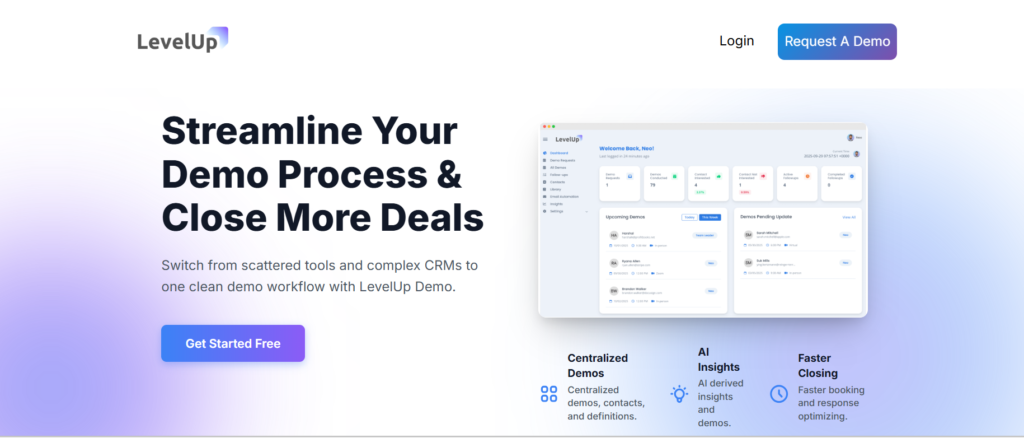
LevelUp Demo was built to fix the chaos that happens after someone clicks “Request a Demo”. It replaces your demo form, captures the lead, uses AI to prioritize it (filtering out students and tire-kickers), auto-schedules based on team availability, sends reminders to cut no-shows, and logs the outcome so you know what converts.
What it automates:
- Inbound demo request capture from website/ads
- AI-powered lead qualification (blocks junk, surfaces hot leads)
- Calendar assignment and scheduling
- Pre-demo reminders (email + SMS)
- Post-demo outcome tracking (Won/Lost/Follow-up needed)
- Follow-up task visibility across the team
- Basic conversion analytics (demo-to-close rate, follow-up gaps)
Why it matters for small teams:
If most of your sales happen through demos, LevelUp Demo automates the workflow after the request so nothing slips. You get a single dashboard showing every demo request, who’s handling it, what happened, and what’s next. No CRM bloat, no Salesforce learning curve—just the demo funnel, automated.
The “Sticker” vs. “Reality” Gap:
Marketing promises “AI qualification,” and it works—but early-stage teams sometimes find the qualification rules too aggressive, filtering leads they’d want to manually review.
The fix: You can adjust sensitivity in settings, but it takes a few demos to calibrate.
Visual Checkpoints:
The dashboard uses color-coded cards: grey for new requests, blue for scheduled, green for won, red for lost. When a follow-up is overdue, the card pulses orange—impossible to miss.
Scaling Penalties (3-Year TCO):
Pricing starts at $49/month for solo users, scaling to $199/month for teams of 5. Three-year cost for a 5-person team: ~$7,164. No per-contact fees, no surprise add-ons. The penalty is minimal—most competitors charge per-seat and per-contact.
Ghost Errors & Weird Fixes:
Occasionally, calendar sync lags when team members toggle availability during peak request hours.
Weird fix: Refresh the availability window in settings—it forces a manual sync and clears the queue.
Limitations:
Not ideal if your sales motion is purely email-based or if you’re selling through channel partners. It’s demo-obsessed by design.
Quick Takeaway: If your revenue lives or dies by the demo, this keeps the funnel from leaking.
2. Apollo.io – The Outbound Prospecting Workhorse
Best for: Teams building outbound lists and running cold outreach alongside inbound demos.
Apollo gives you access to 275 million contacts with buyer intent signals, email verification, and multi-step sequence automation. It’s the tool you use to fill the demo pipeline when inbound slows down.
What it automates:
- Lead sourcing with filters (company size, tech stack, funding)
- Email/phone verification (98% accuracy claimed)
- Multi-step email sequences with A/B testing
- Activity capture (opens, clicks, replies)
- Basic CRM functionality (deal stages, task reminders)
Why it matters for small teams:
You can build a targeted list of 500 SaaS CFOs in under an hour, enrich it with verified emails, and launch a 5-touch sequence—all without leaving the platform. For teams with one SDR wearing three hats, that’s a lifeline.
The “Sticker” vs. “Reality” Gap:
Apollo advertises “unlimited email credits” on paid plans, but users report deliverability tanks if you send more than 200/day without proper inbox warm-up. The tool doesn’t force you to warm up—it just lets you burn your domain reputation.
Visual Checkpoints:
The sequence dashboard shows a green “healthy” badge when reply rates hit >5%, yellow when engagement drops, and red when bounce rates climb above 3%. Watch the red.
Scaling Penalties (3-Year TCO):
Basic starts at $49/user/month; Professional (needed for intent data) is $99/user/month. For 5 users on Professional, 3-year TCO is ~$17,820. Add-ons for phone dialer and advanced enrichment push it higher.
Ghost Errors & Weird Fixes:
Email sequences occasionally skip steps if a prospect replies during a weekend send window.
Weird fix: Turn off “skip on reply” for the first 24 hours of a sequence—gives the automation time to register the reply before advancing.
Limitations:
Overkill if you’re 100% inbound. The interface is dense—expect a week of onboarding for a new team member.
Quick Takeaway: Best second tool after you’ve automated inbound and need to hunt for deals.
3. Zapier – The No-Code Workflow Glue
Best for: Connecting your demo tool, CRM, email platform, and Slack without hiring a developer.
Zapier is the duct tape of SaaS stacks. It triggers actions across 8,000+ apps when something happens—like “when a demo is marked Won in LevelUp Demo, create a deal in Pipedrive and post to #wins in Slack”.
What it automates:
- Cross-app triggers (form submit → CRM entry → Slack notification)
- Data formatting and enrichment between tools
- Multi-step workflows (if/then logic, delays, filters)
- Webhook integrations for custom apps
Why it matters for small teams:
You’re probably using 6-8 tools already. Zapier keeps them talking so data doesn’t live in silos. A founder can build a workflow in 20 minutes that would take a dev 3 hours to code.
The “Sticker” vs. “Reality” Gap:
“8,000 integrations” sounds infinite, but high-volume demo workflows hit task limits fast. The free plan caps at 100 tasks/month—a single demo workflow (capture → schedule → remind → log outcome) can burn 4-6 tasks. You’ll hit the ceiling in week one.
Visual Checkpoints:
Zaps show a green “On” badge when active. If a step fails, the badge turns red and you get an email. Check the “Zap History” tab weekly—silent failures happen when APIs change without warning.
Scaling Penalties (3-Year TCO):
Free (100 tasks) → Starter ($29.99/month, 750 tasks) → Professional ($73.50/month, 2,000 tasks). For 5 users on Professional, 3-year cost: ~$2,646. Overage fees kick in at $0.02/task—adds up.
Ghost Errors & Weird Fixes:
Infinite loops happen when a Zap triggers itself (e.g., “update CRM → trigger Zap → update CRM”).
Weird fix: Add a 1-second delay and a filter checking for “last modified by Zapier”.
Limitations:
Not a standalone tool—it’s connective tissue. If your core workflow is broken, Zapier just automates the mess faster.
Quick Takeaway: Essential for multi-tool stacks, but watch task limits like a hawk.
4. Calendly – The Scheduling Engine That Just Works
Best for: Eliminating email tennis and reducing demo no-shows.
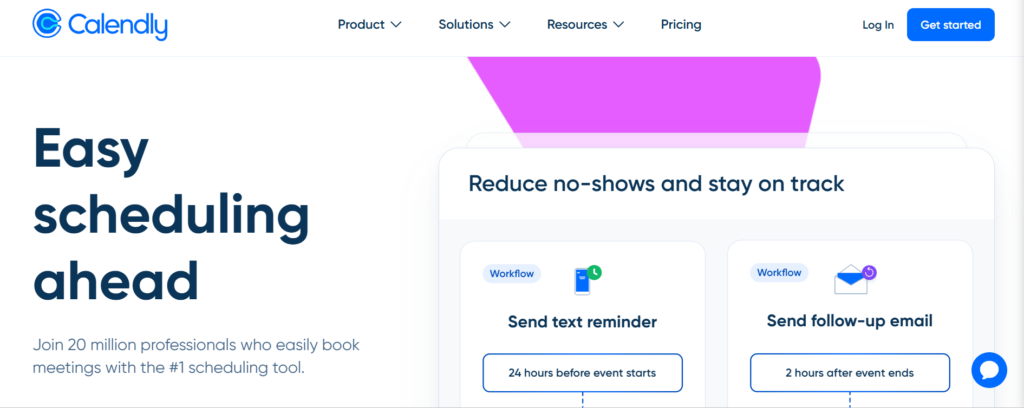
Calendly embeds a booking link in your demo form, emails, and website. Prospects pick a time, it syncs to your calendar, and reminder emails go out automatically. It’s unglamorous and indispensable.
What it automates:
- Real-time availability checking across team calendars
- Timezone detection and conversion
- Email and SMS reminders (reduces no-shows by ~40%)
- Buffer time between meetings
- Round-robin assignment for team scheduling
Why it matters for small teams:
You stop losing deals because someone didn’t reply to a “what times work for you?” email. Calendly turns scheduling from a 6-email thread into a 1-click action.
The “Sticker” vs. “Reality” Gap:
“Seamless calendar sync” works great—until someone has overlapping personal/work calendars. Calendly can double-book if you don’t manually mark “busy” blocks. The tool doesn’t read event titles to detect conflicts.
Visual Checkpoints:
The event dashboard shows confirmed bookings in blue, canceled in grey, and rescheduled in yellow. If reminder delivery fails (rare), a red “!” appears next to the event.
Scaling Penalties (3-Year TCO):
Free (basic features) → Essentials ($10/user/month) → Professional ($16/user/month, needed for reminders + workflows). For 5 users on Professional, 3-year cost: ~$2,880. No hidden fees, but integrations with Salesforce/HubSpot require Professional.
Ghost Errors & Weird Fixes:
SMS reminders occasionally fail for international numbers with unconventional formatting.
Weird fix: Re-enter the number in E.164 format (+1234567890) in the attendee record.
Limitations:
It’s just scheduling. You still need a separate tool to track what happened after the meeting.
Quick Takeaway: Solves one problem perfectly—get the meeting booked without friction.
5. Pipedrive – The Lightweight CRM That Doesn’t Hate You
Best for: Visual pipeline management without Salesforce’s 47-step setup process.
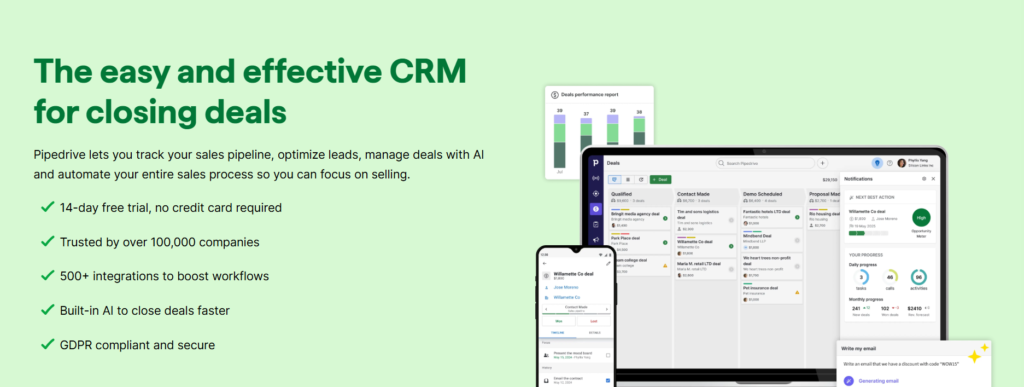
Pipedrive gives you a drag-and-drop deal board, activity reminders, and basic automation (e.g., “move deal to Follow-up if no activity in 3 days”). It’s the CRM for teams who need structure but not a database degree.
What it automates:
- Deal stage progression based on activity
- Task creation when deals stall
- Email logging and templates
- Revenue forecasting by stage
- Custom workflow triggers (via Zapier or native automation)
Why it matters for small teams:
You get pipeline visibility in 30 minutes. The interface is a Kanban board—deals move left to right as they progress. No training manual required.
The “Sticker” vs. “Reality” Gap:
“AI-powered insights” in marketing means basic win/loss reports. The AI doesn’t predict outcomes—it just tells you which deals haven’t moved in a week (which you can see by looking at the board).
Visual Checkpoints:
Deals show a green progress bar when activities are logged on schedule, yellow when overdue, and red when stalled for 7+ days. The “Focus” tab highlights at-risk deals automatically.
Scaling Penalties (3-Year TCO):
Essential ($14/user/month) → Advanced ($34/user/month, needed for automation) → Professional ($49/user/month). For 5 users on Advanced, 3-year cost: ~$6,120. Email sync and some integrations cost extra.
Ghost Errors & Weird Fixes:
Email sync occasionally duplicates threads if multiple team members are CC’d.
Weird fix: Turn on “smart BCC” in settings—it assigns one owner per thread and hides duplicates.
Limitations:
Weak on reporting compared to enterprise CRMs. If you need complex attribution or multi-touch tracking, you’ll outgrow it fast.
Quick Takeaway: The CRM that gets out of your way and just shows you what needs attention.
What Are the Best Sales Automation Tools for Small SaaS Teams?
The best stack for 2026 combines demo workflow automation (LevelUp Demo), scheduling (Calendly), pipeline visibility (Pipedrive), workflow connectors (Zapier), and outbound sourcing (Apollo.io). This covers inbound demo capture, follow-ups, deal tracking, and proactive prospecting without requiring a 10-person ops team.
Which Tool Is Best for Demo-Led Sales Automation?
LevelUp Demo. It’s the only tool in this list purpose-built for the capture → qualify → schedule → outcome → follow-up loop that defines demo-first sales. Calendly handles scheduling, but it doesn’t track what happened after. Pipedrive tracks outcomes, but it doesn’t automate the pre-demo workflow. LevelUp does both.
If Your Revenue Starts with Demos
Most small SaaS teams lose 30% of their pipeline between “demo requested” and “first follow-up”. LevelUp Demo automates the entire demo workflow—capture, qualify, schedule, remind, log outcomes, and surface follow-ups—so nothing slips. Built for teams who close deals through demos, not cold email blasts.
The 2026 Reality Check
Small teams in 2026 are expected to operate like mid-market sales orgs with a fraction of the headcount. AI isn’t optional—it’s the only reason a 3-person team can handle 50 demos a month without dropping leads.
The tools that win are the ones that reduce admin work, not the ones that add dashboards. Automation should make your workflow clearer, not more complex. If you need a flowchart to explain how a lead moves through your stack, you’ve automated the wrong things.
Start with the demo funnel. Fix capture, scheduling, and follow-up visibility first. Then layer in CRM, outbound, and integrations. Build the stack in the order your revenue actually flows.
If your sales start with demos, a demo-first automation tool like LevelUp Demo keeps follow-ups, outcomes, and next steps clear without CRM bloat.