
I remember the first time I tried to close a SaaS deal. I’d spent three days preparing the perfect demo—every feature polished, every screen transition smooth. The prospect showed up fifteen minutes late, apologized for multitasking, and asked if we could wrap up in twenty minutes instead of the scheduled hour.
My carefully crafted presentation? Out the window.
That’s when I learned the hard truth about SaaS sales: it’s not about having the perfect pitch. It’s about understanding that your prospects are drowning in tools, overwhelmed with choices, and skeptical of promises. They’ve been burned before. They’re comparing you to five other solutions. And honestly? They’re not even sure they need what you’re selling.
If you’re a SaaS founder or part of a small sales team, you know exactly what I’m talking about. You’re juggling product development, customer support, and somehow trying to close deals—all while your demo requests pile up and half your leads go cold before you even get them on a call.
Here’s what this guide will cover: seven battle-tested tips that actually move the needle in SaaS sales. No fluff, no theory—just the practical stuff I wish someone had told me years ago.
So, What Exactly Makes SaaS Sales Different?
SaaS sales isn’t like selling a physical product or a one-time service. You’re asking prospects to trust you with their workflow, integrate your tool into their daily operations, and commit to a recurring payment—sometimes for years. That’s a big ask.
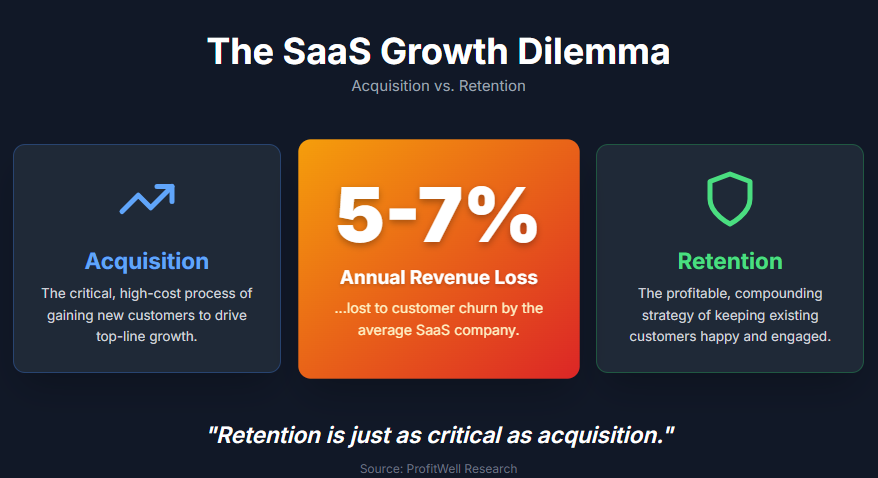
The sale doesn’t end when they sign the contract. It’s just beginning. Your customer success directly impacts your revenue through renewals, upgrades, and referrals. According to research, the average SaaS company loses about 5-7% of its revenue to churn annually, making retention just as critical as acquisition.
Here’s the thing: traditional sales tactics often backfire in SaaS. Pushy closing techniques? They create buyer’s remorse and early cancellations. Feature dumping? It overwhelms prospects who just want to know if you solve their specific problem.
The most successful SaaS sales approach I’ve seen focuses on three things:
- Demonstrating value quickly and clearly
- Building trust through transparency
- Making the buying process ridiculously easy
Why SaaS Sales Strategy Actually Matters
I’ve watched startups with inferior products outsell better competitors simply because they nailed their sales process. That’s not an exaggeration.
When you’re a small team, every lead matters. You can’t afford to lose deals because your demo scheduling is a mess or your follow-ups fall through the cracks. Research from Calendly shows that 69% of revenue teams say getting leads to schedule a meeting is their biggest challenge.
Think about what that means. You’re spending money on marketing to generate leads, but you’re bleeding potential customers before you even get them on a call.
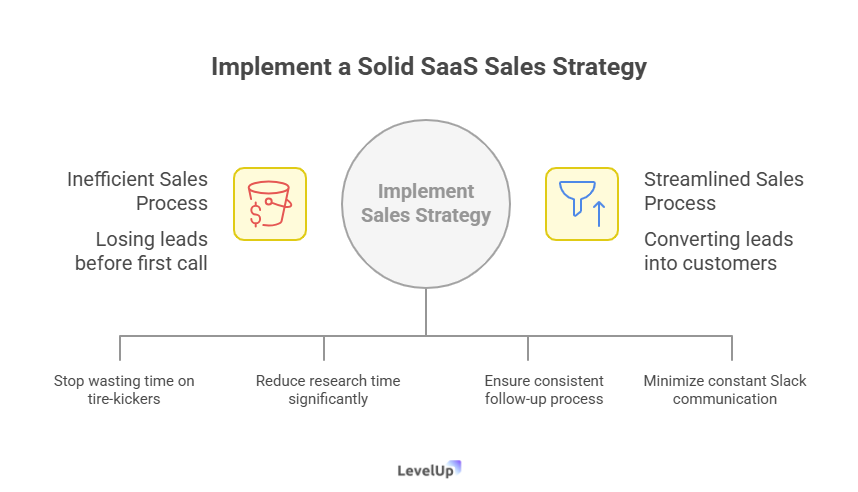
A solid sales strategy helps you:
- Qualify leads faster (so you stop wasting time on tire-kickers)
- Personalize demos without spending hours on research
- Track outcomes systematically (because “I think we followed up” doesn’t cut it)
- Coordinate your tiny team without constant Slack messages
Plus, let’s be honest—when you’re wearing multiple hats as a founder, you need systems that work even when you’re focused on product or putting out fires.
Tip #1: Stop Treating Every Demo Request the Same
Not all demo requests are created equal. I learned this the hard way after spending an hour demoing our product to someone who thought we were a completely different type of tool.
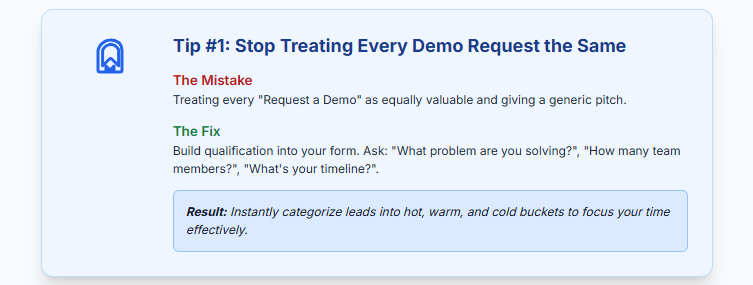
The mistake: Treating every “Request a Demo” submission as equally valuable and giving everyone the same generic demo slot.
The fix: Build qualification into your demo request process from day one.
Your demo form should capture more than just name and email. Ask strategic questions:
- What specific problem are you trying to solve?
- How many team members would use this?
- What’s your timeline for making a decision?
- Are you currently using a similar tool?
These aren’t random questions. They help you instantly categorize leads into hot, warm, and cold buckets.
Real example: When we added a “What’s your biggest challenge right now?” question to our demo form, we discovered that about 30% of our requests were from people who needed a feature we didn’t even offer. We could route those leads to resources or politely disqualify them before wasting anyone’s time.
Tools like LevelUp Demo automatically capture and categorize demo requests, letting you prioritize based on fit. For a small team, that’s the difference between chasing every lead and focusing on the ones that actually convert.
Quick action: Audit your current demo request form today. Add two qualifying questions that help you separate serious buyers from researchers.
Tip #2: Personalize Your Demo (Without Spending Hours on Research)
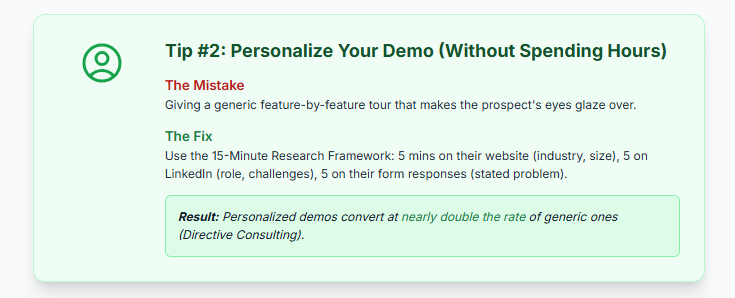
Generic demos are death. I’ve sat through so many where the rep just clicks through every feature, hoping something sticks. Five minutes in, my mind wandered. Ten minutes in, I was checking email.
But here’s the thing—you don’t need to spend three hours stalking someone on LinkedIn to personalize effectively.
The 15-minute research framework:
Start with their website (5 minutes):
- What industry are they in?
- What does their company actually do?
- How big is their team (check the About page)?
Check their LinkedIn (5 minutes):
- What’s the prospect’s role?
- Are they a decision-maker or influencer?
- Any recent company announcements or posts about challenges?
Review their demo form responses (5 minutes):
- What problem did they mention?
- What language did they use to describe it?
That’s it. Fifteen minutes gives you enough context to make your demo feel tailored without burning half your day.
During the demo itself:
Open with their context: “I saw you’re a Series A startup in the fintech space, and you mentioned on the form that demo follow-ups are falling through the cracks. Let me show you exactly how we solve that.”
According to Directive Consulting’s research, personalized demos convert at nearly double the rate of generic ones.
Quick action: Block 15 minutes before each demo for targeted research. Create a simple template to capture the three things you need to know: their industry, their role, and their stated problem.
Tip #3: Lead With Their Problem, Not Your Features
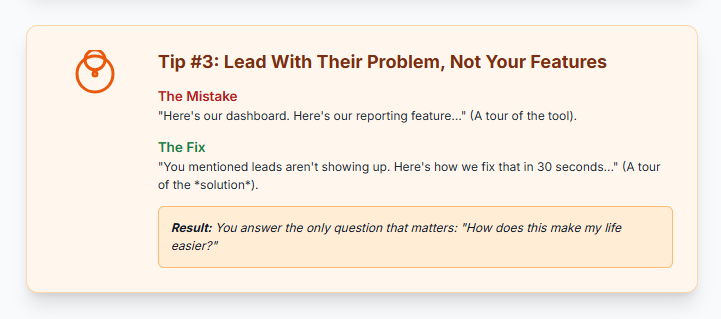
I used to structure demos like product tours. “Here’s our dashboard. Here’s where you create projects. Here’s our reporting feature.”
Prospects’ eyes glazed over every time.
The shift that changed everything? Starting with their pain point and showing the solution, not the tool.
Instead of: “Let me show you how our demo scheduling works…”
Try: “You mentioned that leads aren’t showing up to scheduled demos. Here’s what’s causing that—and here’s how we fix it in about thirty seconds.”
Then show them the exact workflow that solves that specific problem. Don’t explain every button. Don’t showcase features they don’t need. Just solve the one thing keeping them up at night.
Story time: I once demoed for a founder who was losing deals because his tiny sales team couldn’t coordinate follow-ups. Instead of showing him our entire platform, I showed him exactly three things:
- How demo outcomes get logged in one click
- How the follow-up view shows what needs attention
- How reminders prevent leads from going cold
That’s it. Twenty minutes. He signed up that week.
Research from Moonb confirms this: prospects care about outcomes, not features. Your demo should answer one question: “How does this make my life easier?”
The structure that works:
- Confirm their problem (2 minutes)
- Show the solution to that exact problem (10-15 minutes)
- Handle objections and questions (5-10 minutes)
- Discuss next steps (3 minutes)
Quick action: Rewrite your demo script. Start with the problem statement your prospect shared. Map every screen you show back to that problem.
Tip #4: Make Scheduling Stupid Simple
This sounds basic, but it’s where so many deals die quietly.
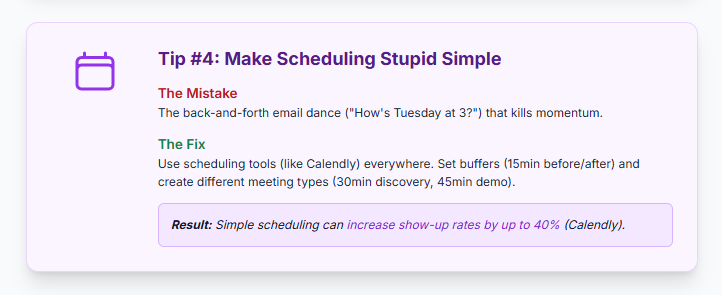
The back-and-forth email dance kills momentum: “How’s Tuesday at 3?” “I’m busy then, what about Thursday?” “Thursday’s full, can you do next week?”
By the time you finally coordinate a time, the prospect has talked to three of your competitors or decided to stick with their current solution.
Calendly’s data shows that simplifying demo scheduling can increase show-up rates by up to 40%. That’s huge when you’re working with a limited number of leads.
The fix: Use scheduling tools that let prospects book directly into your calendar.
But here’s where most people stop—they just add a Calendly link and call it done. Take it further:
Smart scheduling tactics:
Include booking links in multiple places:
- Confirmation email after demo request
- Nurture email sequences
- Follow-up messages after initial contact
Set realistic buffer times:
- 15 minutes before each demo for research
- 15 minutes after for notes and follow-up tasks
Create different meeting types:
- 30-minute discovery calls for early-stage leads
- 45-minute deep-dive demos for qualified prospects
- 15-minute follow-up calls for decision-stage conversations
If you’re using something like LevelUp Demo, the scheduling integrates directly with lead capture and qualification. Someone requests a demo, gets instantly categorized, and can book a time slot—all without you lifting a finger.
Quick action: Audit your current scheduling process. How many emails does it take to book a demo? If it’s more than one, implement a scheduling tool today.
Tip #5: Track Outcomes, Not Just Activities
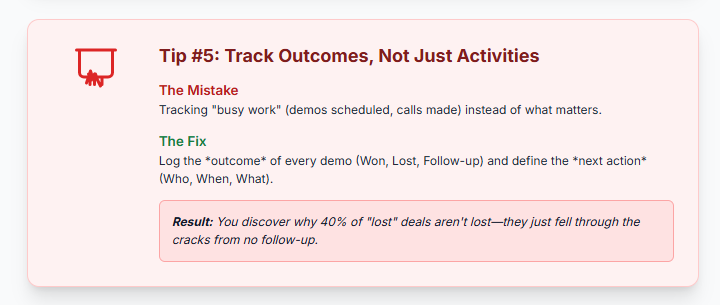
Most sales teams track the wrong things. Demos scheduled. Calls made. Emails sent.
Cool. But did you close the deal?
I used to think I was doing great because I was “busy.” Lots of demos. Lots of follow-ups. But when I actually looked at conversion rates? Terrible.
The shift: tracking outcomes instead of activities.
What to track:
For every demo, log the outcome:
- Won (they signed up)
- Lost (they went with a competitor or decided not to buy)
- In follow-up (they’re interested but need more time/info)
- Pending (waiting on their decision)
Then track the next action:
- Who’s responsible for following up?
- When should that follow-up happen?
- What specific information or resource do they need?
This seems obvious, but you’d be shocked how many teams don’t do it systematically. They rely on memory or scattered notes in Slack.
Real example: We started tracking demo outcomes consistently and discovered that 40% of our “lost” deals weren’t actually lost—they just fell through the cracks because no one followed up at the right time.
According to UserGuiding’s research, following up within 24 hours of a demo increases conversion rates by up to 50%. But you can’t follow up systematically if you’re not tracking systematically.
The simple system:
After every demo:
- Log the outcome (literally right after you hang up)
- Set the next action with a specific date
- Add any notes about objections or questions
If you’re using a tool like LevelUp Demo, this happens in one click. The outcome gets logged, the lead moves to the appropriate stage, and follow-up reminders appear automatically.
Quick action: Create a simple spreadsheet or use a lightweight tool to track this week’s demo outcomes. In one month, review your data. You’ll spot patterns immediately.
Tip #6: Build a Follow-Up System (Because You Will Forget)
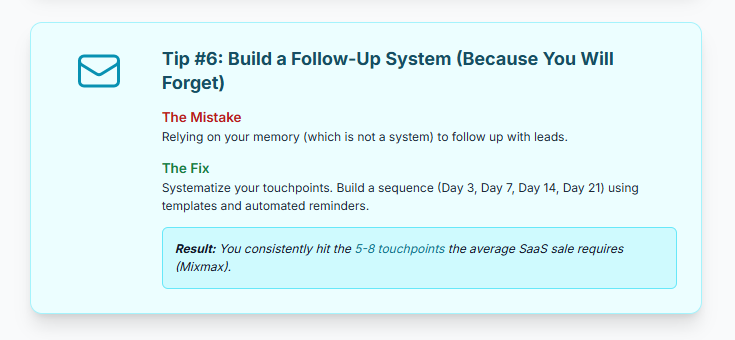
Let me be blunt: your memory is not a system.
I’ve lost count of how many deals I lost simply because I forgot to follow up. Not because the prospect wasn’t interested—because I got busy, a fire started somewhere else, and that warm lead went cold.
The average SaaS sale requires 5-8 touchpoints before closing, according to Mixmax’s research. But most sales reps give up after two.
The problem: You’re relying on your brain to remember who needs what and when.
The solution: Build follow-ups into your workflow, not your to-do list.
What a real follow-up system looks like:
Immediate post-demo:
- Send a thank-you email with a recap of what you discussed
- Include any resources or answers to questions that came up
- Clearly state the next step and timeline
Day 3:
- Check in: “Have you had a chance to review the resources I sent?”
- Offer to answer any questions that came up
Day 7:
- Share a relevant case study or example: “I thought you’d find this interesting—similar company, similar challenge, here’s how they solved it”
Day 14:
- Direct ask: “Where are you in your decision process? What information would be helpful?”
Day 21:
- Last touch (if no response): “I’ll assume the timing isn’t right. I’ll check back in a few months—or let me know if anything changes.”
This isn’t complicated. But it needs to be systematized so it happens whether you’re having a good day or drowning in other work.
The tools that help:
Email sequences handle some of this automatically, but they feel generic. The best approach combines automation with personalization:
- Automated reminders to follow up
- Templates you can customize quickly
- Clear visibility into who needs attention
Quick action: Map out your follow-up sequence today. Write the five emails you’ll send at specific intervals. Save them as templates. Set reminders in your calendar or tool to execute them.
Tip #7: Learn From Your Losses (Most People Skip This)
Here’s what most sales teams do when they lose a deal: feel bad for a day, then move on to the next prospect.
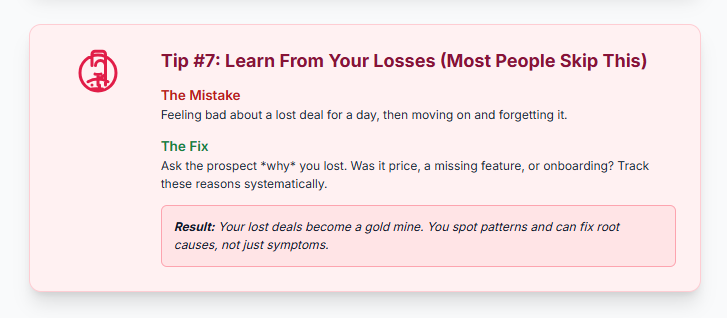
That’s a mistake. Your lost deals are gold mines of information.
After every loss, ask yourself (or better yet, ask the prospect):
- Why did they choose a competitor?
- What did we miss in our demo or pitch?
- What feature or capability was a dealbreaker?
- Was it price, timing, or fit?
I started doing this about a year ago, and the patterns that emerged were eye-opening.
Real example: We lost three deals in a row to the same competitor. When I dug deeper, I realized it wasn’t about features—it was about onboarding. Their competitor offered white-glove setup; we just gave access and said “good luck.”
We adjusted our offer to include onboarding support for annual plans. Conversion rates jumped.
Most prospects are actually willing to share why they didn’t choose you—if you ask respectfully and make it easy:
“Hey [Name], I completely understand you went with [Competitor]. No hard feelings at all! Would you mind sharing what ultimately made them the better fit? Your feedback helps us improve—and honestly, I’m just curious. Two-minute call or even just a quick email reply would be super helpful.”
About 40% of people will respond. That’s enough data to spot patterns.
What to track from losses:
- Which competitor did they choose (if any)?
- What was their stated reason?
- What stage of the sales process did they drop off?
- What objections came up that we couldn’t overcome?
Review this data monthly. You’ll see themes emerge: pricing objections, missing features, better competitor positioning, timing issues.
Quick action: Reach out to your last three lost deals this week. Ask for feedback. Actually listen to what they say.
Common Mistakes to Avoid in SaaS Sales
Let me share the mistakes I see over and over—because I’ve made most of them myself.
Mistake #1: Talking too much
Your demo should not be a monologue. If you’re talking for more than three minutes straight, you’ve lost them. Ask questions. Pause. Let them interact with the product if possible.
Mistake #2: Skipping qualification
Not every lead is a good fit. Spending an hour demoing to someone who can’t afford your product or doesn’t have the authority to buy is a waste of everyone’s time. Qualify hard and early.
Mistake #3: Forgetting to ask for the sale
This sounds obvious, but you’d be surprised. After a great demo, many reps just say “Let me know if you have questions!” and hang up. No. Ask directly: “Based on what we’ve discussed, does this feel like a good fit? What would you need to move forward?”
Mistake #4: Ignoring the decision-making process
Find out who else needs to be involved. Is your contact the decision-maker? Do they need to get buy-in from their boss or team? Understanding the process helps you navigate it instead of being blindsided by “I need to talk to my team” three weeks later.
Mistake #5: Treating follow-up as optional
It’s not. Most deals are won or lost in the follow-up phase. If you’re not systematically following up, you’re leaving money on the table.
How These Tips Work Together in Practice
Here’s what this looks like in real life:
A lead fills out your demo request form (Tip #1: your form qualifies them with smart questions). They immediately book a time using your scheduling link (Tip #4: no back-and-forth).
You spend 15 minutes researching their company and stated problem before the call (Tip #2: quick, targeted research). During the demo, you lead with their specific pain point and show exactly how you solve it (Tip #3: problem-first approach).
Right after the call, you log the outcome and set a follow-up reminder (Tip #5: track outcomes systematically). Your follow-up sequence kicks in automatically, but you personalize each touchpoint based on your notes (Tip #6: systematic follow-up).
If they don’t convert, you reach out to learn why (Tip #7: learn from losses).
This isn’t complicated. But it’s systematic. And when you’re a small team, systems are what let you scale without burning out.
Frequently Asked Questions
How long should a SaaS demo be?
Aim for 30-45 minutes maximum. Any longer and you’ll lose their attention. Focus on solving their specific problem, not showcasing every feature. If they need more depth, schedule a follow-up call.
What if a prospect doesn’t show up to the scheduled demo?
Follow up immediately with a friendly email: “Sorry we missed you! Here’s a link to reschedule.” About 30-40% will rebook. After two no-shows, move them to a nurture sequence rather than chasing.
How many follow-ups are too many?
There’s no magic number, but 5-7 touchpoints over three weeks is reasonable. After that, if there’s no response, put them in a longer-term nurture sequence and check back in 2-3 months.
Should I offer a free trial or start with a demo?
Depends on your product complexity. If your tool is intuitive and self-serve, trial-first works. If it requires setup or explanation, demo-first helps you control the narrative and prevent confusion.
How do I handle price objections?
First, confirm it’s actually about price and not value. Ask: “If price wasn’t a factor, would this solve your problem?” Often, “too expensive” really means “I don’t see enough value yet.” Address the value gap first.
What’s the best way to coordinate demos across a small team?
Use a centralized tool where everyone can see upcoming demos, outcomes, and who’s responsible for follow-ups. Tools like LevelUp Demo give you a shared view without the complexity of a full CRM.
How do I know if a lead is qualified?
Ask yourself: Do they have the problem we solve? Do they have the budget? Do they have the authority to buy (or influence the decision)? Are they looking to make a decision in a reasonable timeframe? If the answer to any of these is “no,” they’re not qualified.
What should I include in a post-demo follow-up email?
Thank them for their time, recap the specific problems you discussed and how you address them, include any resources or answers you promised, and clearly state the next step with a specific timeline or call-to-action.
How do I handle technical questions I can’t answer during a demo?
Be honest: “That’s a great question. I want to give you an accurate answer, so let me check with our product team and get back to you by [specific time].” Then actually follow up. It builds more trust than making something up.
What metrics should I track to measure sales success?
Focus on: demo-to-trial conversion rate, trial-to-paid conversion rate, average time from first demo to close, and follow-up completion rate. These tell you where deals are getting stuck and what’s working.
Wrapping Up: Start With One Change
Look, I’ve thrown a lot at you. Seven tips, dozens of tactics, examples, and systems.
Don’t try to implement everything at once. You’ll get overwhelmed and implement nothing.
Pick one tip that resonates most with your current pain point:
If leads aren’t showing up to demos: Focus on Tip #4 (scheduling).
If you’re demoing to unqualified prospects: Start with Tip #1 (qualification).
If demos aren’t converting: Work on Tip #3 (problem-first approach).
If deals are falling through the cracks: Implement Tip #5 and #6 (tracking and follow-up).
Make one change this week. Get it working. Then add the next piece.
The founders and small teams I see winning aren’t the ones with the biggest budgets or the fanciest tools. They’re the ones with clean, simple systems that actually get executed consistently.
You don’t need to be perfect. You just need to be systematic.
And if you’re looking for a lightweight way to manage your entire demo workflow—from lead capture to outcome tracking—without drowning in CRM complexity, check out LevelUp Demo. It’s built specifically for small teams who need to close more deals without adding more chaos.
Start closing more demos—try LevelUp Demo.