I still remember my first sales demo disaster. Picture this: me, fifteen minutes into what I thought was going to be the deal of the century, watching my prospect’s eyes glaze over as I clicked through feature after feature of our product. By minute twenty, he was checking his phone. By minute twenty-five, he was politely but firmly ending the call.
That was eight years ago, and honestly? It was the best thing that could’ve happened to my sales career.
See, that failure forced me to completely rethink everything I thought I knew about sales demos. And what I discovered changed not just how I approach demonstrations, but how my entire team thinks about closing deals. We went from a 12% demo-to-close rate to consistently hitting over 35% – and I’m about to share exactly how we did it.
Here’s the thing about sales demos in 2025: they’re not product presentations anymore. They’re not feature walkthroughs. They’re not even really about your product at all. The best sales demos are problem-solving experiences that make prospects feel like they’ve already started succeeding with your solution.
Recent data backs this up in a big way. Interactive demos now drive 7.9x higher conversion rates compared to traditional presentations – we’re talking 24.35% versus just 3.05%. But here’s what really surprised me: companies using personalized, story-driven demos are closing deals 27% faster and seeing 3.2x better deal conversion rates.
In this guide, I’ll walk you through everything I’ve learned about creating sales demos that actually close deals. We’ll cover the latest 2025 best practices, the storytelling frameworks that work, how to handle objections in real-time, and the follow-up strategies that turn maybe’s into yes’s. Plus, I’ll share the specific mistakes that are killing most demos (and how to avoid them).
Why Sales Demos Matter More Than Ever for Small Businesses
Let me be frank with you – if you’re running a small business or startup, your sales demo might be the most important 20 minutes of your entire sales process.
I learned this lesson the hard way when we were trying to break into the enterprise market three years ago. We had great leads, solid discovery calls, and then… our demos were falling flat. I couldn’t figure out why until I started recording them and realized we weren’t actually solving problems – we were just showing off features.
The numbers tell the story here. Small businesses that nail their sales demo process see 70% higher trial sign-up rates. But more importantly, they’re building trust and credibility in a way that no amount of marketing materials can match.
The 2025 Reality Check
Here’s what’s changed: prospects today are more informed, more skeptical, and frankly, they’ve seen more sales demos than ever before. They can smell a generic pitch from a mile away.
What they’re craving is authenticity. They want to see their specific problems being solved. They want to feel like you actually understand their business. And increasingly, they want to experience your solution, not just watch you click through it.
This is where interactive demos become game-changers. I’ve seen companies using hands-on demonstrations achieve 8.38x higher click-through rates compared to traditional slide presentations. The difference? Prospects aren’t just watching – they’re participating.
The Latest Best Practices That Actually Work (2025 Edition)
Alright, let’s dive into what’s actually working right now. I’m going to share the frameworks and strategies that have completely transformed how we approach demos.
The Three-Phase Storytelling Approach
This one’s been a complete game-changer for us. Instead of jumping straight into features, I structure every demo around a story that mirrors the prospect’s journey.
Phase 1: The Problem Mirror Start by painting a picture of the exact challenge your prospect is facing. But here’s the key – don’t make it about them directly. Tell a story about another client who had the same problem.
“Let me tell you about Sarah, a VP of Sales at a company about your size. She was dealing with the exact same challenge you mentioned – her team was spending 3+ hours per day just on demo prep and follow-up, and still losing qualified leads because prospects weren’t seeing the value…”
Phase 2: The Solution Bridge Now you show how that story character found success. This is where you demonstrate your product, but always in context of solving that specific problem.
Phase 3: The Future State Paint the picture of what success looks like. Make it tangible, specific, and achievable.
I’ve got to tell you, this approach increased our demo-to-close rate by 40% in the first quarter we implemented it.
Interactive and Hands-On Demonstrations
Here’s something I wish I’d understood earlier: people don’t buy what they see, they buy what they experience.
Traditional demos are like watching someone else drive a car you’re thinking about buying. Interactive demos? That’s getting behind the wheel yourself.
The stats on this are pretty incredible. Interactive demos reduce sales cycles from an average of 33 days down to 27 days. But more importantly, prospects who experience your product firsthand are 70% more likely to sign up for trials.
How to Make Demos Interactive:
- Let them drive. Hand over control at key moments. “Here, why don’t you try creating that report we just talked about?”
- Use real scenarios. Don’t use generic demo data. Set up scenarios that match their actual business challenges.
- Build in discovery moments. Create opportunities for them to discover benefits themselves rather than you telling them.
Tools like LevelUp Demo make this incredibly easy. You can create guided experiences where prospects actually use your product while you’re there to provide context and answer questions in real-time.
Personalization That Goes Beyond Name-Dropping
Look, we’ve all been in demos where the rep says “So John, imagine if your company…” and thinks they’ve personalized it. That’s not personalization – that’s just using someone’s name.
Real personalization means you’ve done your homework. You understand their industry, their role, their specific challenges, and you’ve customized your entire demo experience around those insights.
My Pre-Demo Research Checklist:
- What industry are they in, and what are the current challenges facing that industry?
- What’s their role, and what does success look like in that position?
- What systems are they currently using, and what are the limitations?
- What’s their company size, and how does that impact their needs?
- What questions did they ask during discovery, and what does that tell me about their priorities?
This research phase usually takes me about 15-20 minutes per demo, but it’s the difference between a generic presentation and a consultative experience that feels tailor-made for them.
Creating Urgency Without Being Pushy
This one’s tricky, and honestly, I got it wrong for years. I thought creating urgency meant offering discounts or talking about limited-time offers. That’s not urgency – that’s just discounting.
Real urgency comes from helping prospects understand the cost of inaction. It’s about making the status quo feel riskier than making a change.
The FOMO Framework I Use:
- Competitive Intelligence: “Your main competitor just implemented a similar solution. Here’s what they’re able to do now that you can’t…”
- Market Timing: “Companies in your industry who waited to implement this type of solution are now 18 months behind their competitors who acted earlier…”
- Internal Costs: “Based on what you’ve told me, staying with your current process is costing you approximately $X per month in lost productivity…”
The key is making it about them and their success, not about your quota or timeline.
Common Sales Demo Mistakes That Kill Deals

I’ve made pretty much every demo mistake in the book, and I’ve watched countless other reps make them too. Let me save you some pain by sharing the big ones.
Mistake #1: Showing the Demo Too Soon
This is probably the biggest mistake I see, and it’s one I made constantly in my early sales days. You get excited about your product, the prospect seems interested, and you jump straight into demo mode without properly qualifying or understanding their needs.
Here’s what happens: you end up showing them features they don’t care about while missing the ones they desperately need. The demo feels generic and irrelevant.
The fix: Never, and I mean never, schedule a demo without first understanding exactly what success looks like for that prospect. Ask questions like:
- “What would need to happen for you to consider this demo a success?”
- “If we could solve one problem today, what would have the biggest impact on your business?”
- “What are you hoping to see that you haven’t seen in other solutions?”
Mistake #2: Feature Overload
I get it – you’re proud of your product. You want to show everything it can do. But here’s the reality: prospects don’t buy features, they buy outcomes.
I learned this lesson when I was demoing our platform to a potential client last year. I spent 20 minutes showing off all our advanced analytics features, thinking I was impressing them. Afterward, they said, “That’s nice, but we really just need something that saves us time on reporting.”
All those fancy features I showed? They made the solution seem more complex and expensive than what they actually needed.
The fix: Pick 2-3 features that directly solve their biggest problems. That’s it. Save everything else for follow-up conversations or implementation.
Mistake #3: Monologue Mode
Traditional demos are basically 30-minute monologues with maybe a few questions at the end. That’s not engaging – that’s a presentation with props.
The best demos feel like collaborative conversations. You’re exploring solutions together, not performing for an audience.
The fix: Follow the 60/40 rule – they should be talking 60% of the time, you should be talking 40%. Ask questions throughout, get them to react to what they’re seeing, and make space for objections and concerns.
Mistake #4: Ignoring the Silent Participants
Most B2B demos have multiple people on the call, but often only one person is actively participating. Meanwhile, the decision-maker is sitting there quietly, forming opinions you never get to address.
I made this mistake on what could’ve been our biggest deal that quarter. The VP who scheduled the demo was engaged and excited, but the CEO was silent throughout. I assumed silence meant consent. Turns out, it meant concern – concerns I never addressed because I never asked.
The fix: Actively engage everyone on the call. “Sarah, I’d love to get your perspective on this…” or “John, how would this impact your team’s workflow?”
How to Handle Objections During Your Demo
Objections during demos aren’t roadblocks – they’re buying signals. When someone objects or asks challenging questions, it means they’re seriously considering your solution and working through the implications.
The Real-Time Objection Framework
Over the years, I’ve developed a simple framework for handling objections as they come up during demos:
- Acknowledge and Validate “That’s a really important concern, and you’re not the first person to bring that up…”
- Understand the Root “Help me understand what’s behind that concern. Is it about implementation complexity, or are you worried about user adoption?”
- Address with Evidence Share specific examples, case studies, or data that directly addresses their concern.
- Confirm Resolution “Does that address your concern, or are there other aspects we should discuss?”
The Most Common Demo Objections (And How to Handle Them)

“This looks too complex for our team” This usually means they’re overwhelmed by what you’ve shown them, not that the product is actually too complex.
My response: “I totally understand why it might seem that way – I showed you a lot of powerful capabilities. But let me show you what the day-to-day experience actually looks like for most users…” Then I focus on the core workflow they’d use 80% of the time.
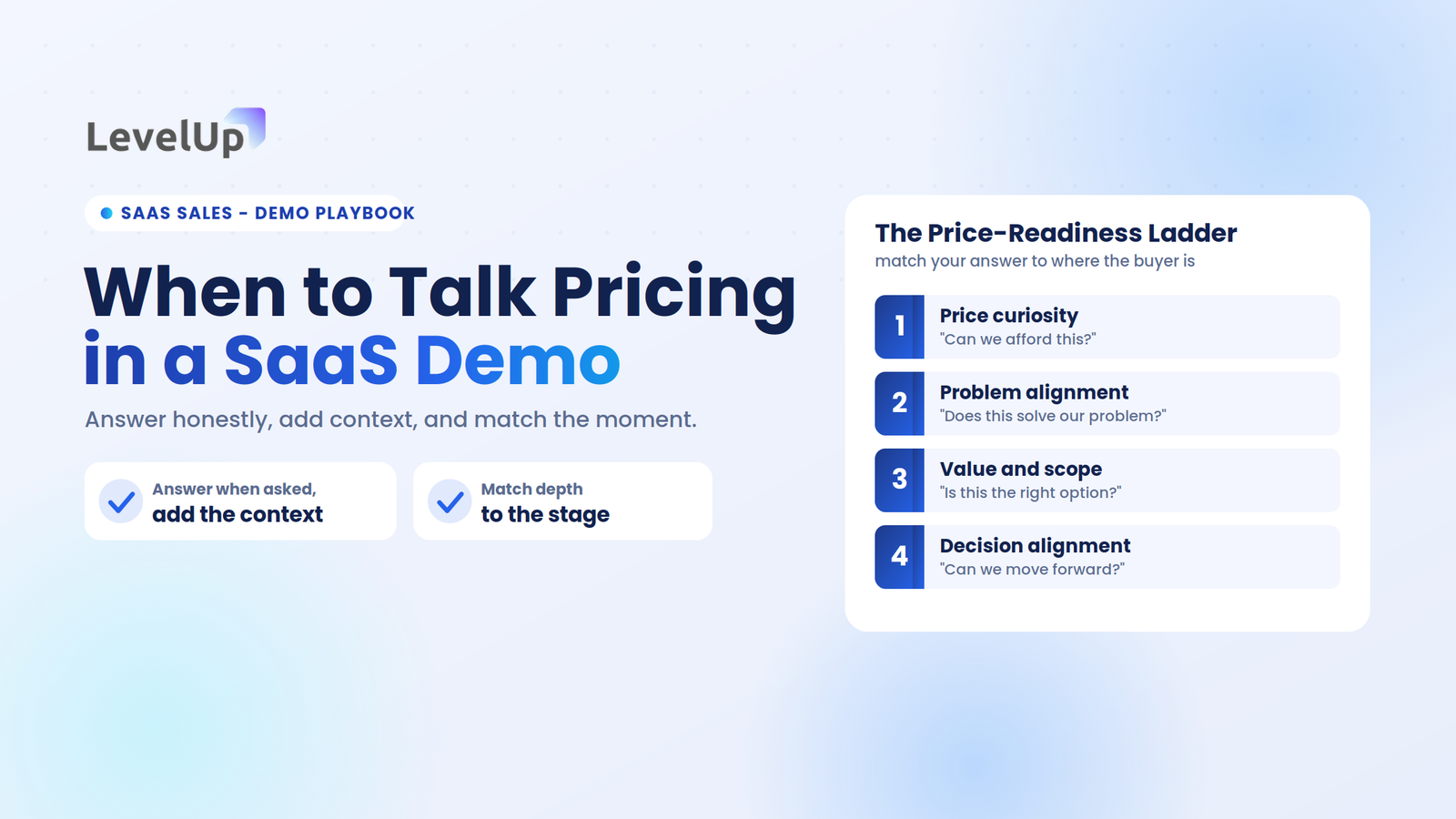
“The price seems high” Price objections are almost never about price – they’re about value perception.
My approach: “I hear you on the investment. Let me ask you this – based on what we’ve discussed, what do you think staying with your current approach is costing you per month?” Then I help them calculate the true cost of inaction.
“We need to think about it” This is the most common way prospects avoid making a decision. It’s not that they need to think – it’s that they need more information or confidence to decide.
My response: “Of course, this is an important decision. What specific aspects do you need to think through? Maybe I can provide some additional information that would help…”
The Art of Post-Demo Follow-Up
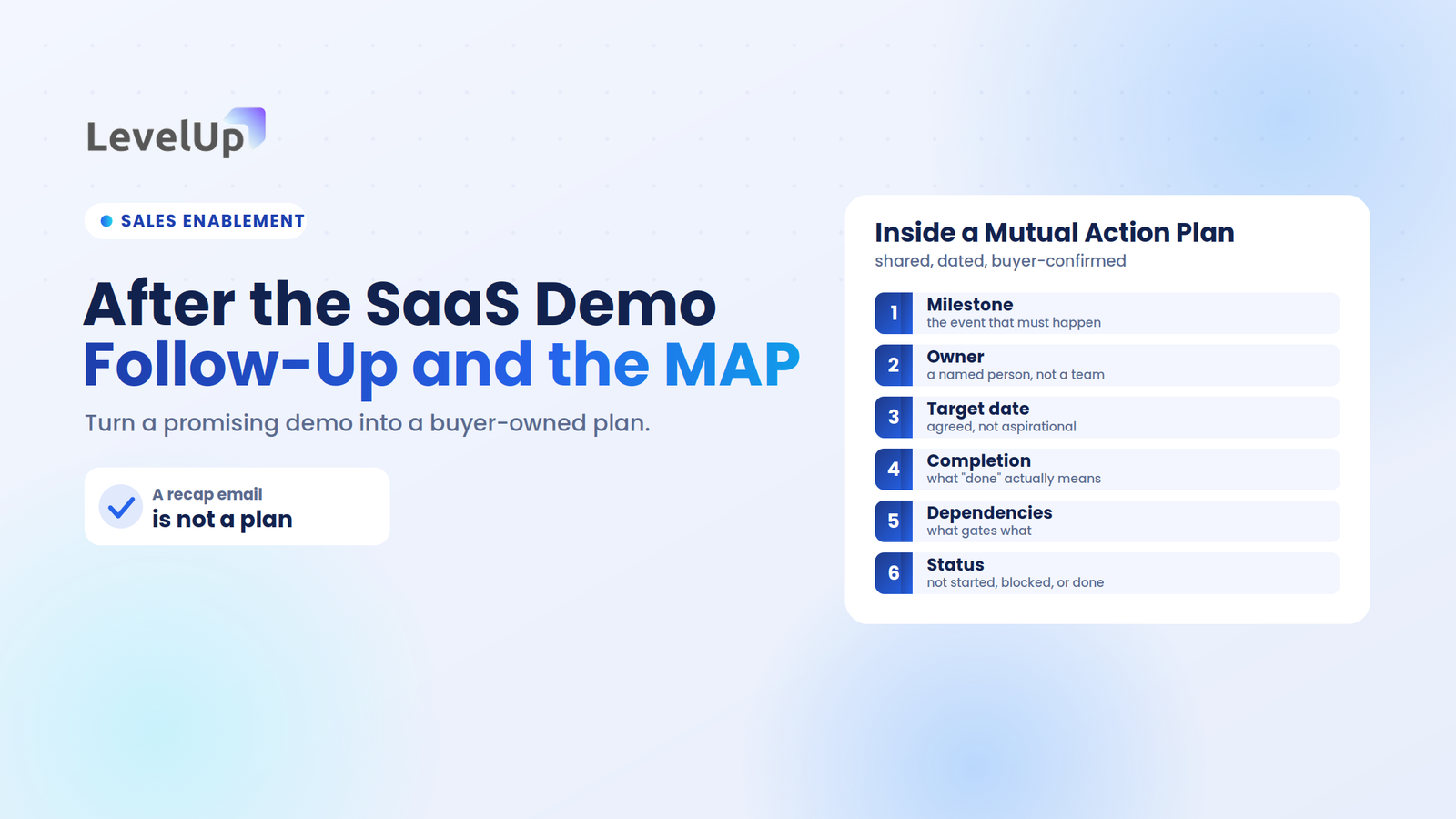
Here’s something that might surprise you: most sales are won or lost in the follow-up, not in the demo itself.
I didn’t realize this until I started tracking our win rates based on follow-up timing and quality. Prospects who received personalized follow-up within 2 hours were 3x more likely to move forward than those who received generic follow-up after 24+ hours.
The 2-Hour Rule
Within two hours of every demo, I send a personalized follow-up email that includes:
- A summary of what we discovered about their needs
- The specific outcomes we discussed
- Next steps with clear timelines
- Additional resources that address concerns raised during the demo
But here’s the key – this isn’t a template. Every follow-up is written specifically for that prospect based on our conversation.
The Follow-Up Sequence That Converts
Immediate (2 hours post-demo): Personalized summary email with next steps
Day 3: Value-add content – case study, ROI calculator, or industry report relevant to their situation
Day 7: Check-in call or email addressing any outstanding questions
Day 14: Final follow-up with alternative options if they’re not ready to move forward
This sequence has helped us maintain engagement with prospects who might otherwise go dark after the demo.
Tools That Make Follow-Up Effortless
I’ll be honest – managing follow-up for multiple prospects used to be a nightmare. Spreadsheets, calendar reminders, trying to remember who said what during which demo…
That’s where LevelUp Demo’s follow-up automation became a game-changer for us. It automatically sends personalized recap emails based on demo outcomes, tracks engagement, and reminds you when it’s time for the next touchpoint. No more prospects slipping through the cracks.
Interactive Demo Platforms and Tools for 2025
Let’s talk tools. The demo landscape has completely evolved in the past few years, and honestly, if you’re still doing screen-share presentations, you’re missing out on some serious competitive advantages.
What to Look for in Demo Software

Outcome-Based Tracking You need to know exactly what happens after every demo. Did they sign up for a trial? Request a proposal? Go dark? Tools that track outcomes help you understand what’s working and what isn’t.
Built-in Scheduling Integration I can’t tell you how much time we’ve saved by eliminating the back-and-forth of scheduling. When prospects can book demos directly and everything syncs with your calendar automatically, it removes friction from the entire process.
Analytics That Actually Matter Page views and click rates are nice, but what you really need to know is: How long did prospects engage with your demo? What features did they explore? Where did they drop off? This data helps you optimize your demo experience over time.
CRM Integration Manual data entry is the enemy of consistent follow-up. The best demo platforms sync directly with your CRM, so every interaction is tracked and every outcome is recorded automatically.
Platform Comparison: What I’ve Learned From Testing
I’ve personally tested most of the major demo platforms over the past two years. Here’s what I’ve learned:
For Interactive Product Tours: Navattic and Storylane both create engaging experiences, but they require significant setup time for complex products.
For Live Demo Management: LevelUp Demo has been our go-to because it handles the entire demo-to-close process, not just the demonstration part. The outcome tracking and automated follow-up have been game-changers for our conversion rates.
For Self-Service Demos: Arcade and Supademo work well for prospects who want to explore on their own, but you lose the relationship-building aspect of live demos.
Pricing Considerations for Small Businesses
Look, I get it – when you’re running a small business, every software subscription adds up. But here’s how I think about demo software ROI:
If you’re doing 10 demos per month and a good platform helps you close just 2 additional deals, what’s that worth to your business? For most companies, it’s significantly more than the monthly software cost.
LevelUp Demo’s pricing starts with a free plan for startups, which is perfect for testing the waters. Their SMB plan at $20/month pays for itself if it helps you close one additional deal per quarter.
Advanced Strategies: Micro-Demos and Branching Scenarios
Once you’ve mastered the basics, there are some advanced techniques that can really set your demos apart.
Micro-Demo Strategy
Instead of one comprehensive demo, I’ve started using what I call “micro-demos” – focused 10-15 minute demonstrations that address specific use cases or concerns.
Here’s how it works: After your discovery call, you identify the 2-3 most critical problems they need to solve. Instead of scheduling one 45-minute demo to cover everything, you schedule 3 short, focused sessions.
Why this works:
- Higher attendance rates (easier to find 15 minutes than 45)
- More focused conversations
- Better retention of key points
- Multiple touchpoints build stronger relationships
Branching Demo Scenarios
This is something I borrowed from the gaming world – the idea that prospects can choose their own adventure based on their interests and concerns.
During the demo, instead of following a linear path, I offer choices: “We could explore how this helps with reporting efficiency, or we could dive into the compliance features you mentioned. What would be more valuable for you right now?”
This approach makes prospects feel like they’re in control of the experience, which significantly increases engagement and buy-in.
Building Long-Term Relationships Beyond the Demo
Here’s something I’ve learned after running businesses for a decade: the best customers come from relationships, not just transactions. Your demo process should be building those relationships, not just closing deals.
The Consultant Mindset
Instead of approaching demos as “product presentations,” I approach them as “consulting sessions.” My goal isn’t just to show features – it’s to genuinely help prospects solve problems, even if they don’t buy from us.
This mindset shift has had some unexpected benefits:
- Higher close rates (people buy from people they trust)
- Better customer relationships (they see us as partners, not vendors)
- More referrals (satisfied prospects refer others, even if they don’t buy)
- Shorter sales cycles (less skepticism to overcome)
The Network Effect
Every demo is an opportunity to expand your network. Even prospects who don’t buy can become:
- Future customers when their situation changes
- Referral sources
- Industry connections
- Sources of market intelligence
I keep in touch with every qualified prospect, regardless of outcome. A simple quarterly check-in email or LinkedIn message keeps you top-of-mind for when their needs change.
Measuring Demo Success: Metrics That Matter

I used to think demo success was binary – they either bought or they didn’t. But there are actually leading indicators that can help you optimize your demo process before deals are won or lost.
Key Demo Metrics I Track
Immediate Metrics:
- Demo attendance rate (scheduled vs. showed)
- Demo duration (full demo vs. early exit)
- Questions asked during demo
- Stakeholder participation level
Short-term Metrics:
- Follow-up response rates
- Next meeting scheduling rate
- Trial sign-up rate
- Proposal request rate
Long-term Metrics:
- Demo-to-close conversion rate
- Average sales cycle length
- Deal size correlation with demo quality
- Customer lifetime value by demo type
The Feedback Loop
After every demo (win or lose), I send a brief feedback survey asking:
- What was most valuable about the demo?
- What concerns do you still have?
- What could we have done differently?
- How did this compare to other demos you’ve seen?
This feedback has been invaluable for continuously improving our demo process.
Frequently Asked Questions
What is a sales demo? A sales demo is a live demonstration designed to show prospects how your product or service solves their specific business problems. It’s not just a product walkthrough – it’s a consultative experience that helps prospects envision success with your solution.
How do I make a sales demo interactive? Focus on hands-on experiences rather than passive presentations. Let prospects use the product themselves, ask questions throughout, and create scenarios that match their real business challenges. Tools like guided tours and real-time feature exploration work much better than slide presentations.
What are the most common sales demo mistakes? The biggest mistakes are showing the demo too early (before understanding needs), overwhelming prospects with too many features, talking more than listening, and failing to personalize the experience. Generic demos that don’t address specific problems rarely convert.
How should I handle objections during a demo? Treat objections as buying signals, not roadblocks. Acknowledge concerns immediately, dig deeper to understand the root cause, address with specific examples or data, and confirm you’ve resolved their concern before moving forward.
Should every sales demo be tailored for each prospect? Absolutely. Personalization is what separates great demos from generic presentations. Spend time researching their industry, role, current challenges, and company size. This 15-20 minute investment dramatically improves your conversion rates.
What tools can help with sales demos? Modern platforms offer interactive experiences, outcome tracking, and automated follow-up. Look for tools that integrate with your CRM, provide meaningful analytics, and support the entire demo-to-close process, not just the presentation itself.
How long should a sales demo last? Aim for 15-30 minutes focused on their main problems rather than comprehensive feature tours. Shorter, focused demos typically have better engagement and retention rates than lengthy presentations.
What questions should I ask during demos? Great questions include: “What’s running through your mind as I show you this?” “How would this compare to your current process?” “What would success look like with this solution?” Focus on understanding their reactions and gathering feedback throughout.
What’s the best follow-up strategy after a demo? Send personalized follow-up within 2 hours including a summary of their needs, specific outcomes discussed, and clear next steps. Continue with value-added content every few days, addressing any concerns raised during the demo.
How can I create urgency without being pushy? Focus on the cost of inaction rather than artificial time limits. Help prospects understand how competitors are gaining advantages, market timing implications, and internal costs of maintaining the status quo. Make urgency about their success, not your timeline.
Conclusion: Turning Demos into Deal-Closers
After eight years of refining our demo process, here’s what I’ve learned: the best sales demos aren’t about your product at all – they’re about your prospect’s success.
When you shift from showing features to solving problems, from presenting to consulting, from talking to listening, everything changes. Your conversion rates improve, your sales cycles shorten, and your customers become genuine partners rather than just buyers.
The strategies I’ve shared here – storytelling frameworks, interactive experiences, personalized approaches, and systematic follow-up – they work because they put the prospect’s needs first. But here’s the thing: knowing these strategies isn’t enough. You have to implement them, test them, and continuously refine them based on your results.
My top three recommendations for immediate implementation:
- Start with better discovery. Never schedule a demo without understanding exactly what success looks like for that prospect.
- Make it interactive. Stop presenting and start collaborating. Let prospects experience your solution, not just see it.
- Perfect your follow-up. Most deals are won or lost after the demo, not during it. Systematic, personalized follow-up is what separates top performers from everyone else.
Running a business is challenging enough without struggling through ineffective demos. If you’re ready to transform your demo process from product presentation to deal-closing experience, try LevelUp Demo free for 14 days. Their outcome-based tracking and automated follow-up can help you implement everything we’ve discussed while maintaining the personal touch that builds lasting relationships.
Remember: every demo is an opportunity to not just close a deal, but to start a partnership. Make it count.